On this page
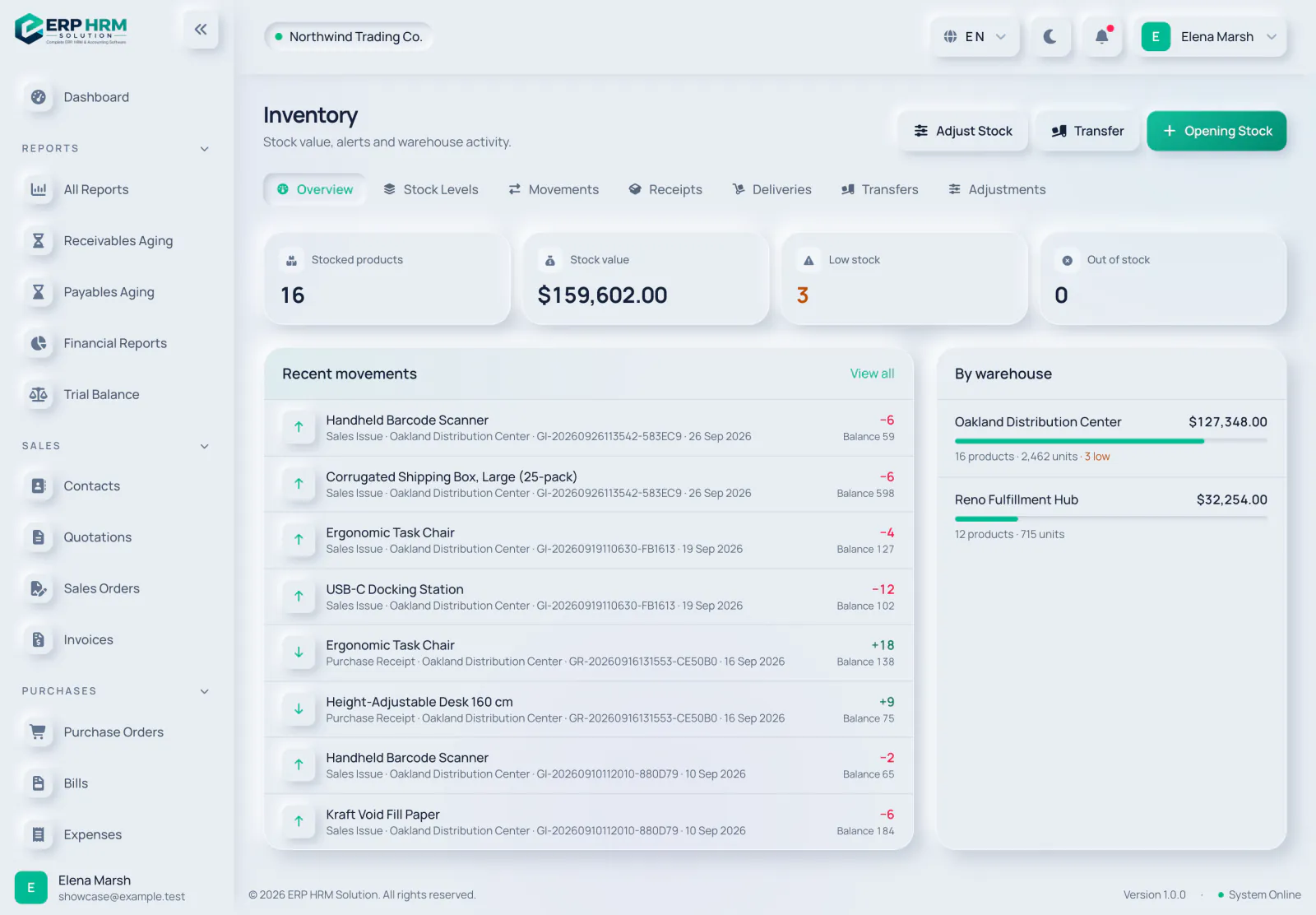
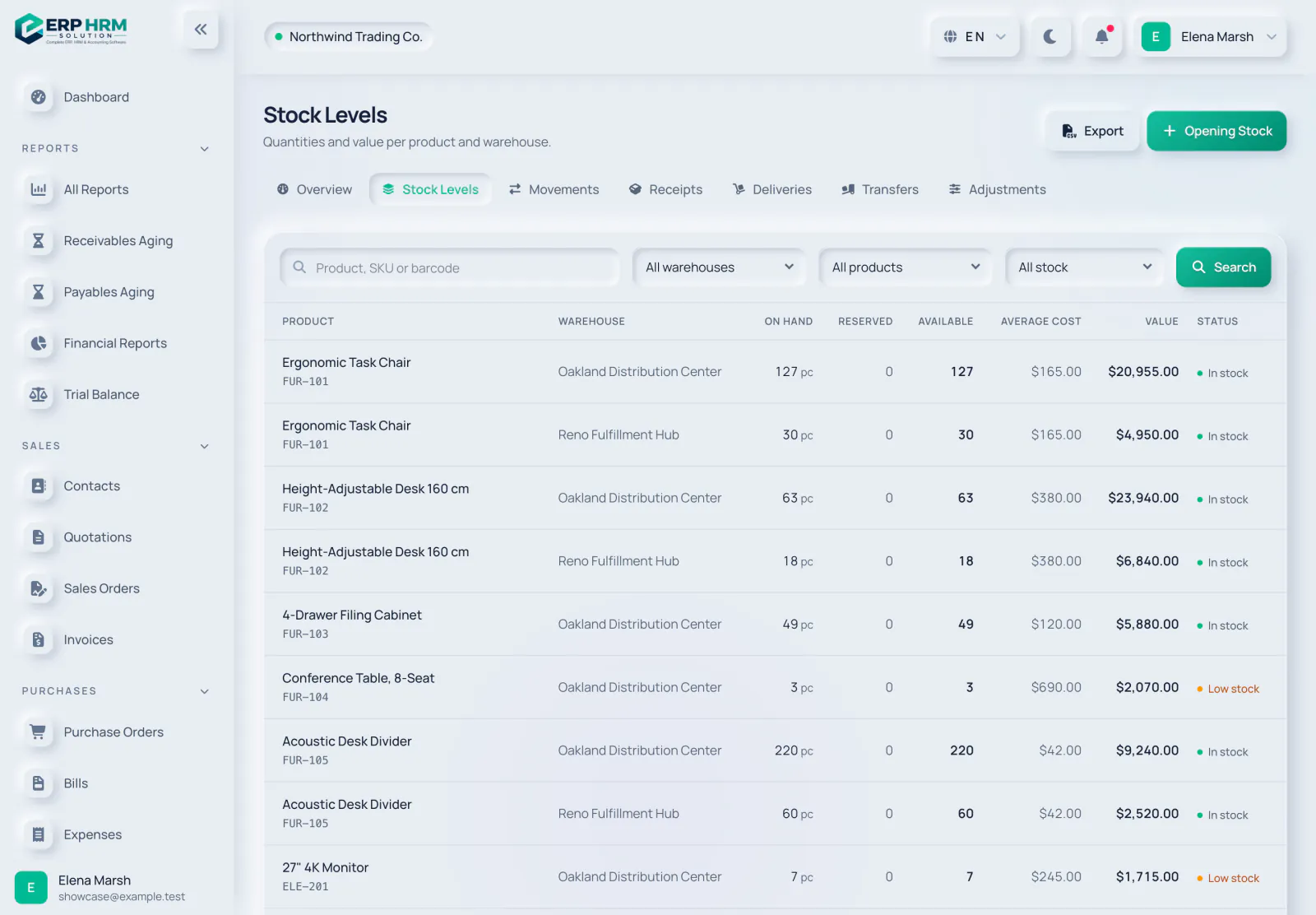
The Inventory overview gives you the big picture; Stock Levels gives you one row per product and warehouse.
The overview
- 1. Low stock
- 2. Out of stock
- 3. Stock Levels
- 4. By warehouse
- Tiles for Stocked products, Stock value, Low stock and Out of stock. Click a tile to open the matching list.
- Recent movements with View all, and By warehouse with each warehouse’s value, products, units and low-stock count.
- Tabs to every inventory page: Overview, Stock Levels, Movements, Receipts, Deliveries, Transfers and Adjustments.
Stock Levels
-
Step 1: Filter the list
Search by product, SKU or barcode, or pick a Warehouse and Product. Use Stock status to show Low stock, Out of stock, Below minimum or Above maximum.
- 1. Warehouse
- 2. Stock status
-
Step 2: Read the columns
On Hand is what is physically in the warehouse. Reserved is held for transfers that are in transit. Available is On Hand minus Reserved. Average Cost and Value show what the stock is worth.
- 1. On Hand
- 2. Available
-
Step 3: Check the status
Each row shows In stock, Low stock (on hand at or below the reorder level) or Out of stock (nothing on hand).
- 1. Low stock
-
Step 4: Export
Click Export to download the stock list as a CSV file (needs the inventory export permission).
- 1. Export
Stock alerts
Turn on Enable Stock Alert on a product to be notified about it. After each stock movement, active users who can view inventory get a notification when the product’s available stock in that warehouse is out of stock, below the reorder level or minimum, or at its maximum. Set the Reorder Level, Minimum Stock Level and Maximum Stock Level on the product for this to work well.
Related guides
Ask about the product
Ask what the software can do, how a task works, or which countries and languages it supports. Answers come from these guides.
Thinking…
The AI assistant is not available right now. Search the guides or talk to our team. Contact support
AI can make mistakes. Check the linked guides.
Still need help?
Our support team reads every message and answers in plain language.
Contact support