Skip to content

Modules

Dashboard

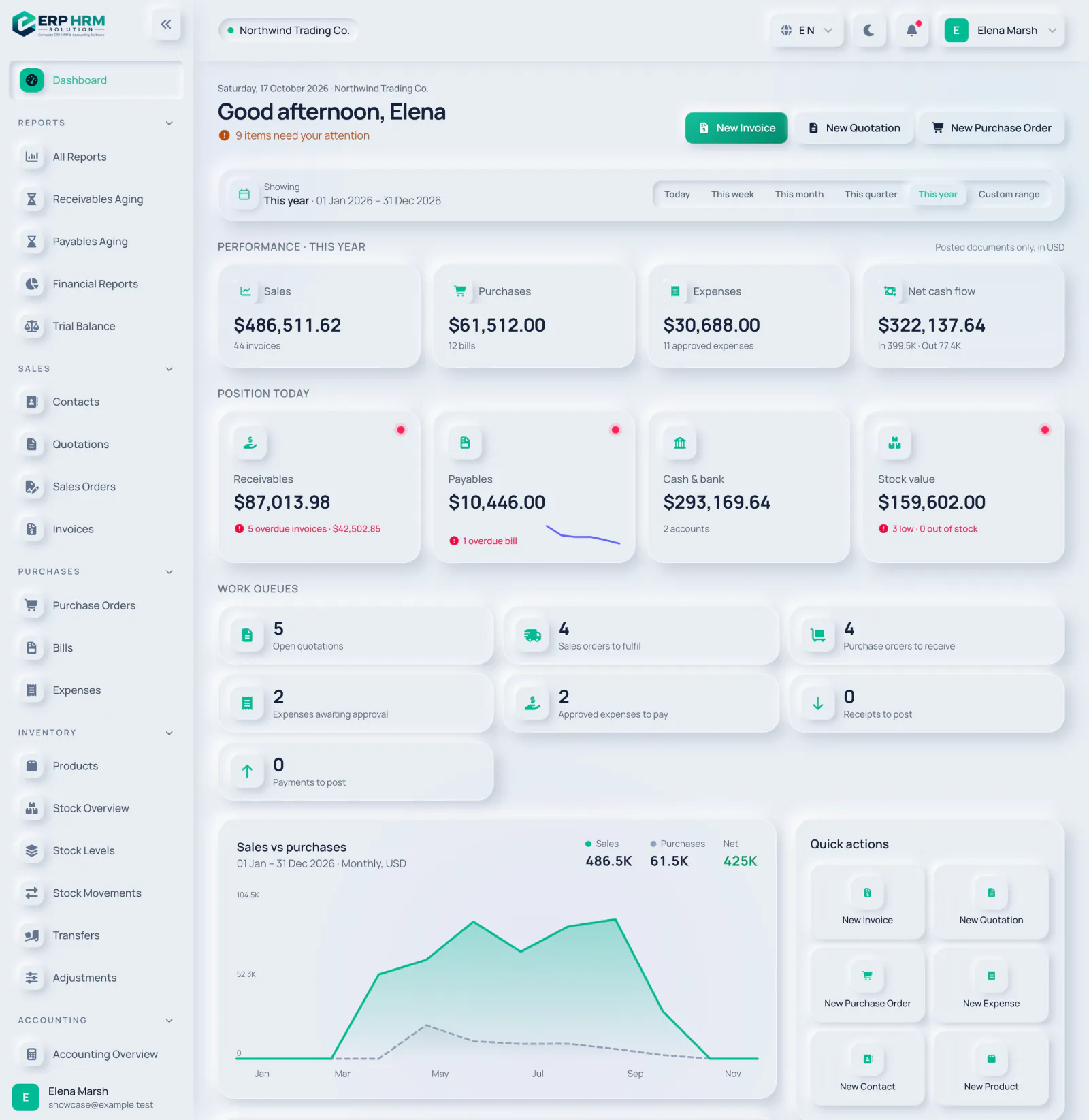
A live overview of the business that respects each person's role: everyone sees the figures they are allowed to see.

  • Period filtersToday, this week, month, quarter, year or any custom range — every figure follows.
  • Cash and positionReceivables, payables, cash and bank balances and stock value in one place.
  • Charts that matterSales versus purchases, receivables and payables by age, and expenses by category.
  • Work queuesQuotations to follow up, orders to fulfil, bills to pay and expenses to approve.
Explore Dashboard
Business dashboard with yearly sales, purchases, expenses and cash flow, receivables and payables, work queues and a sales vs purchases chart

Sales & invoicing

From the first quote to the final payment, every sales document flows into the next — and into your books.

  • Quote to cashConvert quotations to sales orders and invoices without retyping anything.
  • Payments and balancesRecord full or partial payments; balances and statuses update automatically.
  • Receivables ageingKnow exactly who owes what, and for how long, at any date.
  • Professional documentsPrint-ready invoices with your branding, taxes and QR codes.
Explore Sales & invoicing
Invoice list with status tabs, filters, amounts, balances due and paid, issued, overdue and draft badges

CRM & pipeline

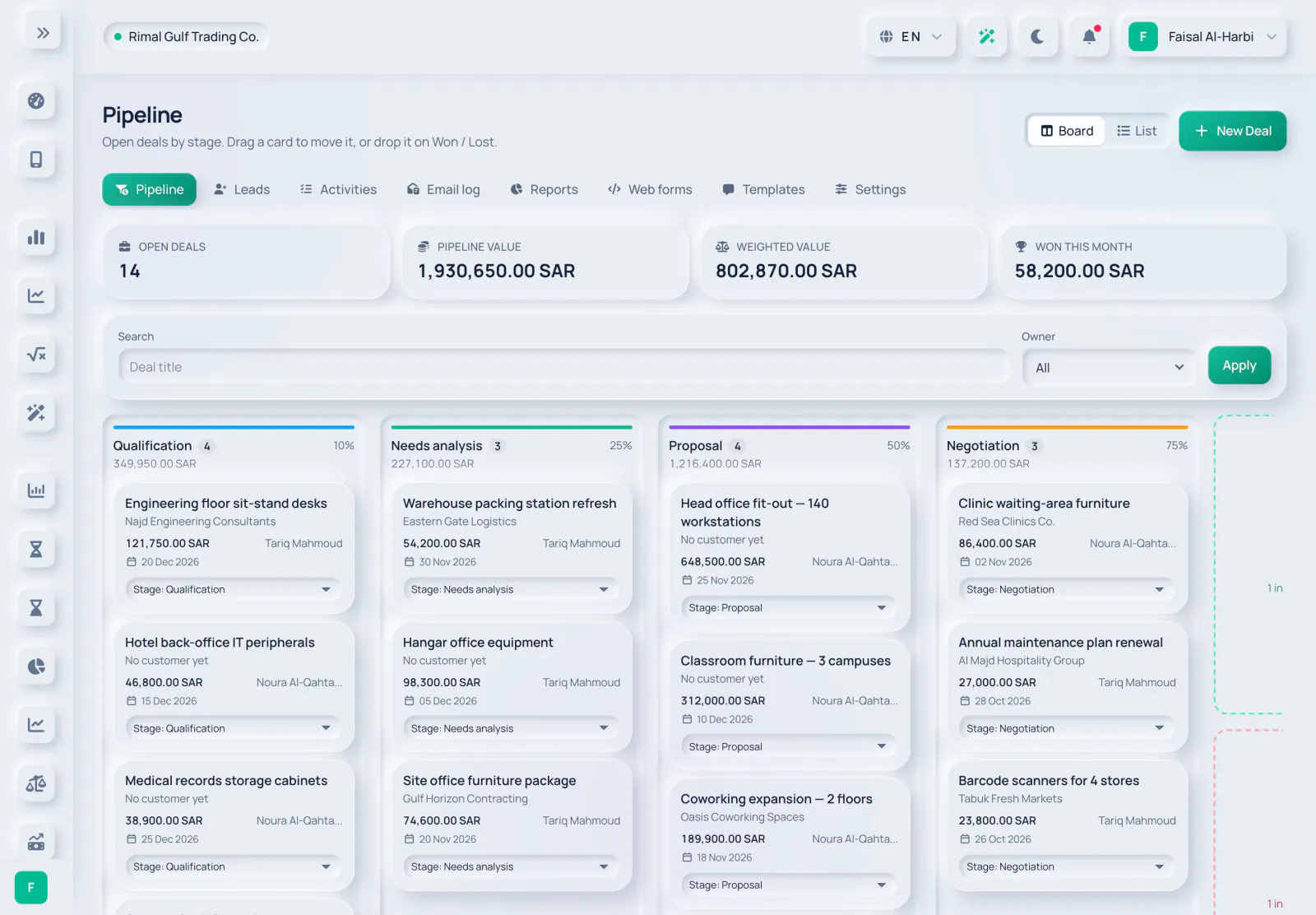
Capture leads, move deals through your pipeline and turn the ones you win into quotations — in the same system that invoices them.

  • LeadsCreate leads or import them from CSV with column mapping, then convert them.
  • Deal pipelineMove deals through stages, mark them won or lost, and create a quotation from a deal.
  • Activities and follow-upsTasks and reminders, round-robin lead assignment and automatic follow-up tasks for idle leads.
  • Web forms and emailPublic lead-capture forms, template emails through your own mail server and WhatsApp click-to-chat links.
Explore CRM & pipeline
CRM deals board with open deals, pipeline value, weighted value and deals won this month, and deal cards in each stage

Point of sale

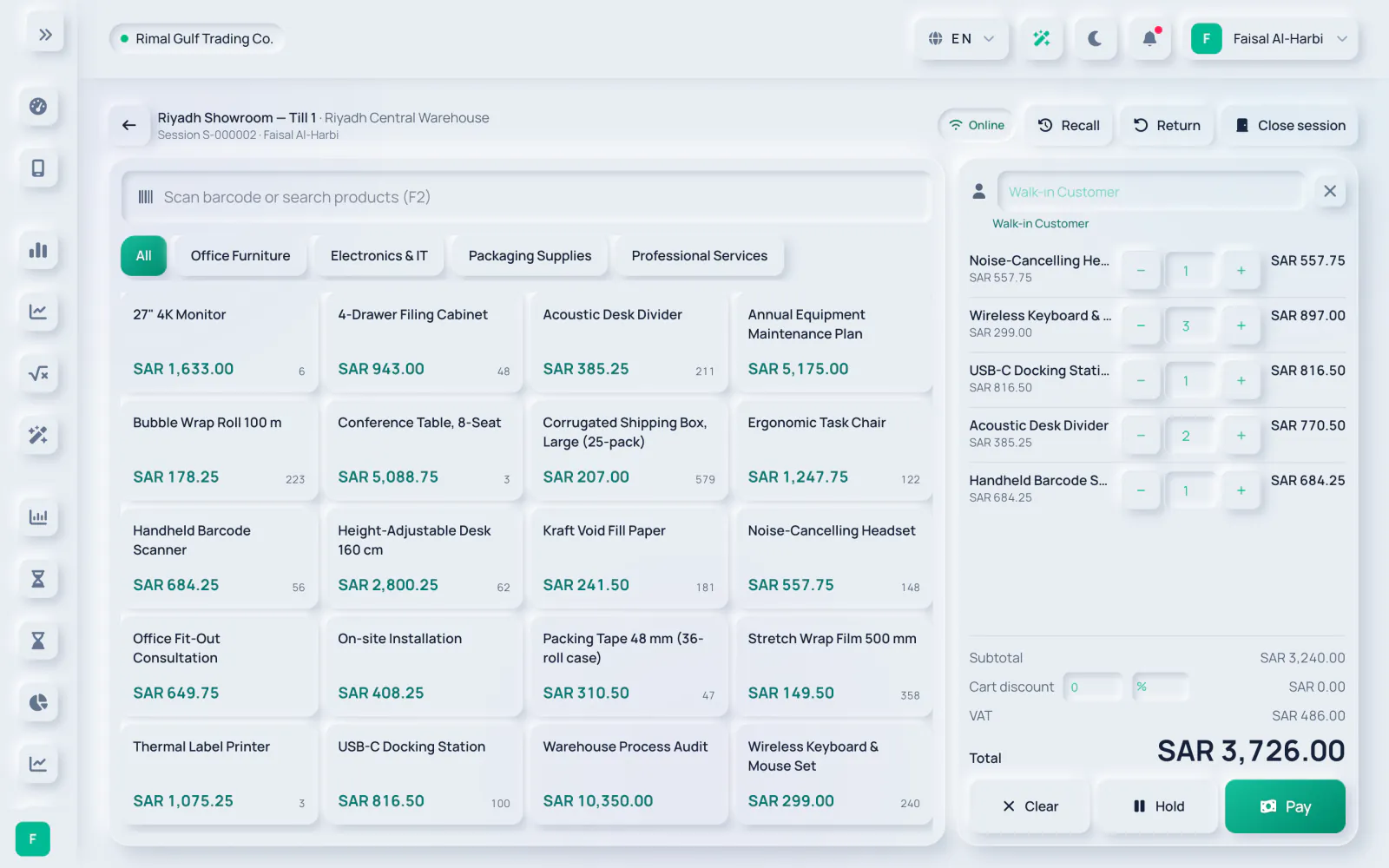
Sell at the counter with a till that creates real invoices, moves stock and posts to your books — and keeps selling when the connection drops, with each offline sale invoiced when it syncs.

  • Sessions and registersOpen a session on a register with an opening float; each register has one open session at a time.
  • Fast checkoutSell from the catalogue, hold and recall sales, and take cash, card or other tenders.
  • Every sale is an invoiceVAT and e-invoicing apply to till sales, and stock and cost of sales post automatically.
  • Close with a Z reportCount the cash, post any over or short amount and freeze the Z report. Returns are refunded with a credit note.
Explore Point of sale
Point-of-sale till with a product grid by category, five items in the cart, VAT and the total ready to pay

Purchasing & vendors

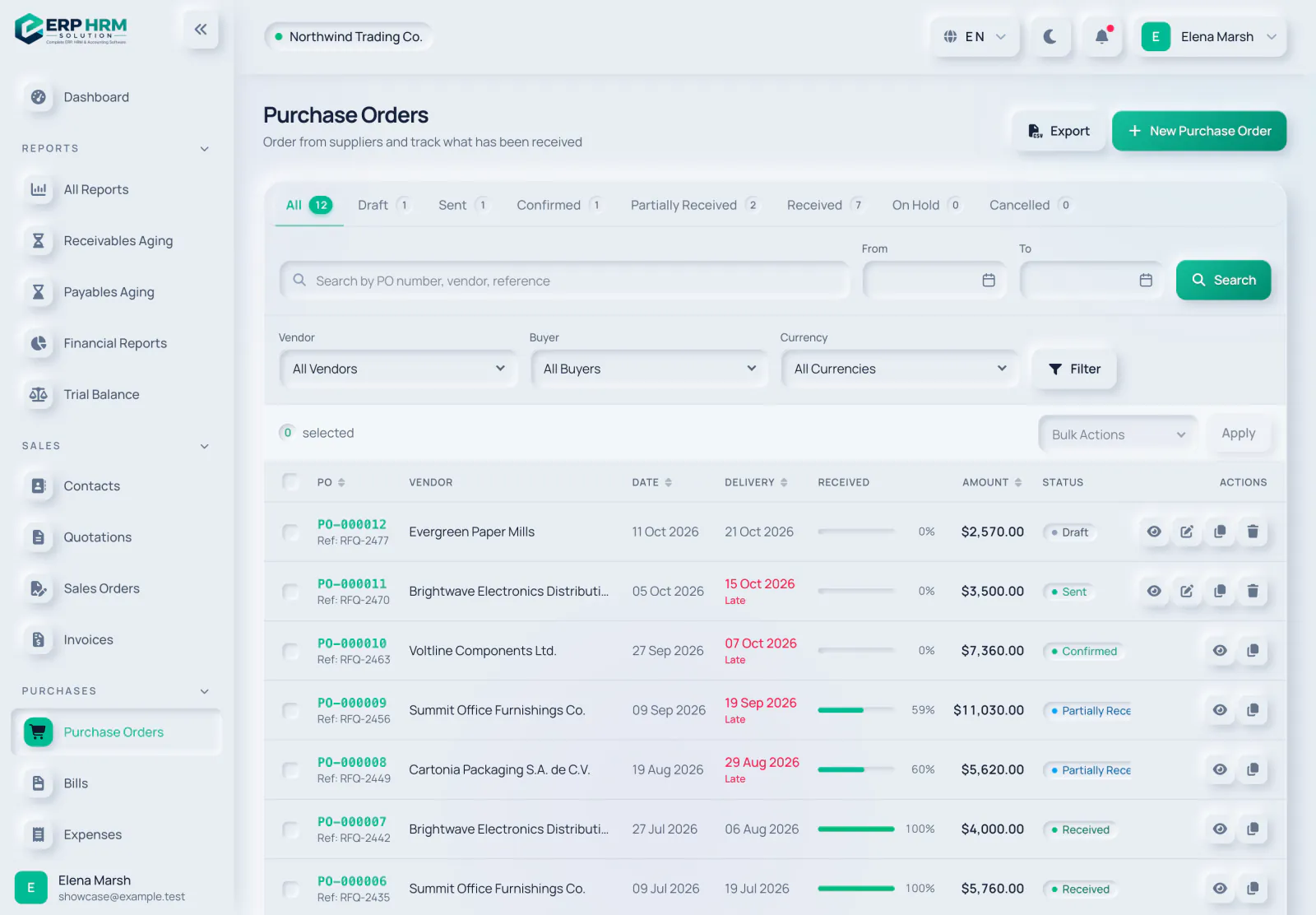
Order, receive and pay suppliers in one flow — bills are matched against what was ordered and received, and stock and accounting update as you go.

  • Purchase ordersRaise, confirm and track orders to each vendor.
  • Goods receiptsReceive full or partial deliveries straight into stock.
  • Vendor billsTurn orders into bills and record what you pay, in any currency.
  • Payables ageingPlan cash with a clear view of what is due and overdue.
Explore Purchasing & vendors
Purchase order list with vendors, received quantities and statuses

Inventory & stock

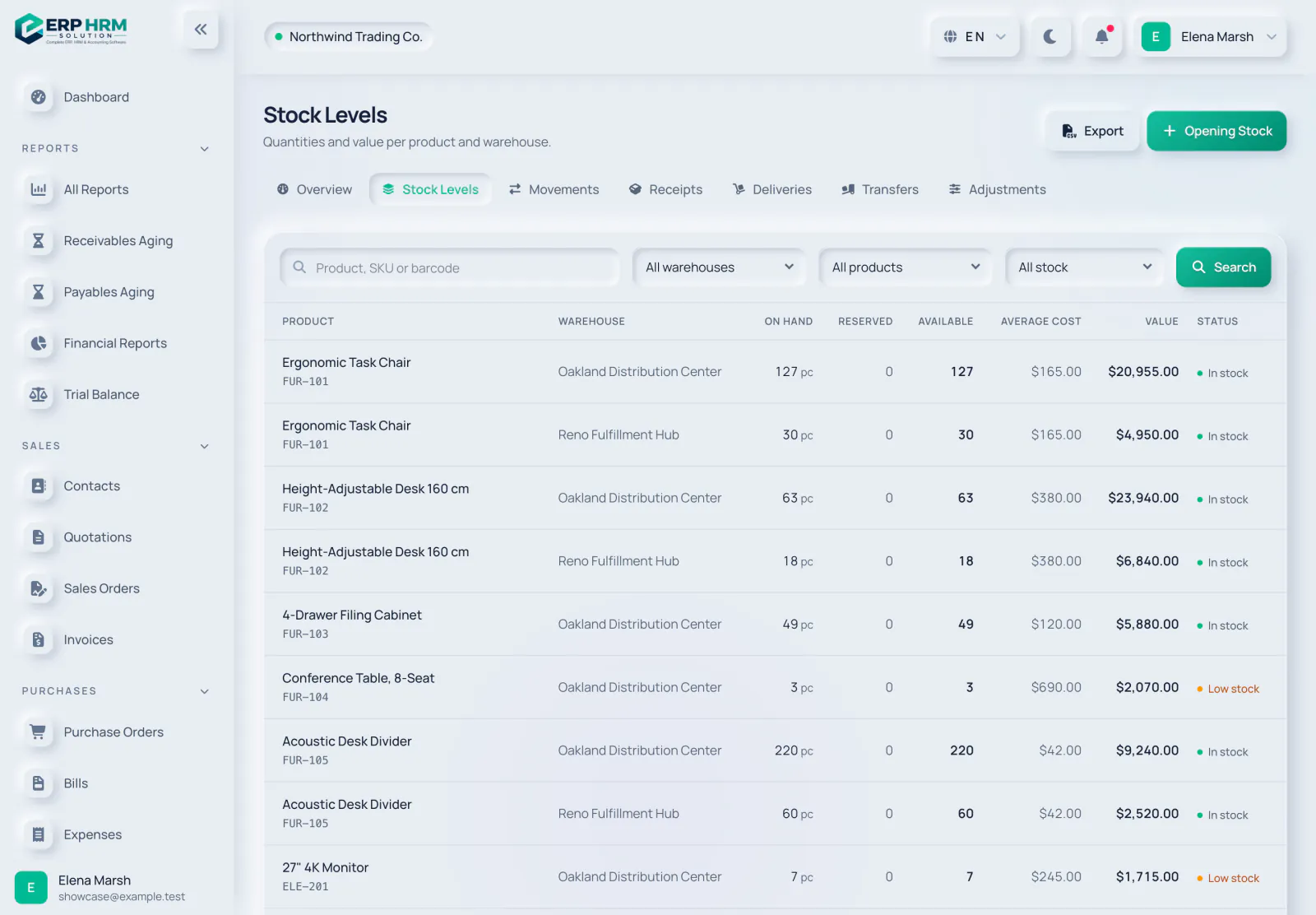
Always know what you have, where it is and what it is worth.

  • Multiple warehousesTrack quantities on hand, reserved and available per location.
  • Every movement recordedReceipts, issues, transfers and adjustments in one ledger.
  • Stock alertsLow and out-of-stock warnings before they become lost sales.
  • ValuationStock value at weighted average cost per warehouse, by product, warehouse or category.
Explore Inventory & stock
Stock levels per product and warehouse with quantities, average cost, value and stock status

Projects & time

Plan the work, track the time and invoice it — then see what each project really earned.

  • Boards and timelinesKanban stages, a list view, a timeline and milestones, with comments and attachments on tasks.
  • TimesheetsLog, submit and approve time, with a My Tasks page for everyone.
  • Project billingCreate draft invoices from approved billable time and reached milestones.
  • ProfitabilityProfitability and project analytics, plus an R&D time report for flagged projects.
Explore Projects & time
Kanban board for a fit-out project with To do, In progress, Review and Done columns, task priorities, due dates, estimates and assignees

Accounting

Invoices, bills, payments and expenses post to a real double-entry ledger, so your reports are always up to date.

  • Chart of accountsA ready-made chart you can extend, with account mapping per company.
  • Automatic postingsSales, purchases, payments and expenses create balanced journal entries.
  • Financial statementsProfit & loss, balance sheet, cash flow, trial balance and general ledger, with comparison periods.
  • Recurring journals and dimensionsSchedule recurring entries and tag postings with cost centres.
Explore Accounting
Profit and loss and financial position for the year with totals by account type

Banking & reconciliation

Import your bank statements, match them to what is already in your books and reconcile to a zero difference.

  • Statement importCSV with a saved column mapping, OFX/QFX, SWIFT MT940 or ISO 20022 CAMT.053.
  • Line matchingAuto-match lines, accept them, book new entries or payments, or ignore them.
  • Bank rulesBook recurring lines such as bank charges automatically.
  • ReconciliationA reconciliation completes only when the difference is zero, with a reconciliation report.
Explore Banking & reconciliation
Bank reconciliation with imported statement lines, rule-based match suggestions to accept, and counts of lines to reconcile and already reconciled

Tax & e-invoicing

Built for GCC tax rules: returns built from your posted documents, e-invoices cleared or reported automatically, and worksheets that prepare your filings.

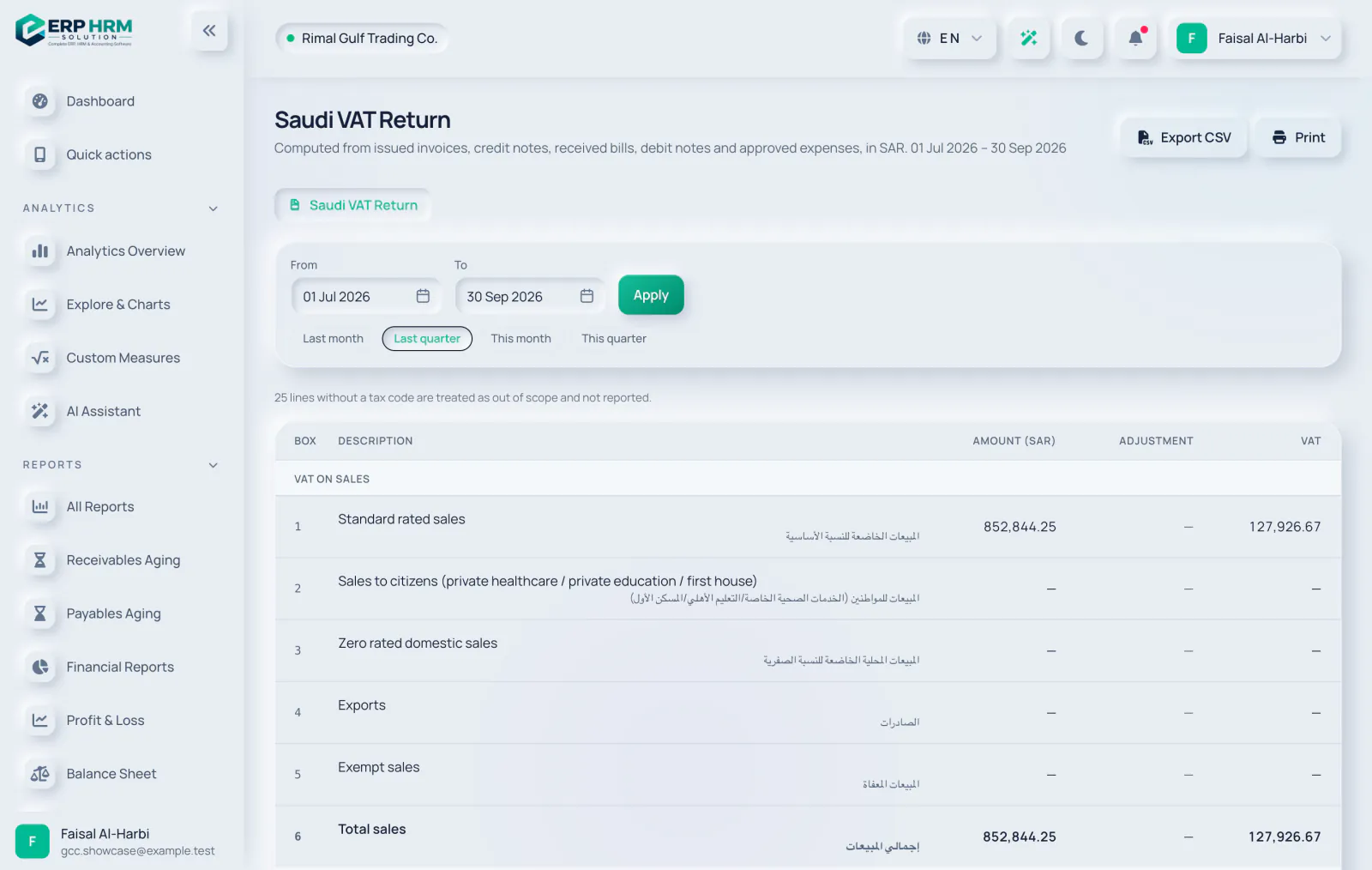
  • VAT returnsThe Saudi VAT return and the UAE VAT 201, built from posted documents with drill-down, filing snapshots and period locks.
  • ZATCA Phase 2Onboarding, clearance of standard invoices and reporting of simplified invoices, with the QR code, hash chain and signed XML handled for you.
  • UAE e-invoicingPINT-AE invoices through an accredited service provider whose API is compatible with our connector — ask us before you appoint one — and an inbox that turns supplier e-invoices into draft bills.
  • Tax worksheetsUAE Corporate Tax, KSA Zakat and KSA withholding tax worksheets that prepare your returns. Filing stays with you.
Explore Tax & e-invoicing
Saudi VAT return for a quarter with standard-rated, zero-rated, export and exempt sales boxes in English and Arabic, with amounts and VAT in SAR

Planning & close

Plan against budgets, close each month with a checklist, and keep fixed assets and foreign-currency balances right.

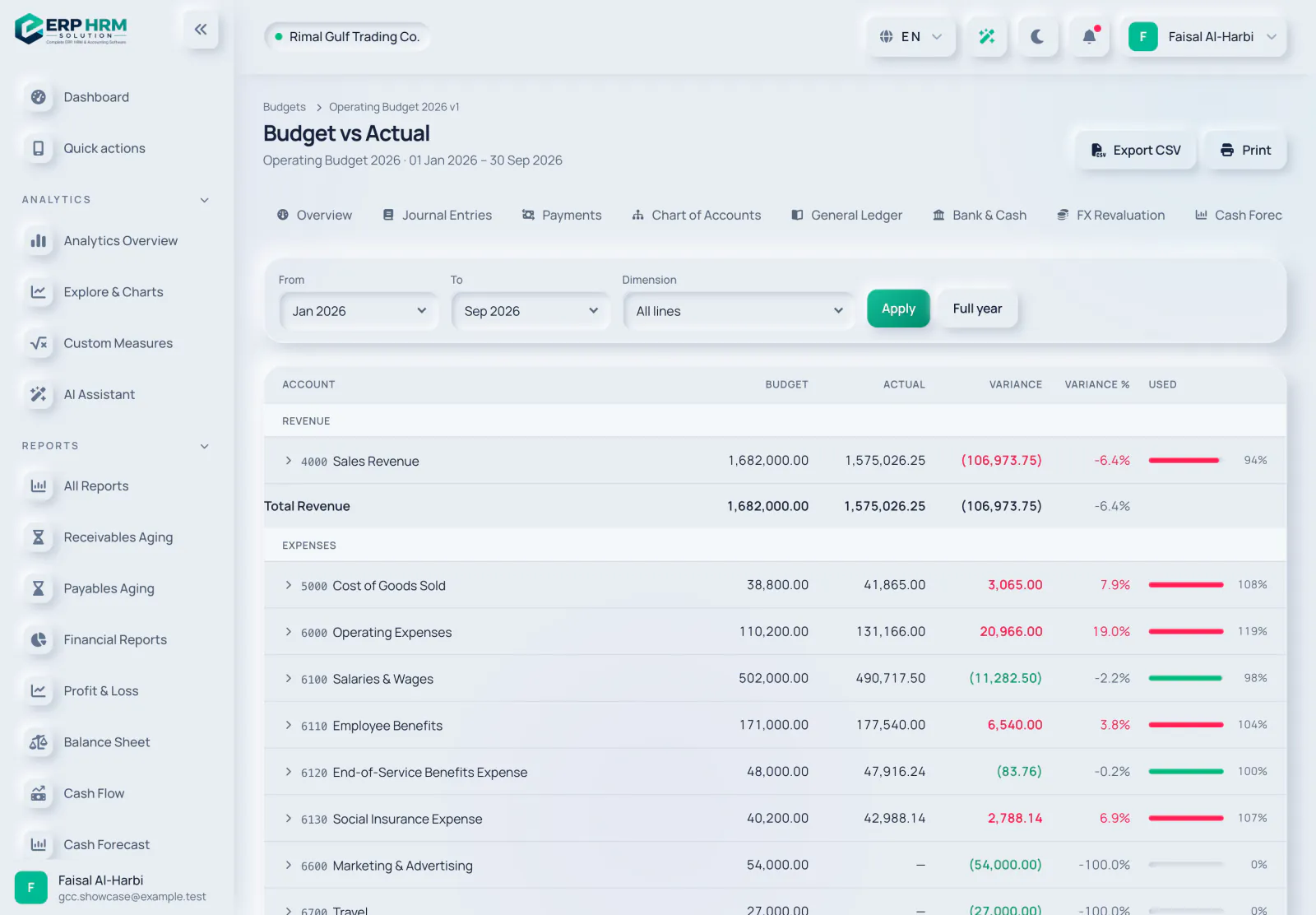
  • BudgetsBudgets per account and dimension with versions, a monthly spread, budget versus actual and a warn or stop control.
  • Period and year-end closeSoft-lock, close and lock periods, follow the close checklist and post the year-end closing entry.
  • FX revaluationRevalue open foreign-currency balances at a date and post the unrealised gain or loss.
  • Fixed assetsAn asset register with straight-line or declining-balance depreciation, disposals and a net book value report.
Explore Planning & close
Budget vs actual report for an operating budget with budget, actual, variance and percent used for each revenue and expense account

Expense management

A simple approval flow that keeps spending visible and under control.

  • Submit with receiptsAttach receipts and choose a category in seconds.
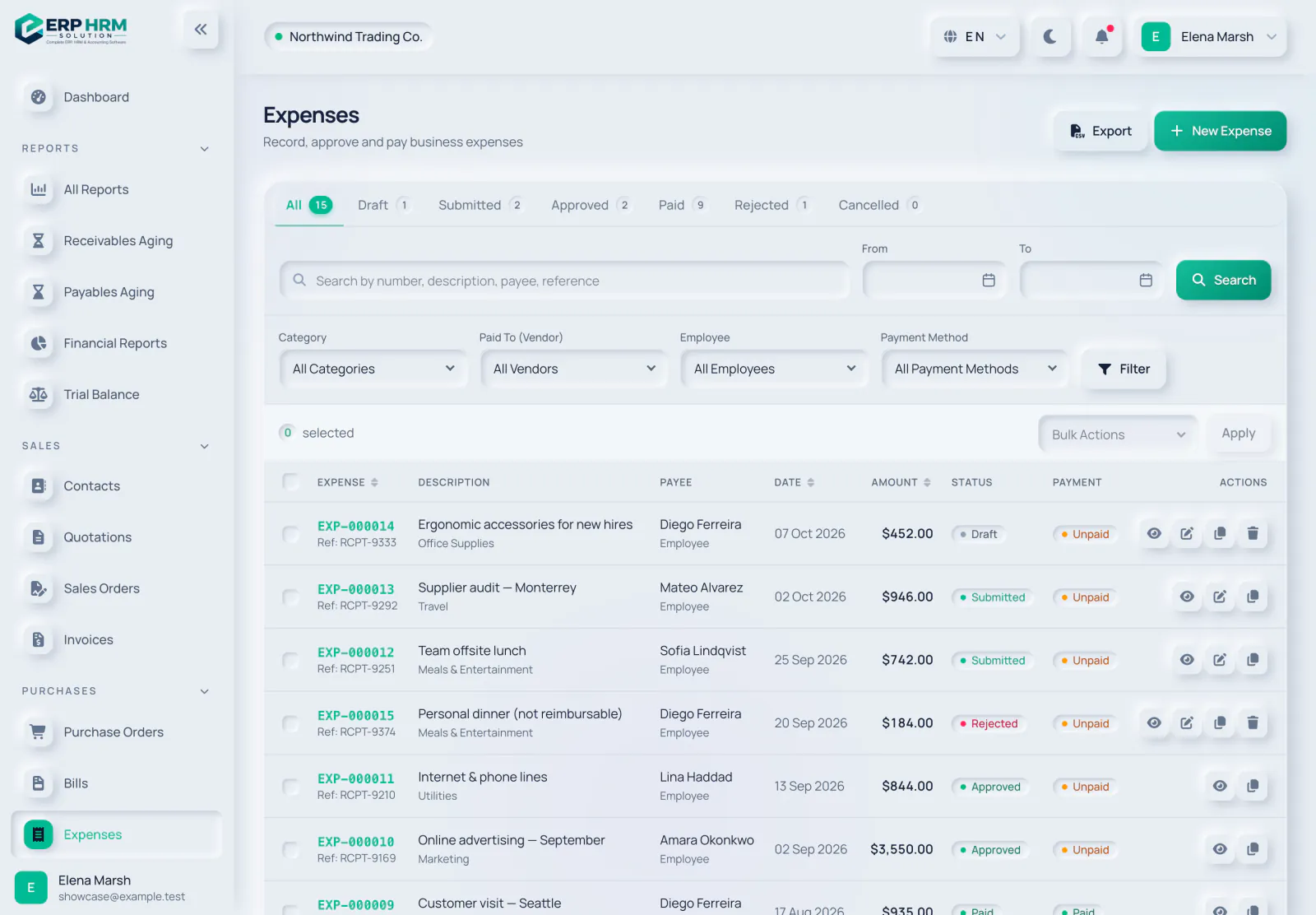
  • Approval workflowDraft, submit, approve or reject — nobody approves their own expense.
  • Pay and postMark expenses paid; the accounting entries follow automatically.
  • Spending insightSee spending by category, employee and payment status.
Explore Expense management
Expense claims by employee with categories, approval and payment status

People & HR

Everything about your team in one place, with self-service for employees and approvals for managers.

  • Employee recordsDepartments, designations, managers, contracts and documents with expiry reminders, including iqama and Emirates ID.
  • AttendanceCheck-in and check-out, schedules and shifts, corrections with approval.
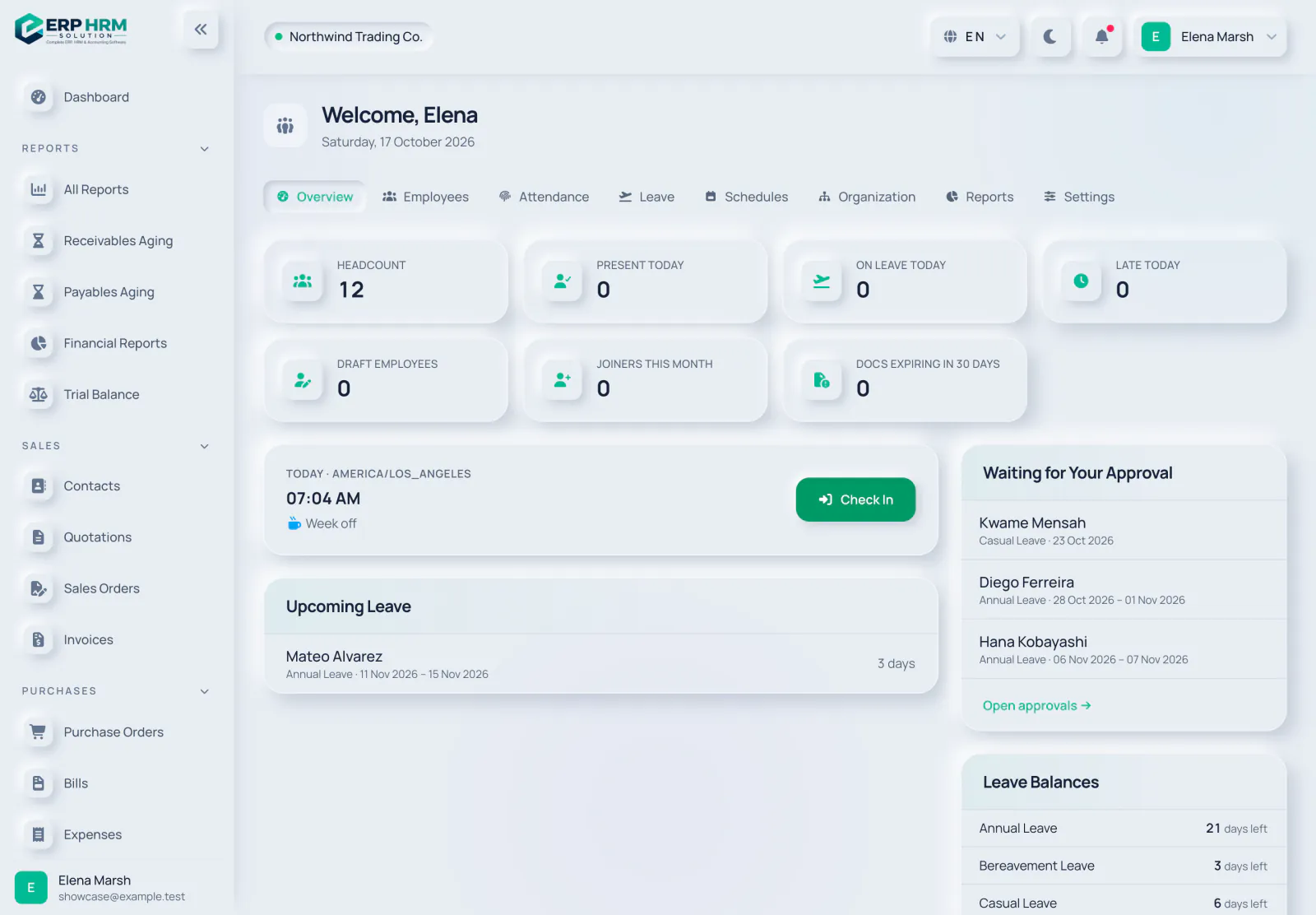
  • Leave managementLeave types, balances, requests and approvals with a team calendar.
  • Growth and reportsOnboarding checklists, performance reviews, training and HR reports with CSV export.
Explore People & HR
HR overview with headcount, attendance today, leave, approvals and leave balances

Payroll & end of service

Run payroll for GCC teams from salary profiles to approved runs, salary transfer files and final settlements, with every run posted to your books.

  • Payroll runs and payslipsMonthly runs move from draft to approved to paid, with a payslip for every employee.
  • Salary transfer filesUAE WPS SIF, Saudi Mudad or bank files, and bank-transfer files for Oman, Qatar, Kuwait and Bahrain.
  • Social insuranceGOSI, GPSSA, SPF, SIO, PIFSS and GRSIA rates with effective dates that your company can edit.
  • End of service and final settlementGratuity follows each GCC country's rules. Cases the law leaves open are flagged for manual review, never guessed.
Explore Payroll & end of service
A paid monthly payroll run for 12 employees with totals for gross pay, deductions, employer contributions and net pay, the posted journal and end-of-service accrual, and a line per employee in SAR

Reports & analytics

Answer business questions in a few clicks, explore the numbers behind them, then export the data for anyone who needs it.

  • Across every moduleSales and customer reports, purchases, tax, bank and cash, stock, expenses and HR.
  • Analytics explorerSlice your data with charts and drill-down, add custom measures and save or pin your views.
  • Safe CSV exportExports follow the same filters and permissions as the screen.
  • Print-friendlyClean printed reports for meetings and audits.
Explore Reports & analytics
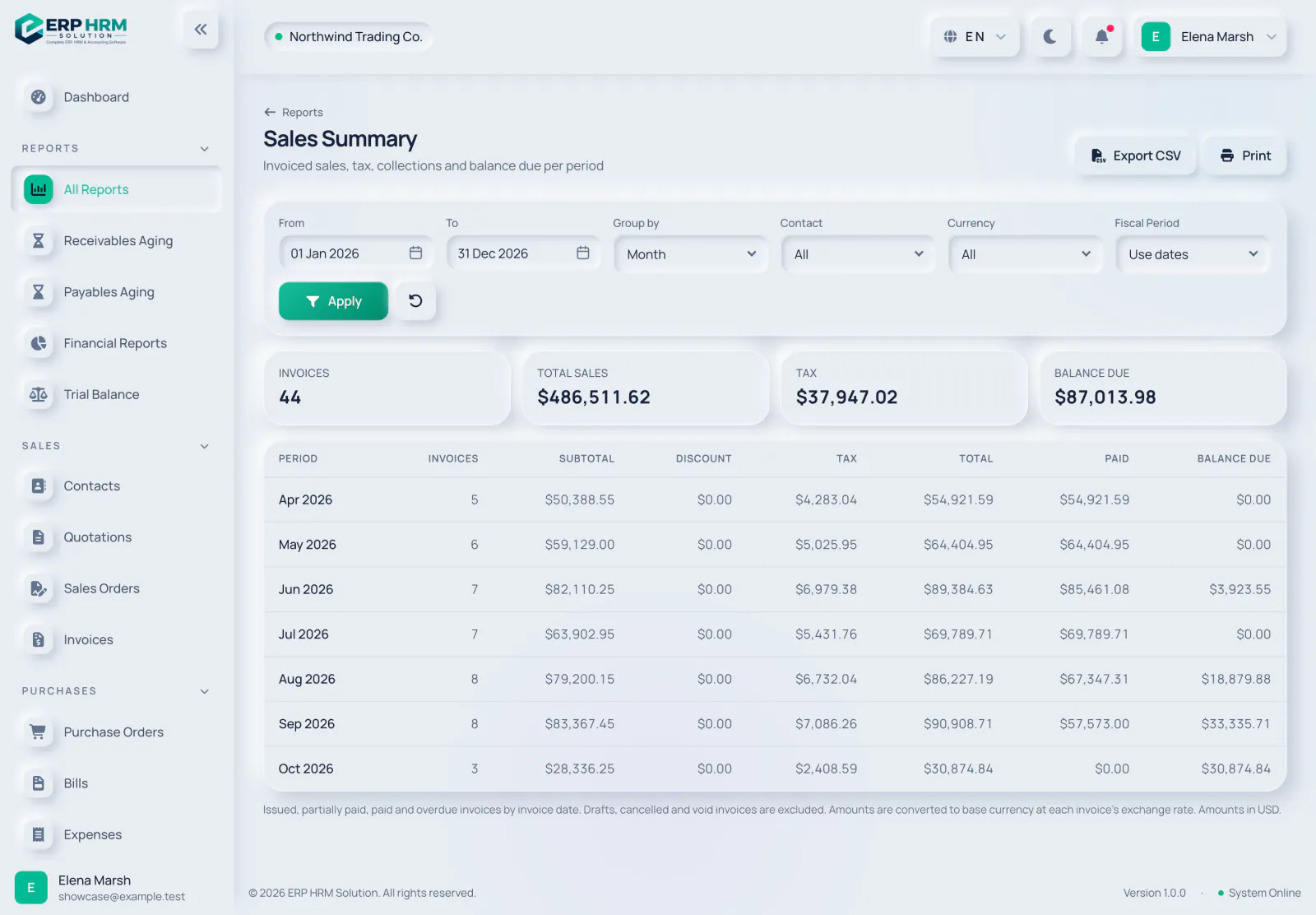
Monthly sales summary with invoice counts, tax, totals, collections and balance due

AI assistant

An assistant that answers questions about your own figures and about how to use the software, reading only what your role is allowed to see.

  • Ask your dataQuestions about sales, receivables, spending and more, answered from your company's records within your permissions.
  • How-to help on every pageOpen the help button on any page for what the page does, suggested questions and the matching guides.
  • Bill and receipt captureUpload a photo or PDF of a bill or receipt (up to 10 MB) and get a draft to check and save.
  • Private by designPersonal details in the records the assistant reads (emails, phones, IBANs, ID and card numbers) are masked before they are sent to the AI provider — what you type in chat and uploaded receipts are sent as entered. An admin can switch AI off, and each plan has a monthly AI allowance.
Explore AI assistant
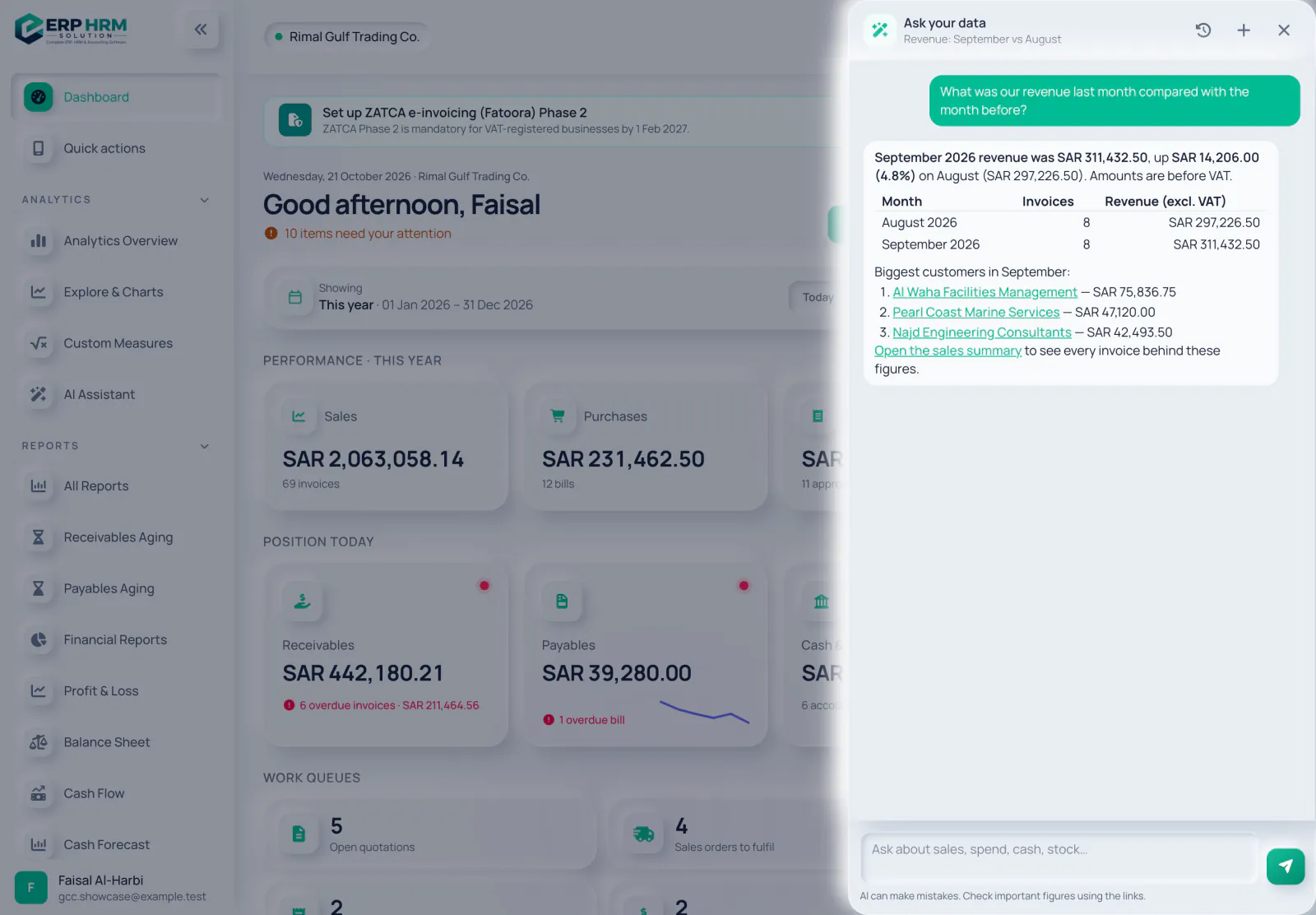
The AI assistant answering a question about last month's revenue compared with the month before, with a table and links to the customers and the sales report

Integrations & mobile

Connect the systems you already use, let customers pay online and give your team the essentials on their phones.

  • REST APITokens with specific abilities, OpenAPI documentation, rate limits and idempotency keys.
  • Webhooks12 events such as invoice issued, invoice paid, bill received and low stock, with automatic retries.
  • Online paymentsConnect your own Tap, Moyasar, Telr, HyperPay or Stripe account and send customers a pay-now link. Receipts post once the gateway confirms.
  • Mobile web appInstall Quick actions on the home screen to check in, request leave, view payslips, submit expenses and approve.
Explore Integrations & mobile
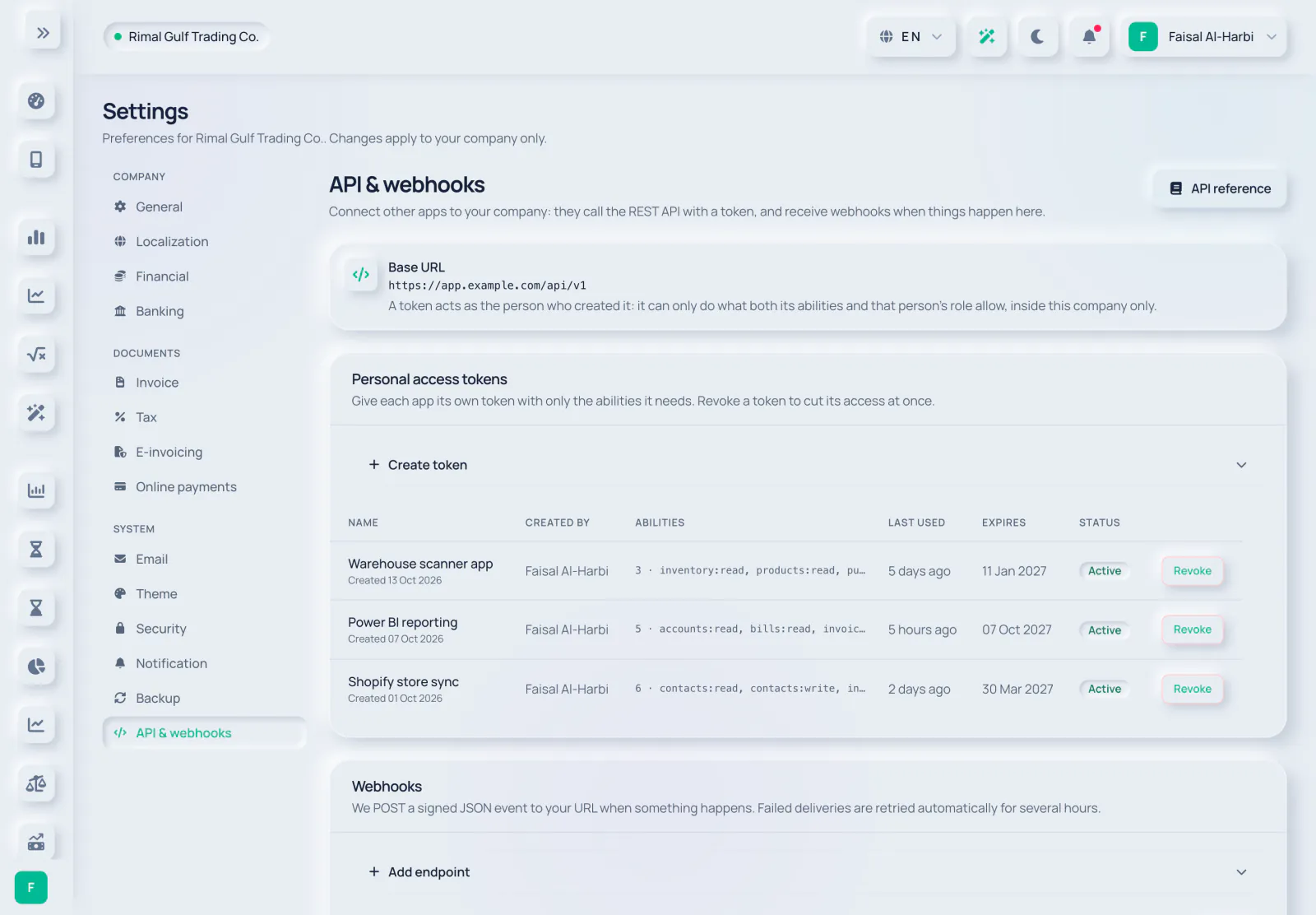
API settings with the base URL, personal access tokens with their abilities, last use, expiry and status, and the webhooks section

Users, roles & security

Give each person exactly the access they need — no more.

  • Ready-made rolesAdmin, manager, accountant, sales, purchasing, inventory, HR, staff and viewer.
  • Fine-grained permissionsEvery screen and action checks permissions on the server.
  • Activity historyImportant changes are recorded with who did what and when.
  • Session controlsSign out other devices, idle timeouts and account status checks.
Explore Users, roles & security
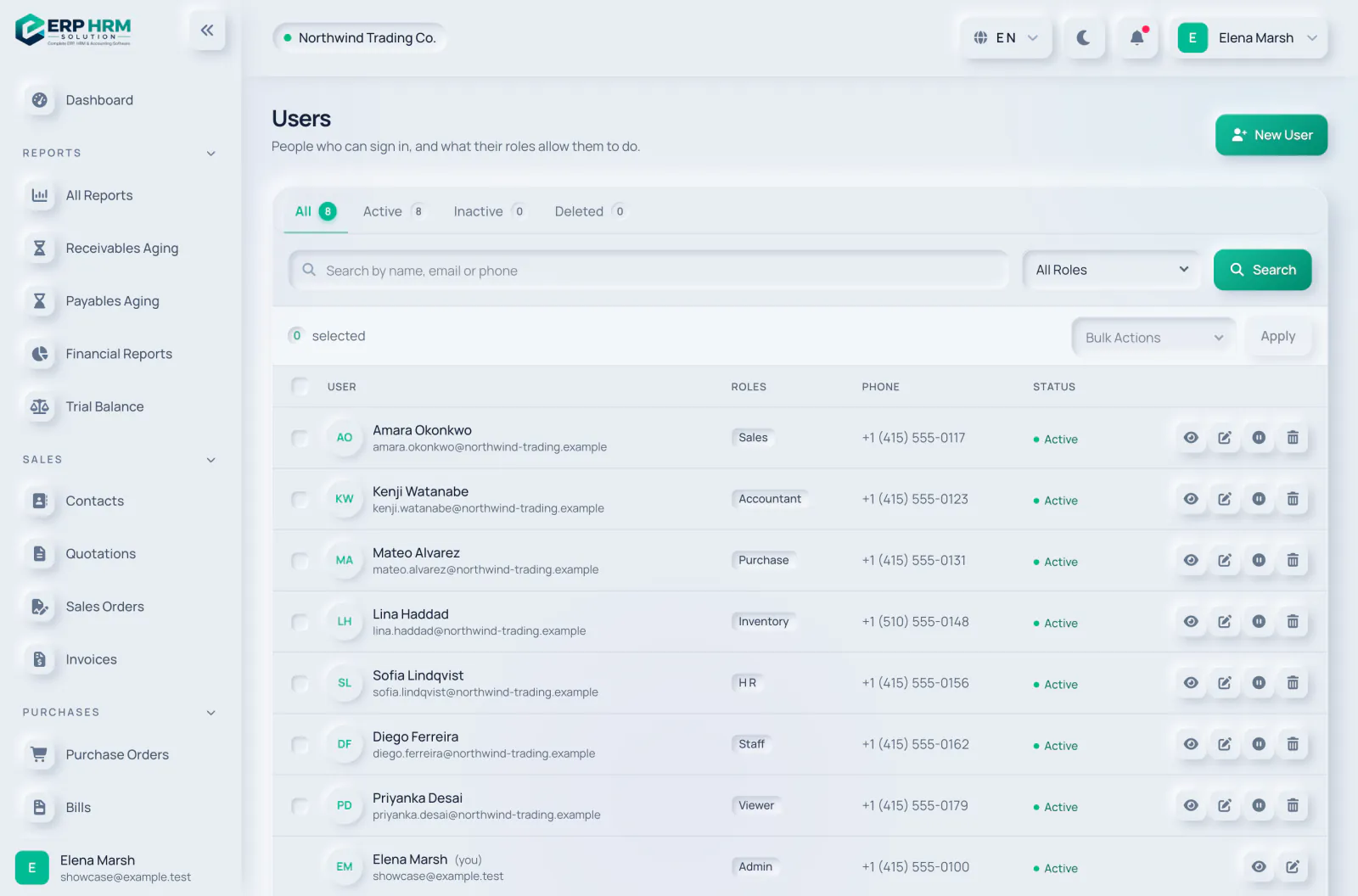
Team members with their roles such as Admin, Accountant, Sales, Purchase, Inventory and HR

Built for the way international teams work

These qualities apply to every module, for every user.

18 languages, right-to-left ready

Choose from 18 interface languages, including full right-to-left layouts for Arabic and Persian.

Multi-currency documents

Invoices, bills and payments in your customers' and suppliers' currencies, reported in yours, with FX revaluation.

Ready for GCC compliance

VAT rates, salary files, social insurance and end-of-service rules for Saudi Arabia, the UAE, Oman, Bahrain, Qatar and Kuwait, plus ZATCA and UAE e-invoicing.

Any device, light or dark

Responsive screens for desktop, tablet and phone, an installable mobile web app and a dark mode.

Your data is yours — and only yours

The platform is built for many companies at once, so separating and protecting each company's data is part of its foundation.

Company data kept separate

Every record belongs to one company and every query is scoped to it. One customer can never see another's data.

Role-based permissions

Permissions are checked on the server for every page and action, not just hidden in the interface.

Activity history

Sign-ins and important changes are recorded so you can see who did what.

Protected secrets

Sensitive settings such as mail and payment-gateway keys are stored encrypted and never shown back.

Secure sessions

Idle timeouts, sign-out of other devices and protection against common web attacks.

No card data stored

Online payments run on the payment provider's secure page; card details never reach our servers.

Bring your whole business into one place

Start your free 14-day trial today. Your workspace is ready in minutes.

Chat with AI