Expense management
A simple approval flow that keeps spending visible and under control.
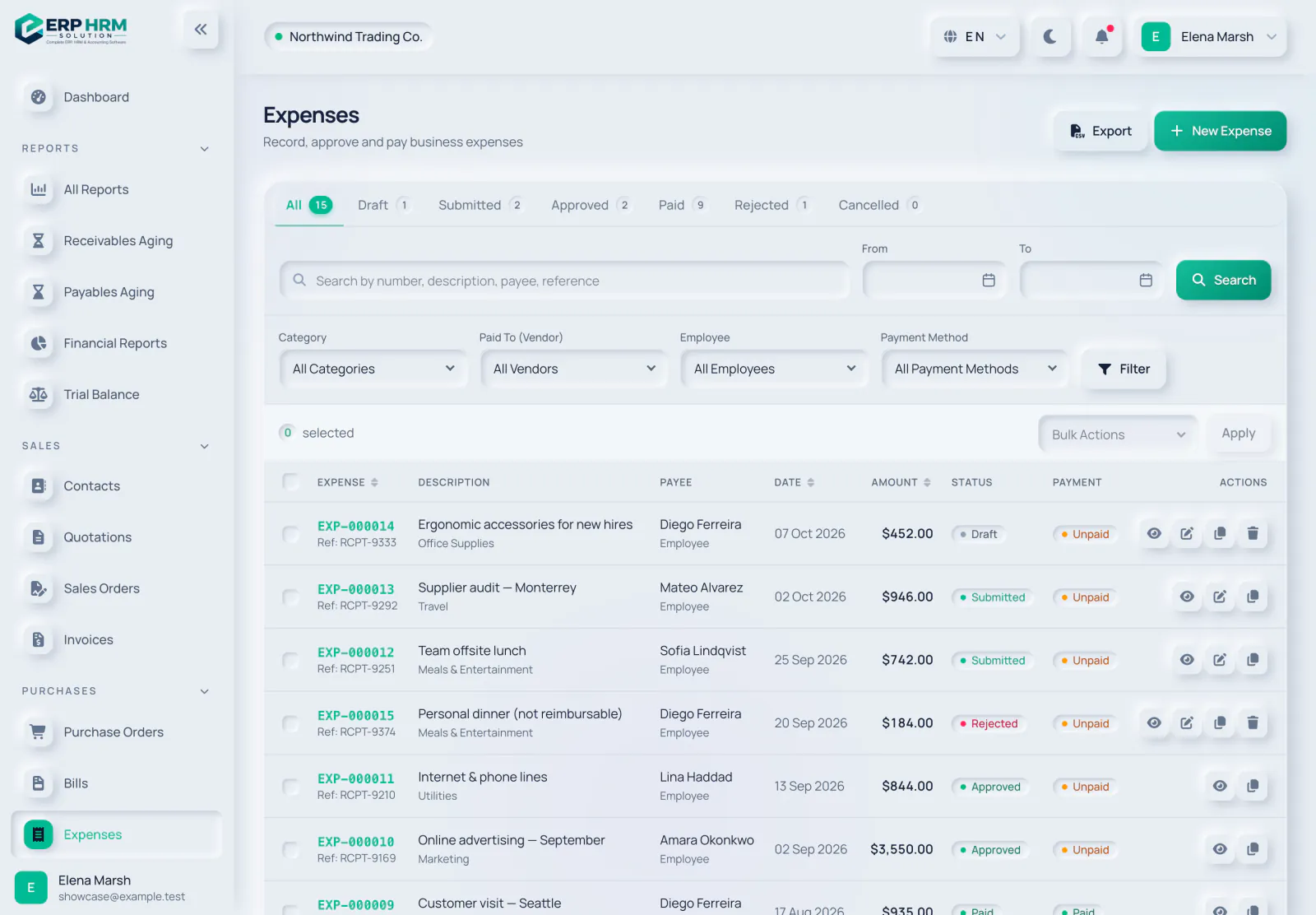
Expense management, in detail
Submit, approve and pay expenses with receipts and categories.
Submit with receipts
Attach receipts and choose a category in seconds.
Approval workflow
Draft, submit, approve or reject — nobody approves their own expense.
Pay and post
Mark expenses paid; the accounting entries follow automatically.
Spending insight
See spending by category, employee and payment status.
Works hand in hand with
Every module shares the same customers, products, accounts and permissions.
Accounting
Double-entry ledger, journals, trial balance, profit & loss, balance sheet and cash flow.
Learn moreAI assistant
Ask questions about your data, get how-to help on every page and capture bills and receipts.
Learn moreUsers, roles & security
Role-based access, activity history and company data kept separate.
Learn moreQuestions about Expense management
See Expense management working with your own data
Start your free 14-day trial today. Your workspace is ready in minutes.