On this page
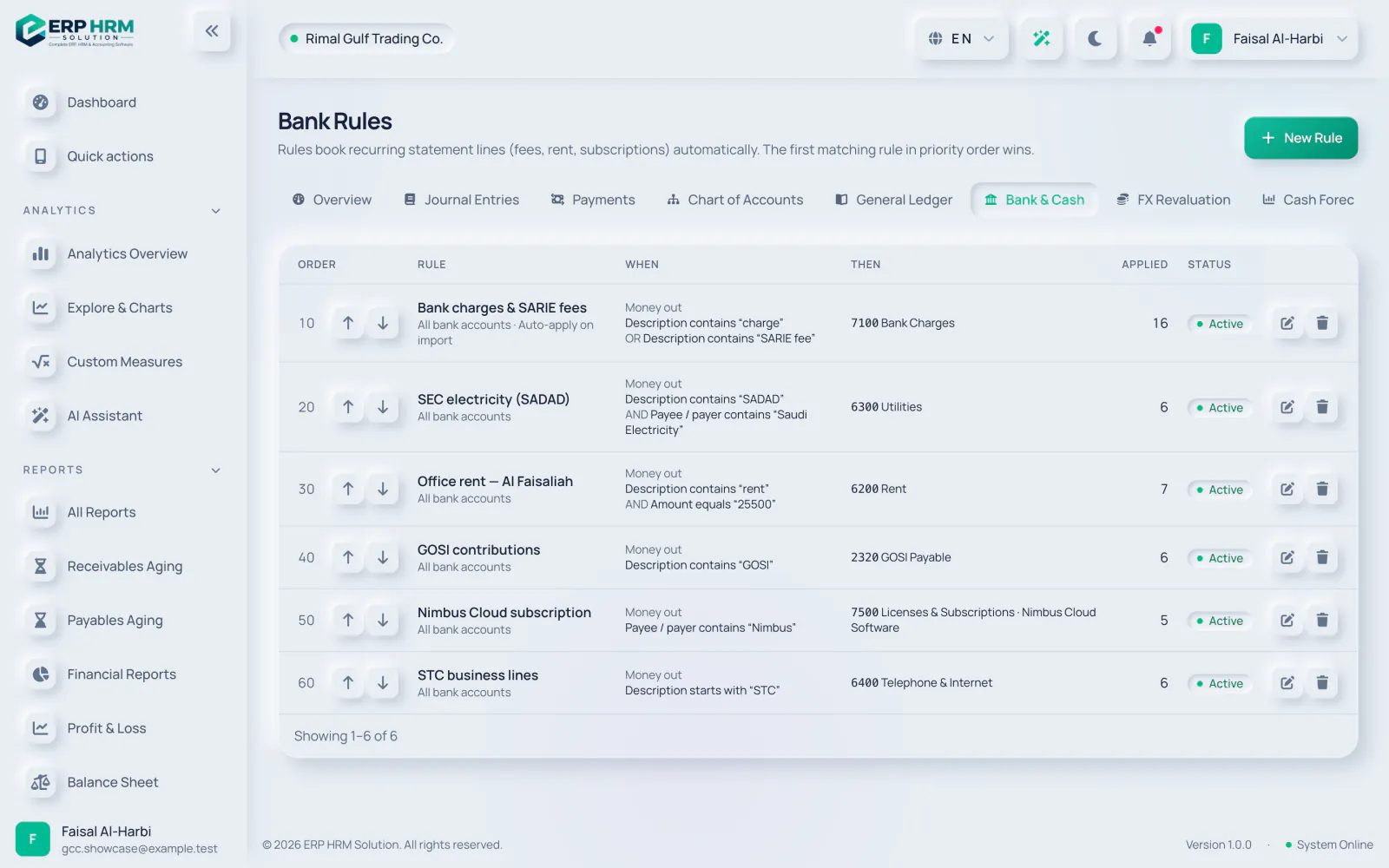
Bank rules book recurring statement lines (fees, rent, subscriptions) automatically. The first matching rule in priority order wins. Open them with Bank Rules on the Bank Reconciliation screen.
-
Step 2: Name, priority, bank
Enter a Name (for example "Monthly bank charges") and a Priority: lower runs first. Choose the Bank account it runs on, or leave All bank accounts.
-
Step 3: When a statement line…
Set Direction (Money in or out, Money in or Money out) and Match (All conditions or Any condition). Add up to 10 conditions with Add condition.
-
Step 4: …then
Choose Book to an account (journal) and pick the Account and optional Tax, or Record a payment / receipt. Optionally set a Contact and Entry description (defaults to the statement description).
-
Step 5: Automatic or suggested
Tick Apply automatically on import to book matching lines during each import. Otherwise the rule is offered as a suggestion to accept. Keep Active ticked and click Save Rule.
Conditions
- Fields: Description, Reference, Payee / payer and Amount.
- Text operators: contains, does not contain, equals, starts with, ends with. Text conditions ignore upper and lower case.
- Amount operators: equals, greater than, at least, less than, at most, between. Amount conditions compare the absolute amount, so use Direction to tell money in from money out.
- A rule needs at least one condition unless it is limited to money in or money out.
Managing rules
- The list shows each rule’s When and Then, how often it was Applied, and whether it is set to Auto-apply on import.
- Use Move up and Move down to change the order. Use Edit or Delete; deleting a rule keeps the entries it already booked.
- An auto-apply rule that cannot book a line (for example because the period is closed) leaves the line open for you to handle.
Related guides
Ask about the product
Ask what the software can do, how a task works, or which countries and languages it supports. Answers come from these guides.
Thinking…
The AI assistant is not available right now. Search the guides or talk to our team. Contact support
AI can make mistakes. Check the linked guides.
Still need help?
Our support team reads every message and answers in plain language.
Contact support