See the product, one screen at a time
Pick a module, step through its real screens and hover or tap the markers to see what each part does.
19 modules 55 steps Use ← and → to move between steps
Step 1 of 3
Dashboard
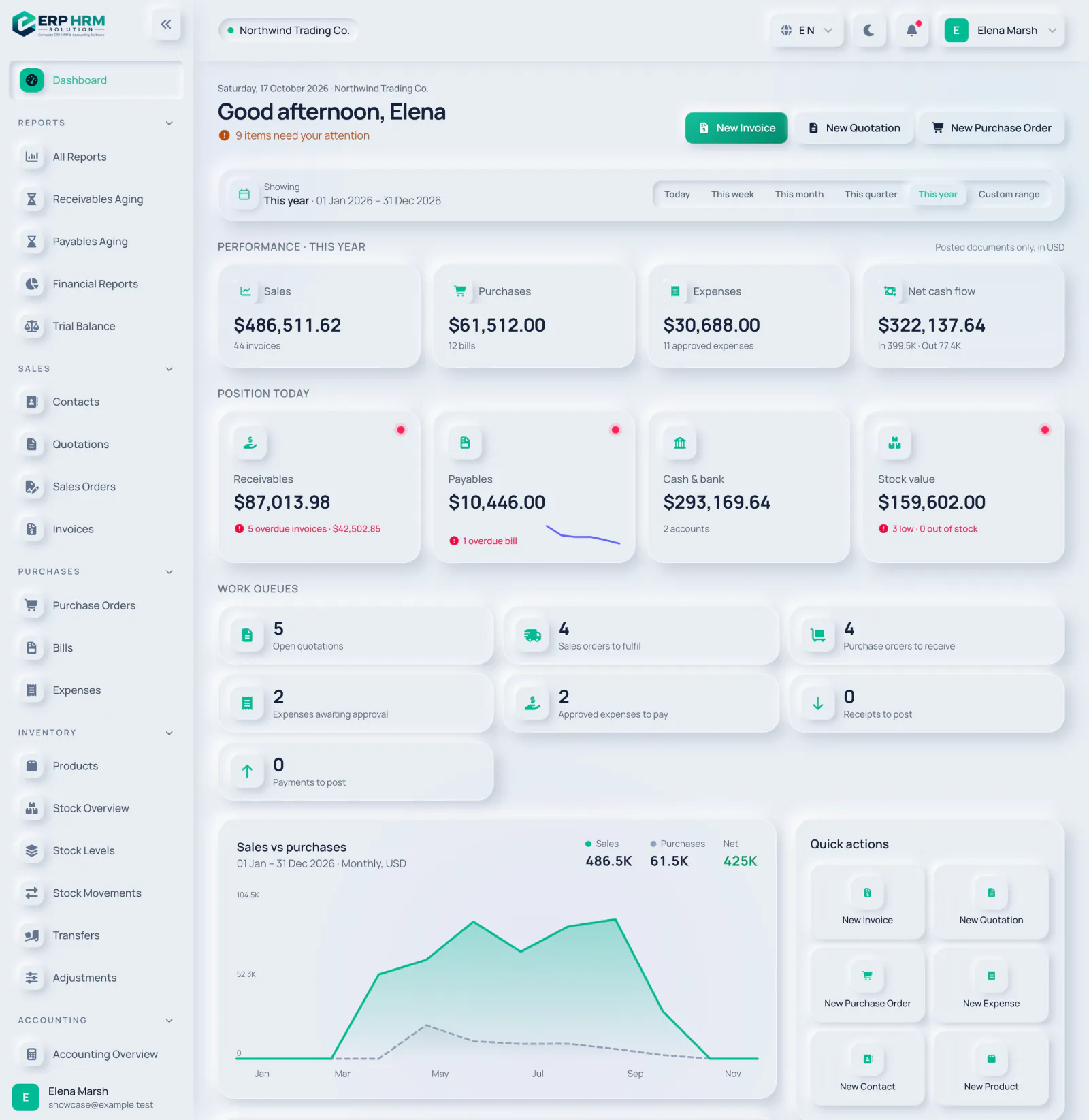
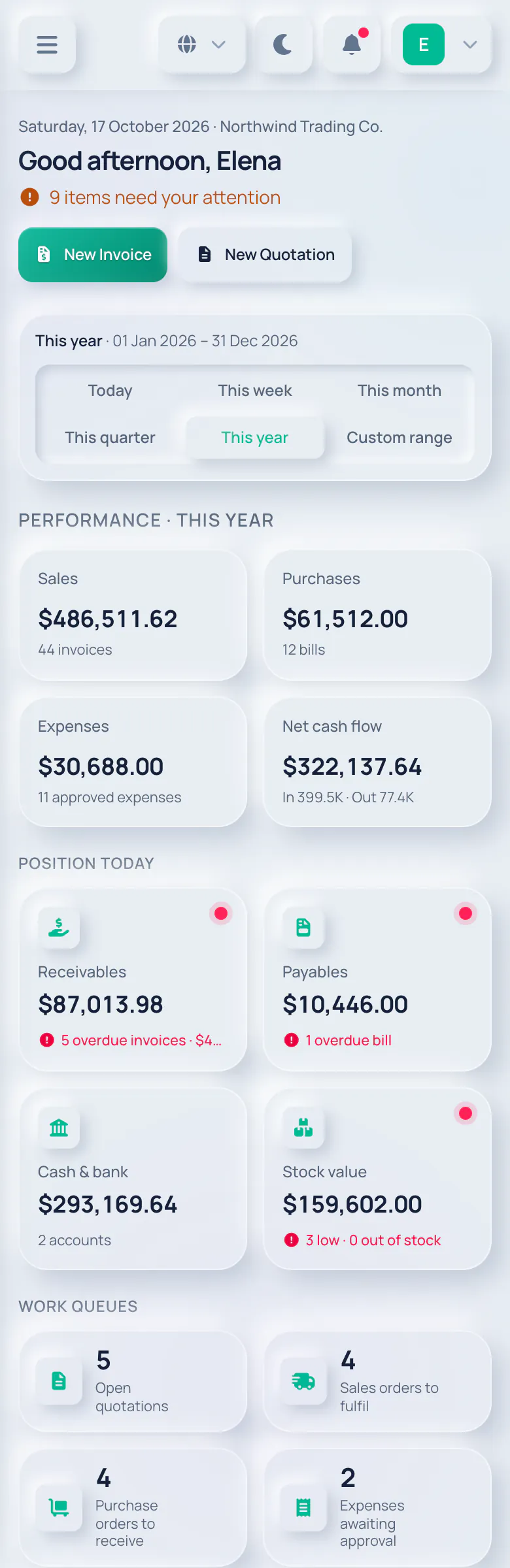
Your business at a glance
The dashboard opens on the figures that matter for the period you choose — and each person only sees what their role allows.
Work queues and trends
Further down, work queues show what is waiting for your team, next to a sales versus purchases chart and quick actions.

In your language, right to left
Switch between 18 languages at any time. Arabic and Persian use a full right-to-left layout.
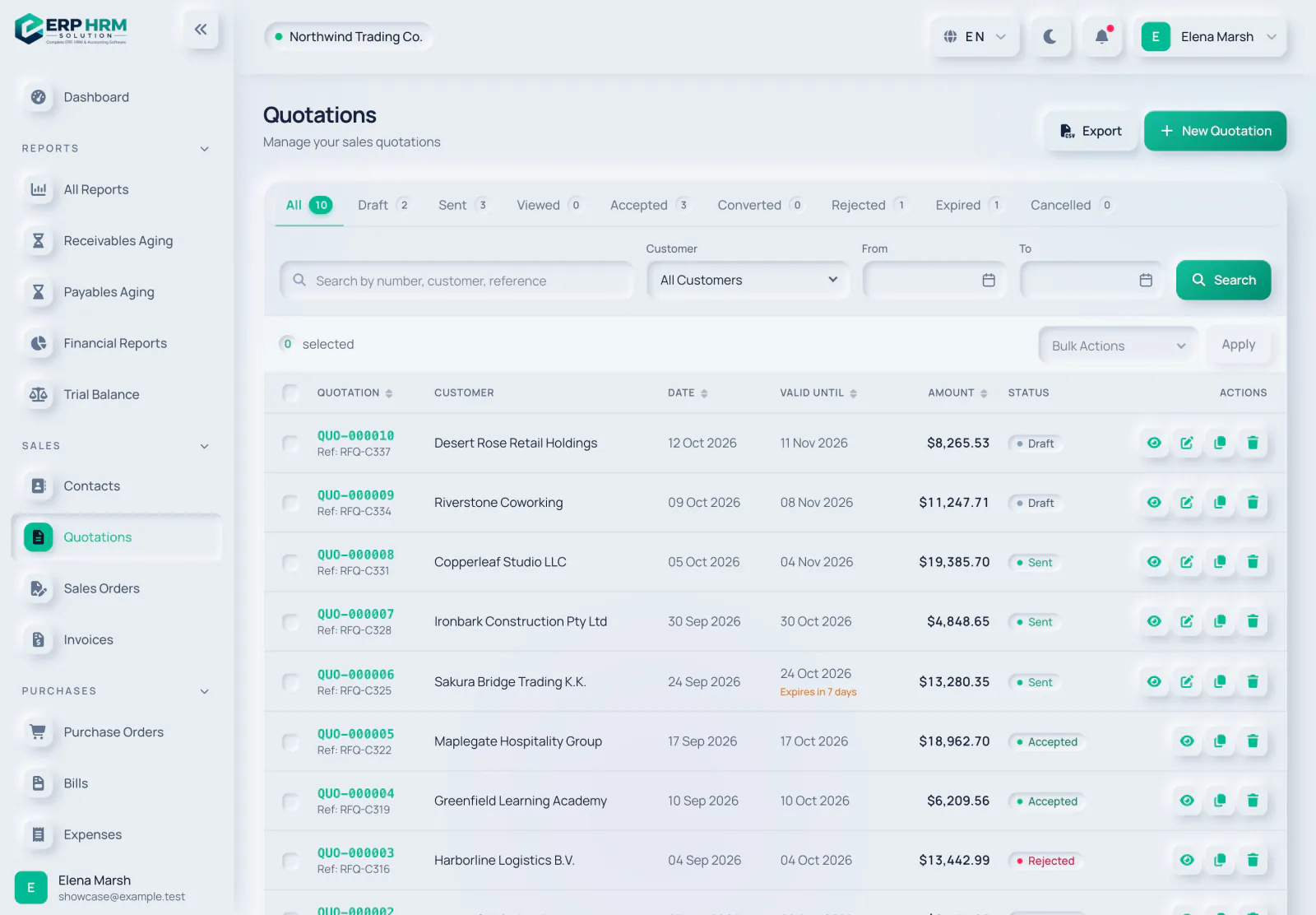
Quotations
Price work for customers and follow every quote from draft to accepted.
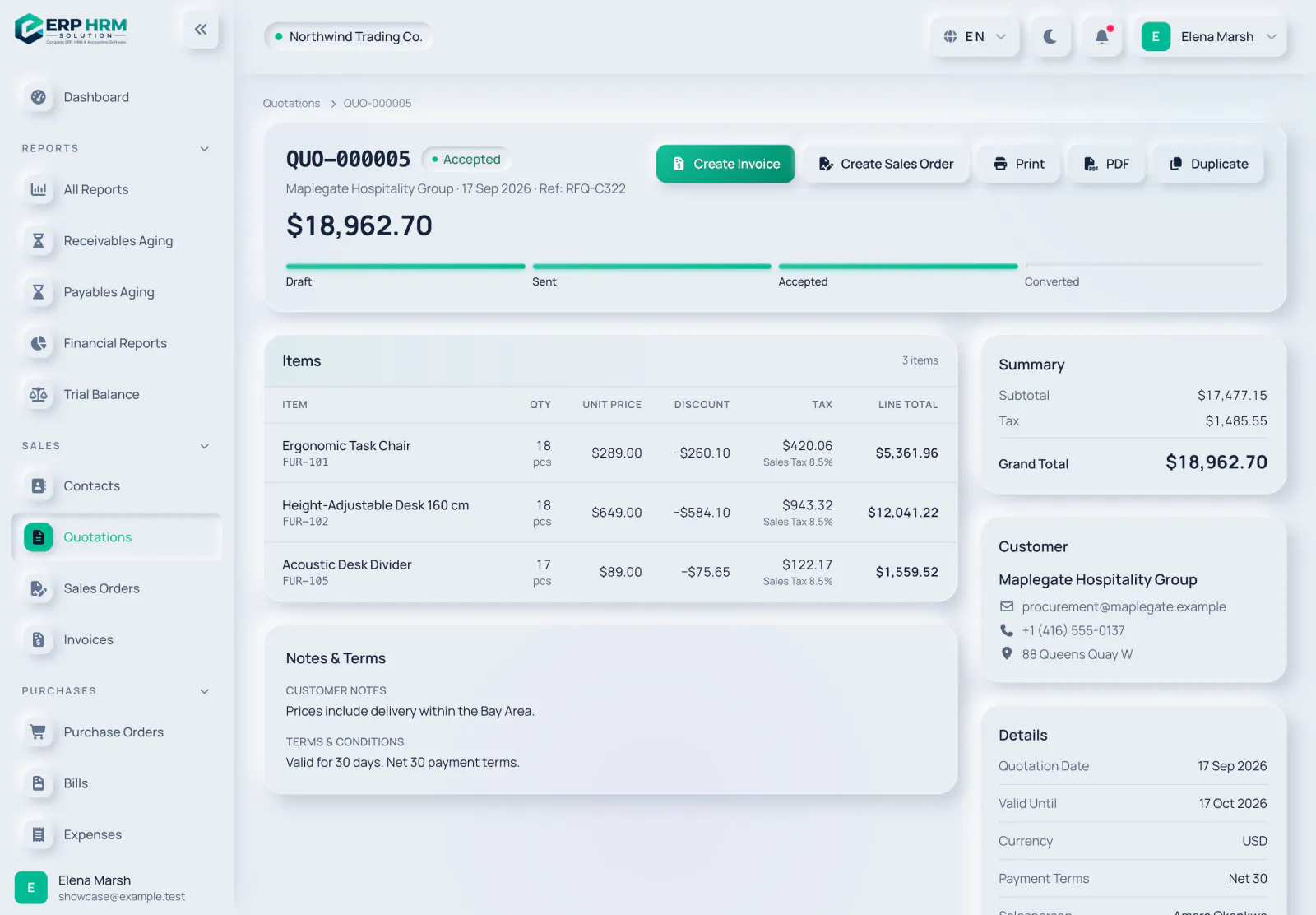
Convert without retyping
When the customer accepts, turn the quotation into an invoice or a sales order with all of its lines.

Invoices and balances
Every invoice shows what was billed, what has been paid and what is still due.


A paid invoice
Payments are recorded against the invoice and posted to your books; the status updates on its own.
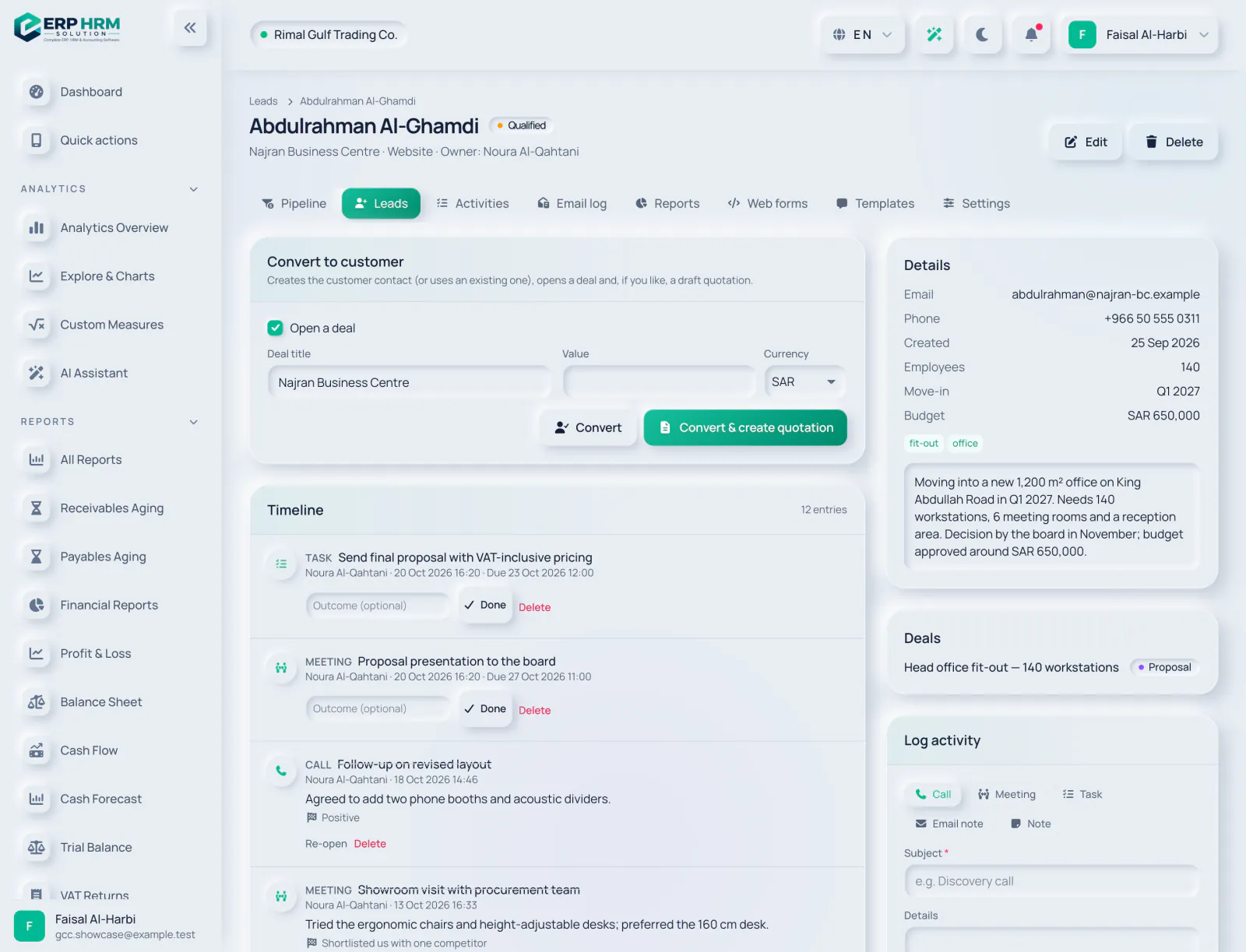
Leads and web forms
Capture leads from your website or a spreadsheet, and share them out fairly.
- CSV importImport leads from a CSV file with column mapping.
- Web formsPublic lead-capture forms create leads for you.
- Round-robin assignmentNew leads can be assigned in turn, by source.
- ConvertConvert a lead once it is qualified.
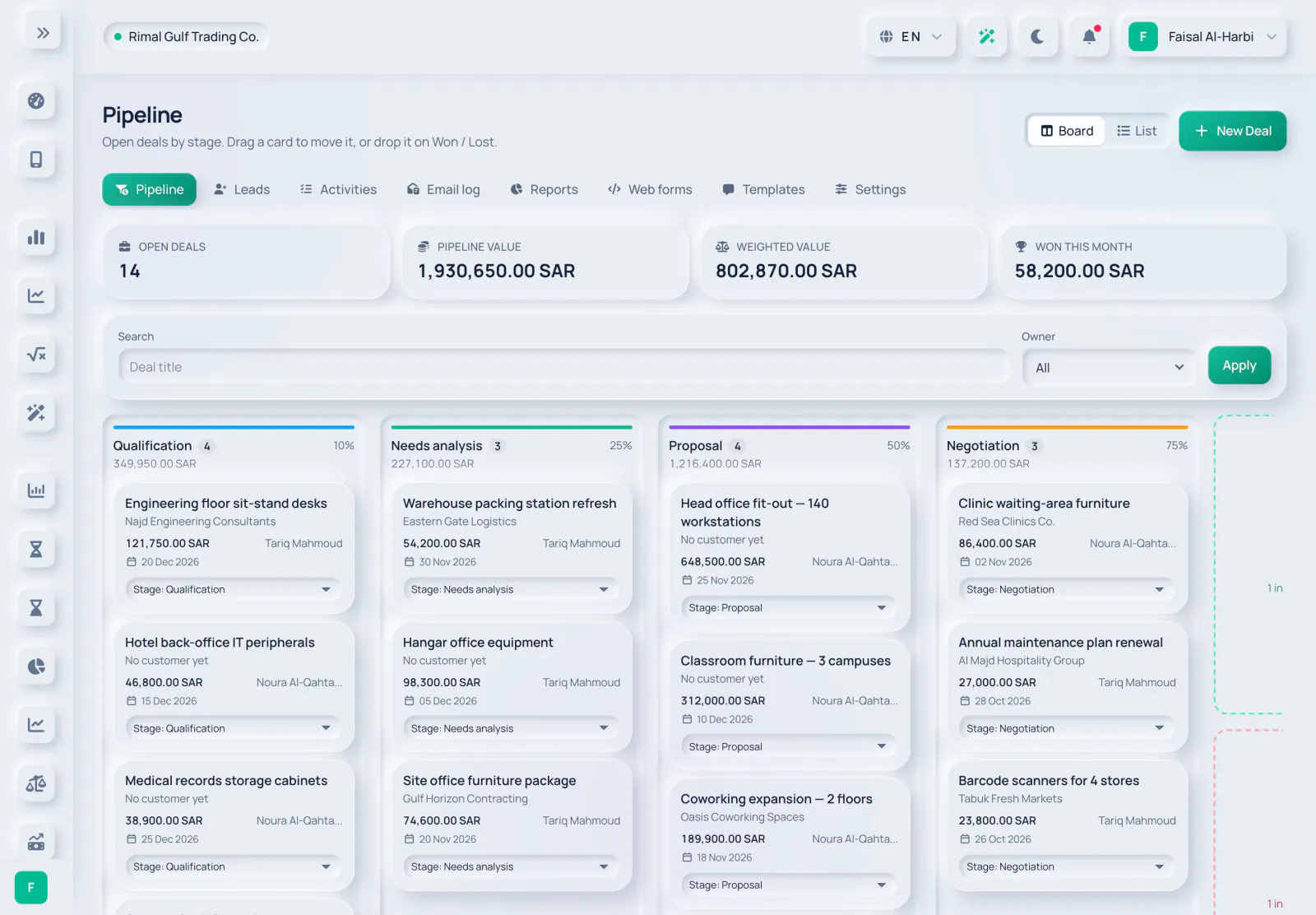
Pipeline and follow-ups
Move deals through your stages and never miss a follow-up.
- StagesDrag deals through the stages of your pipeline.
- Won or lostMark a deal won or lost, and reopen it if things change.
- Deal to quotationTurn a deal into a quotation without retyping.
- ActivitiesTasks and reminders, with an automatic follow-up after a set number of idle days.
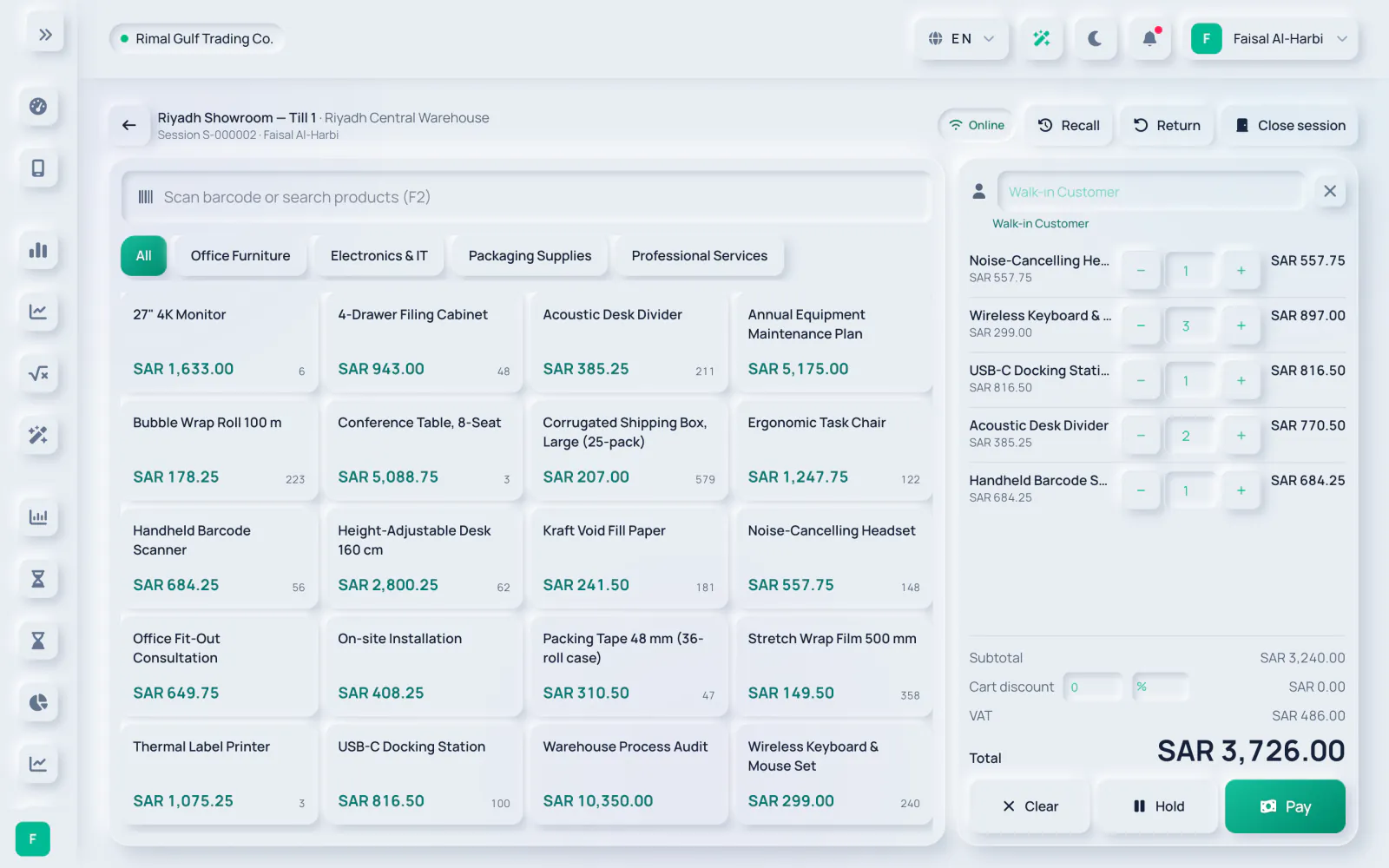
Open the till
A cashier opens a session on a register and sells from the catalogue.
- Registers and sessionsOne open session per register, started with an opening float.
- Hold and recallPark a sale and pick it up again later.
- TendersTake cash, card or other tenders.
- Keeps selling offlineThe catalogue is cached and sales sync when the connection returns.
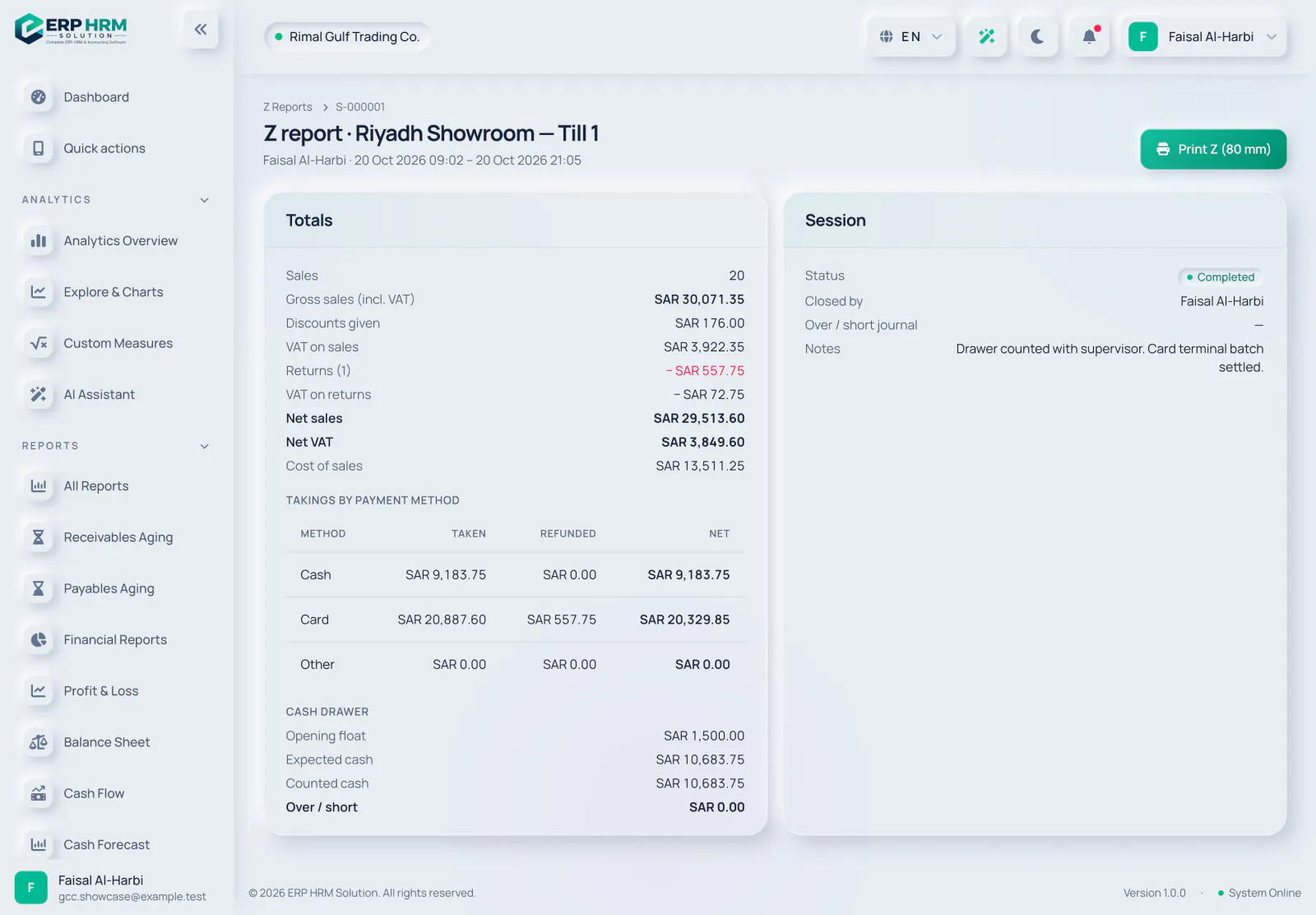
Every sale in your books
Each sale is a real invoice: stock moves and the ledger updates on its own.
- VAT and e-invoicingTill sales follow the same VAT and e-invoicing rules as any invoice.
- Stock and cost of salesStock is issued and the cost of goods sold is posted with each sale.
- ReturnsRefunds go through a credit note.
- Z reportClosing compares counted cash with expected cash, posts any difference and freezes the Z report.
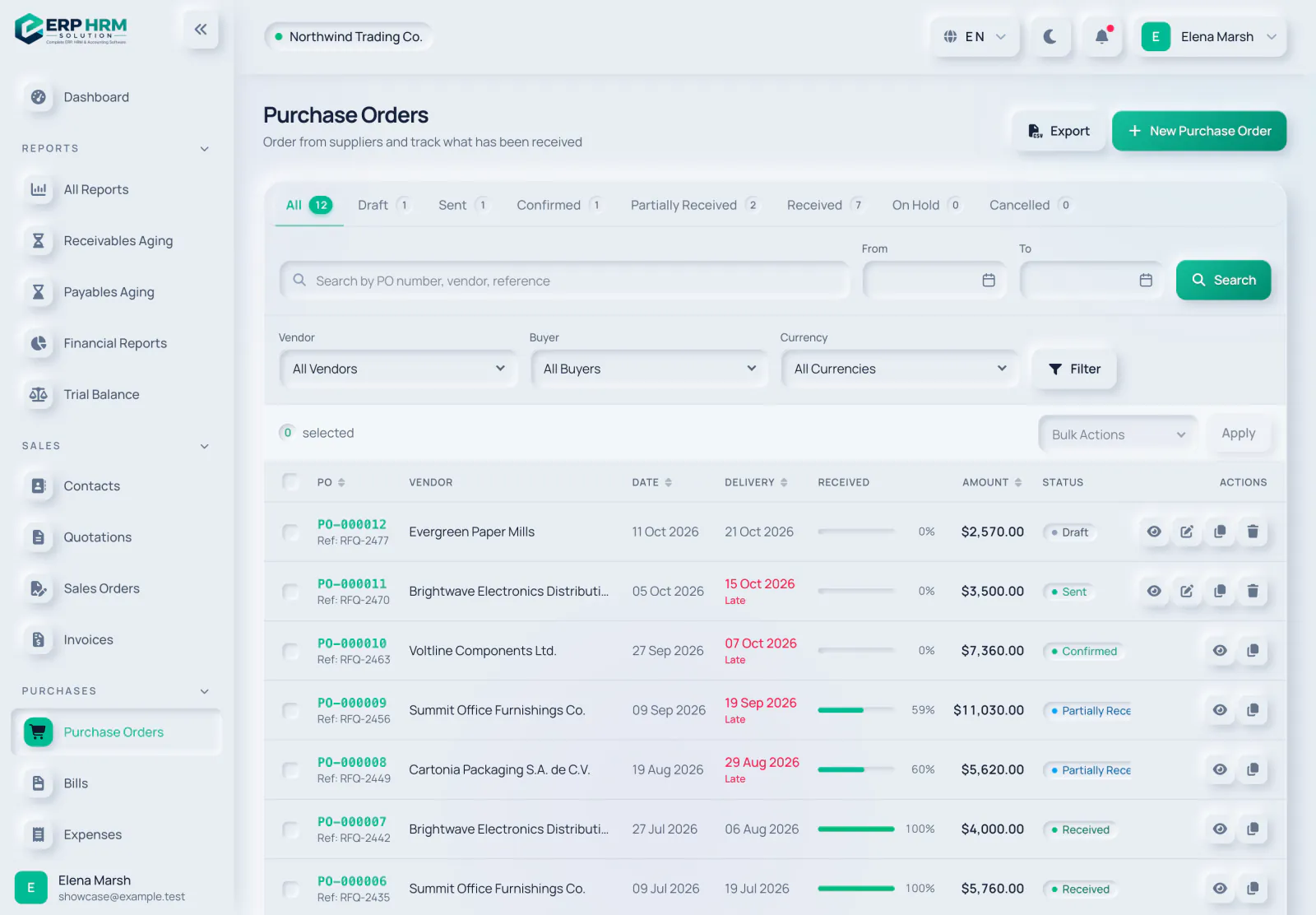
Purchase orders
Order from suppliers and see at a glance how much of each order has arrived.
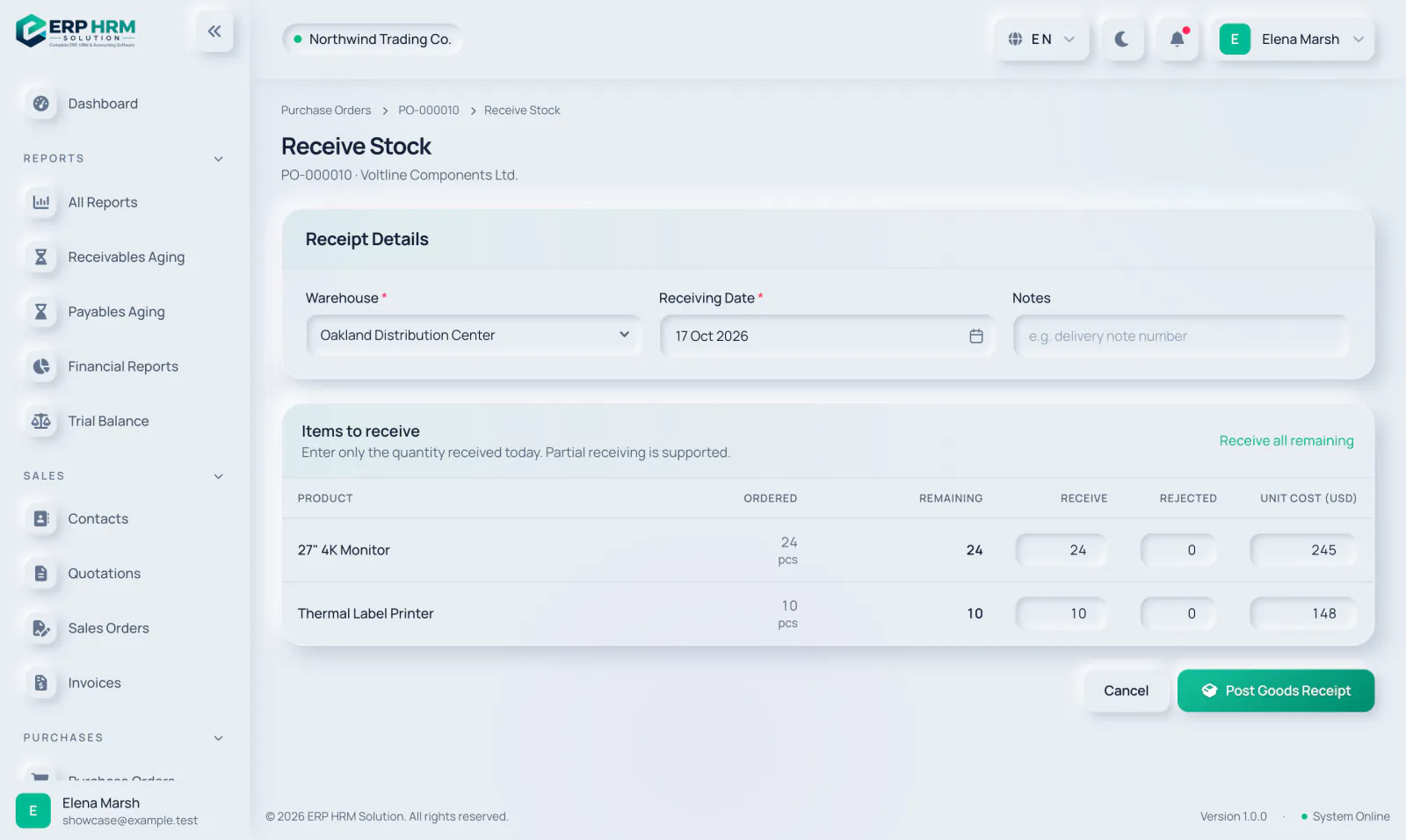
Receive stock
Receive what actually arrived — the rest stays open on the order.

Vendor bills
Record supplier invoices and keep track of what is due and overdue.
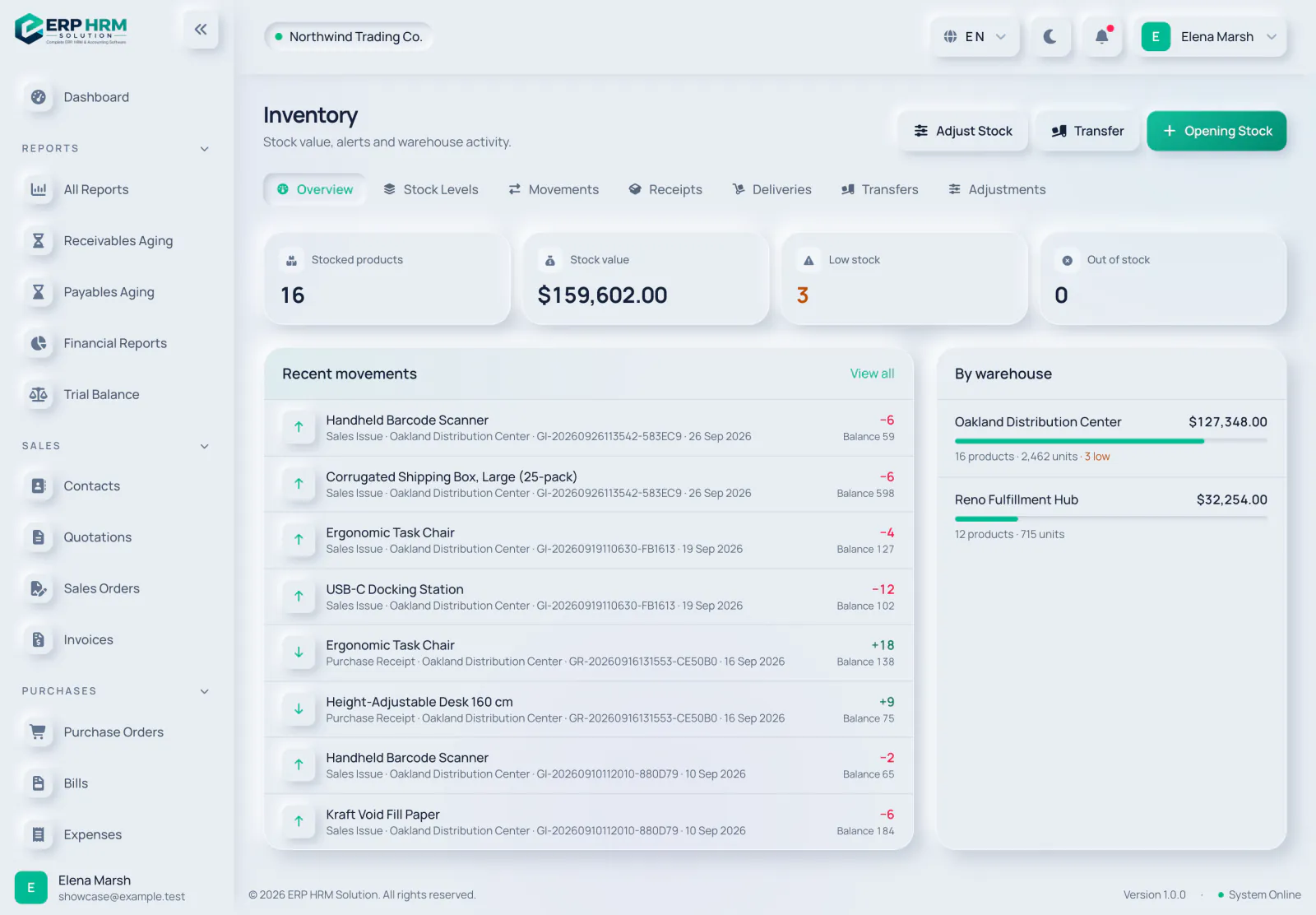
Inventory overview
Stock value, alerts and the latest movements across all of your warehouses.
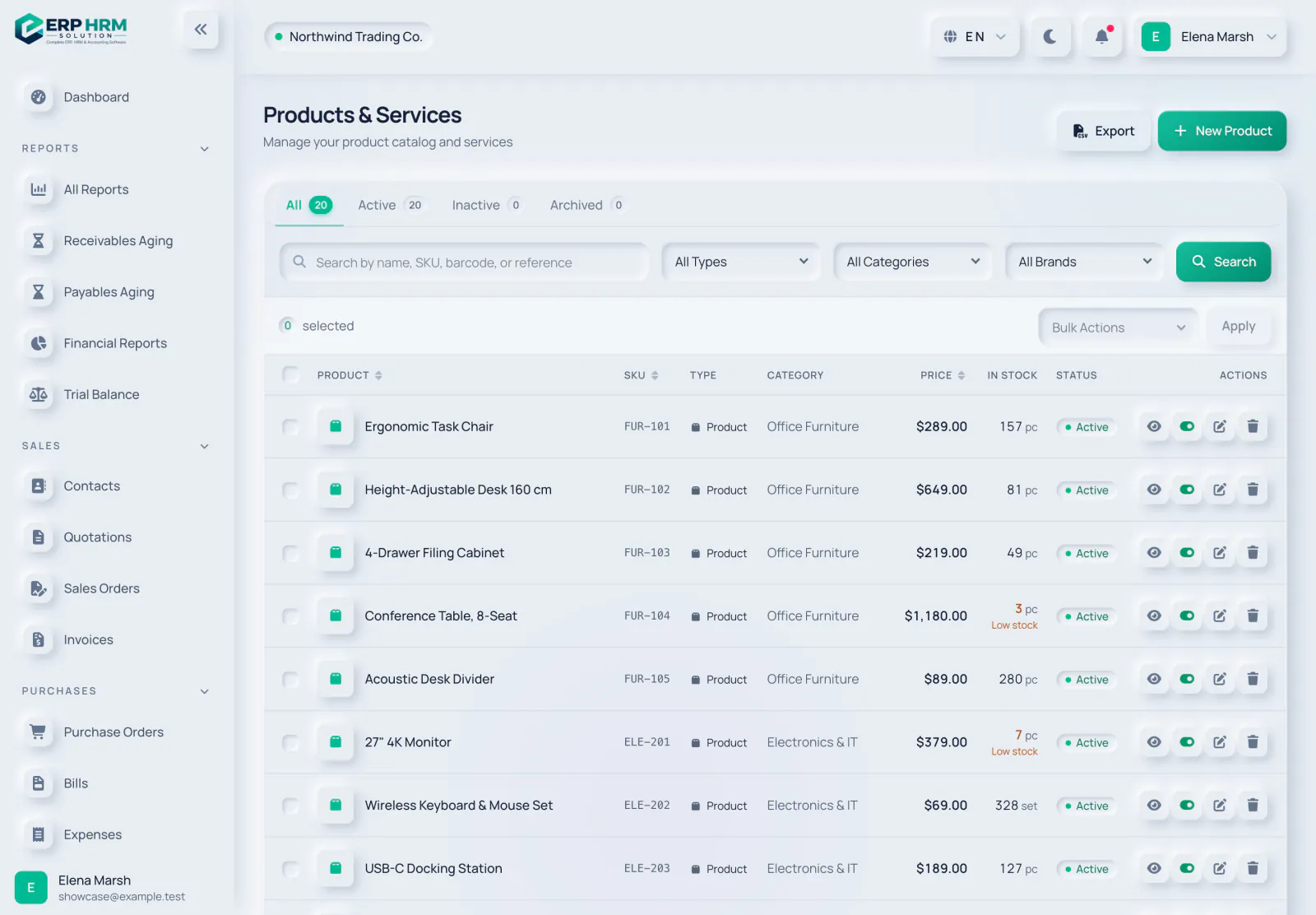
Products and services
One catalogue for everything you buy and sell, with prices, tax and stock on hand.
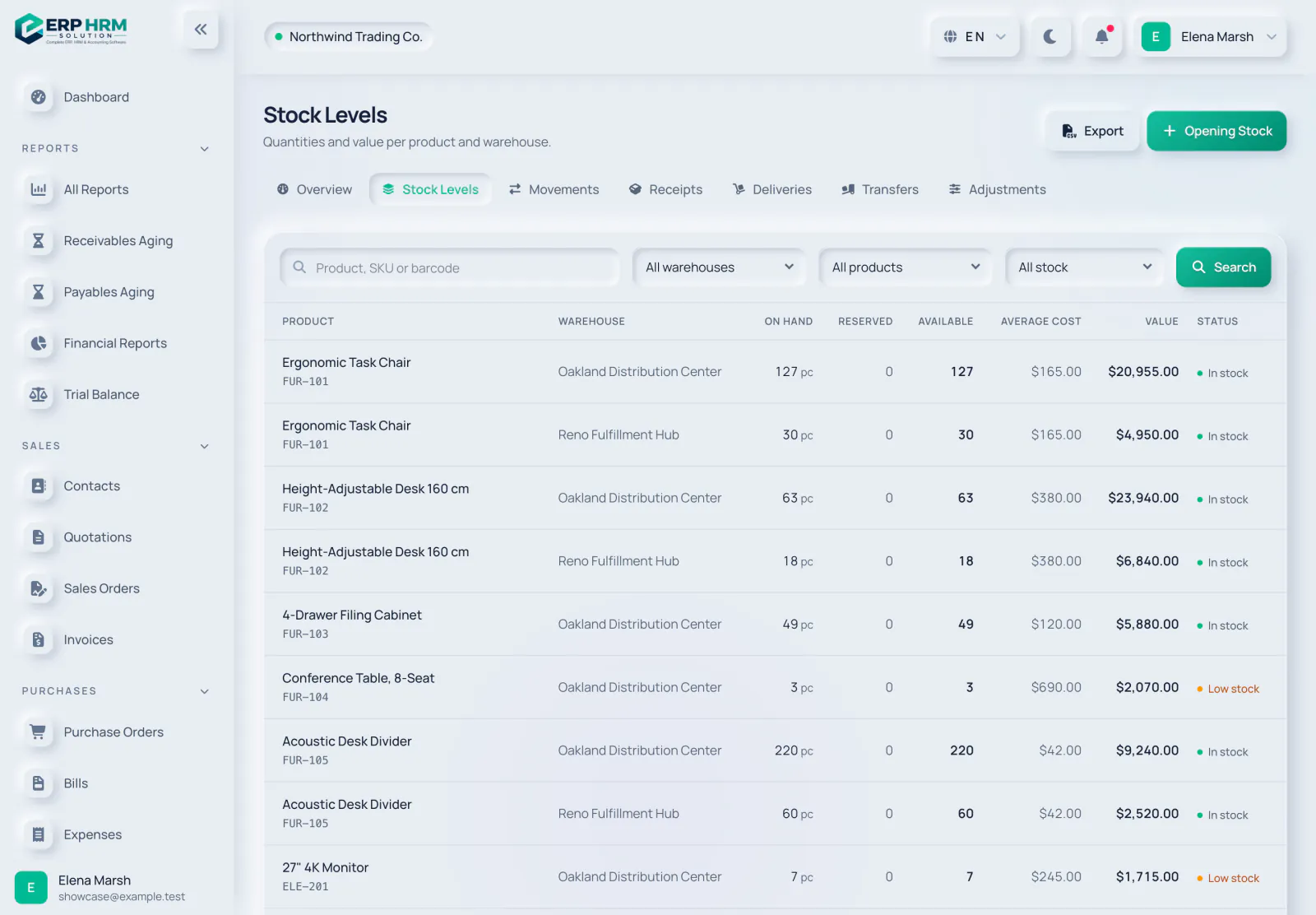
Stock levels
Quantities and value for every product in every warehouse.
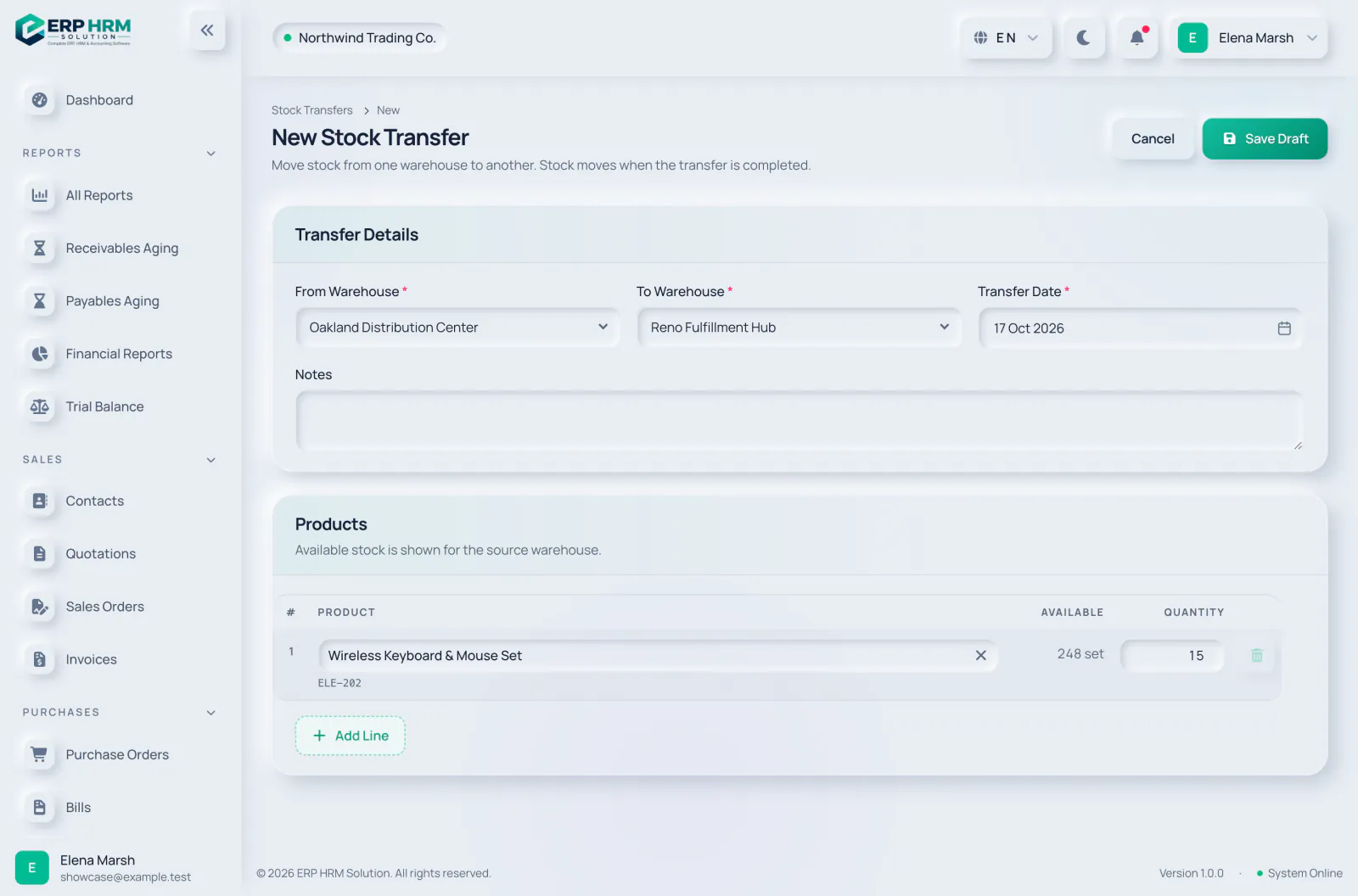
Transfers between warehouses
Move stock from one location to another; it moves when the transfer is completed.

Plan the work
Each project gets a board, a timeline and milestones.
- Kanban boardTasks move through the stages of each project.
- List and timelineSee the same tasks as a list or on a timeline.
- MilestonesMark the points that matter, and bill them when they are reached.
- Comments and attachmentsDiscuss tasks and keep the files with them. Everyone has a My Tasks page.
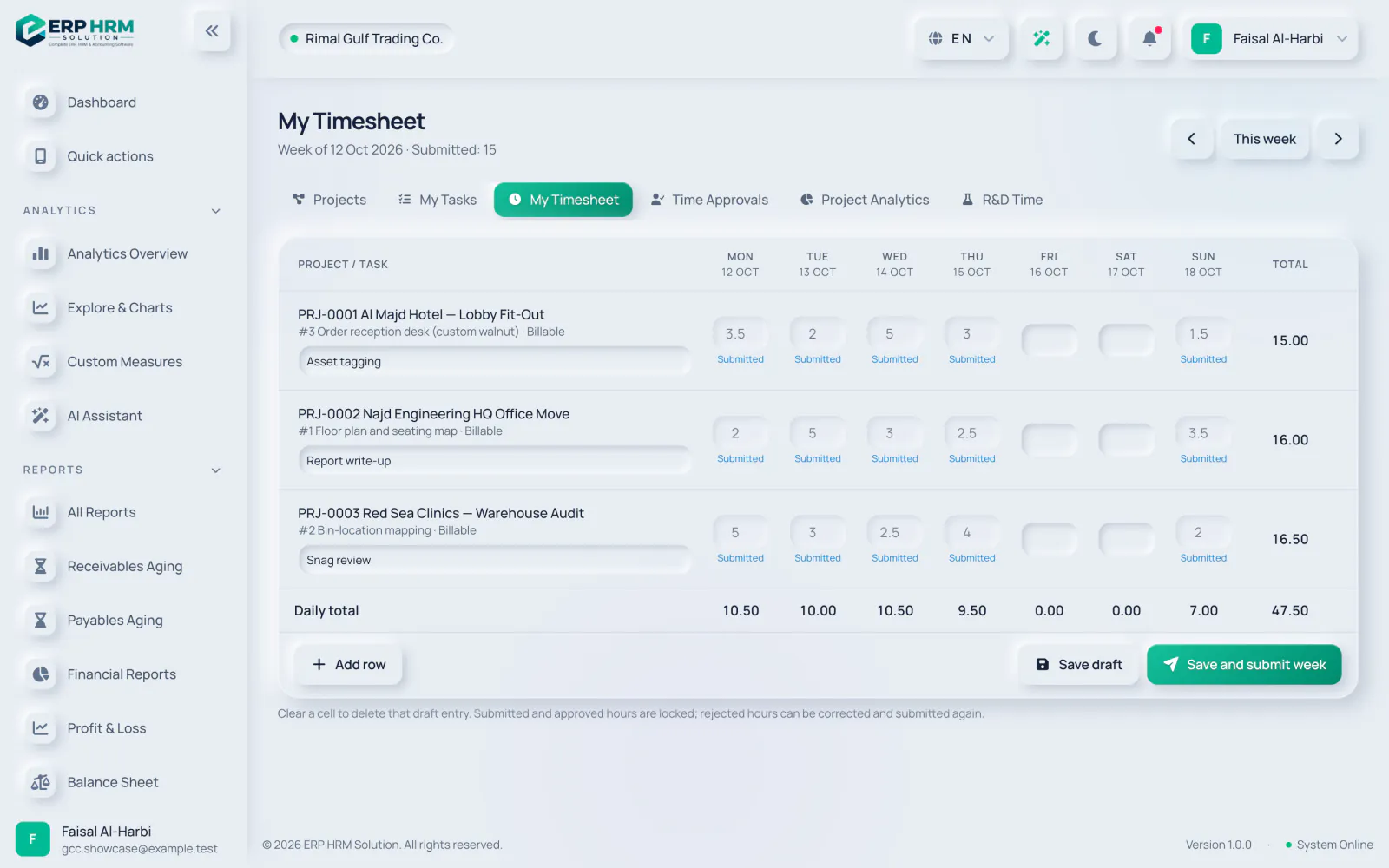
Track time and bill it
Approved time becomes invoices, and you see what each project earned.
- TimesheetsLog time, submit it and get it approved.
- Project billingCreate draft invoices from approved billable time and reached milestones.
- ProfitabilityProfitability and project analytics.
- R&D time reportA time report for projects flagged as R&D.
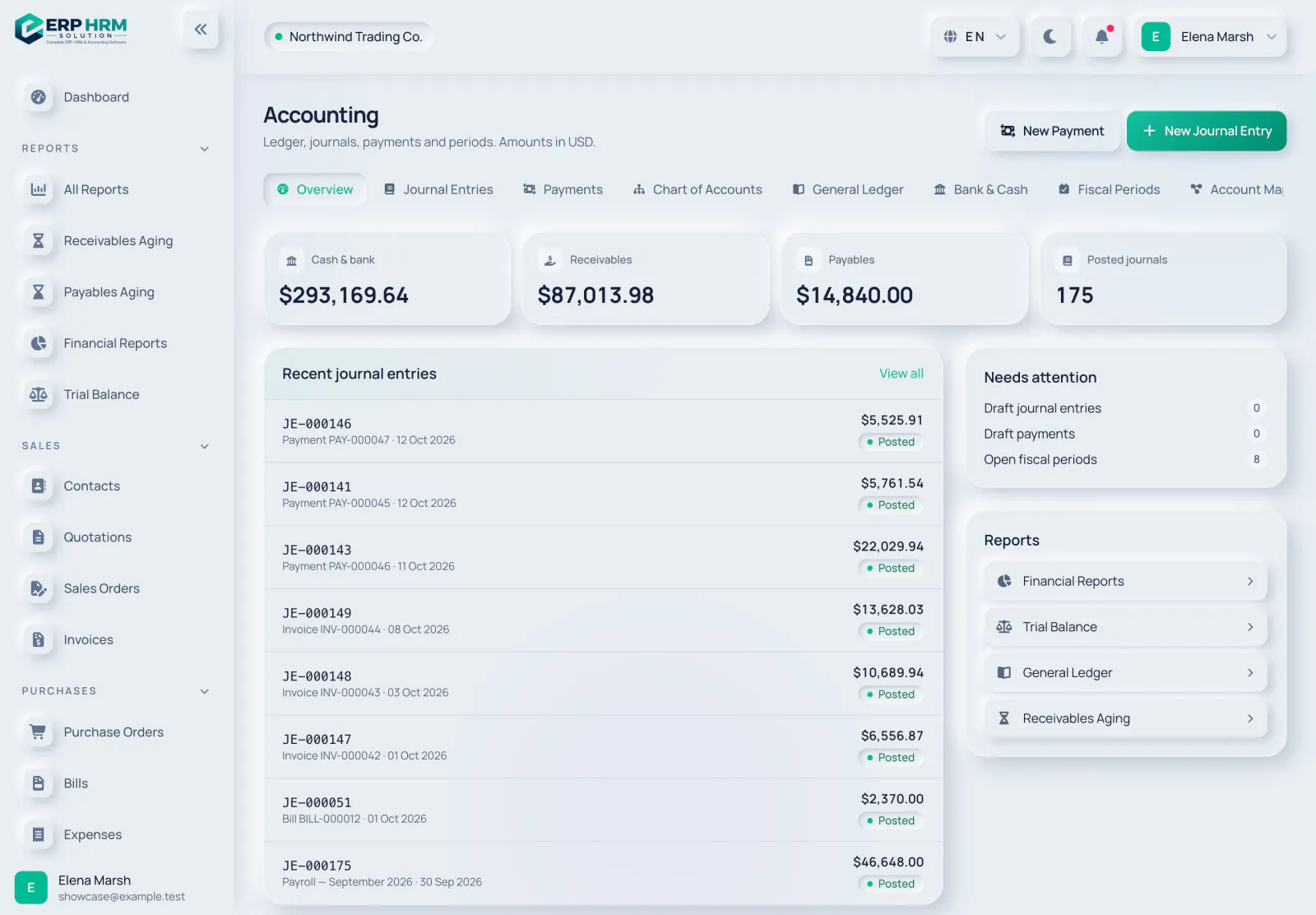
Accounting overview
A real double-entry ledger, kept up to date by your invoices, bills, payments and expenses.
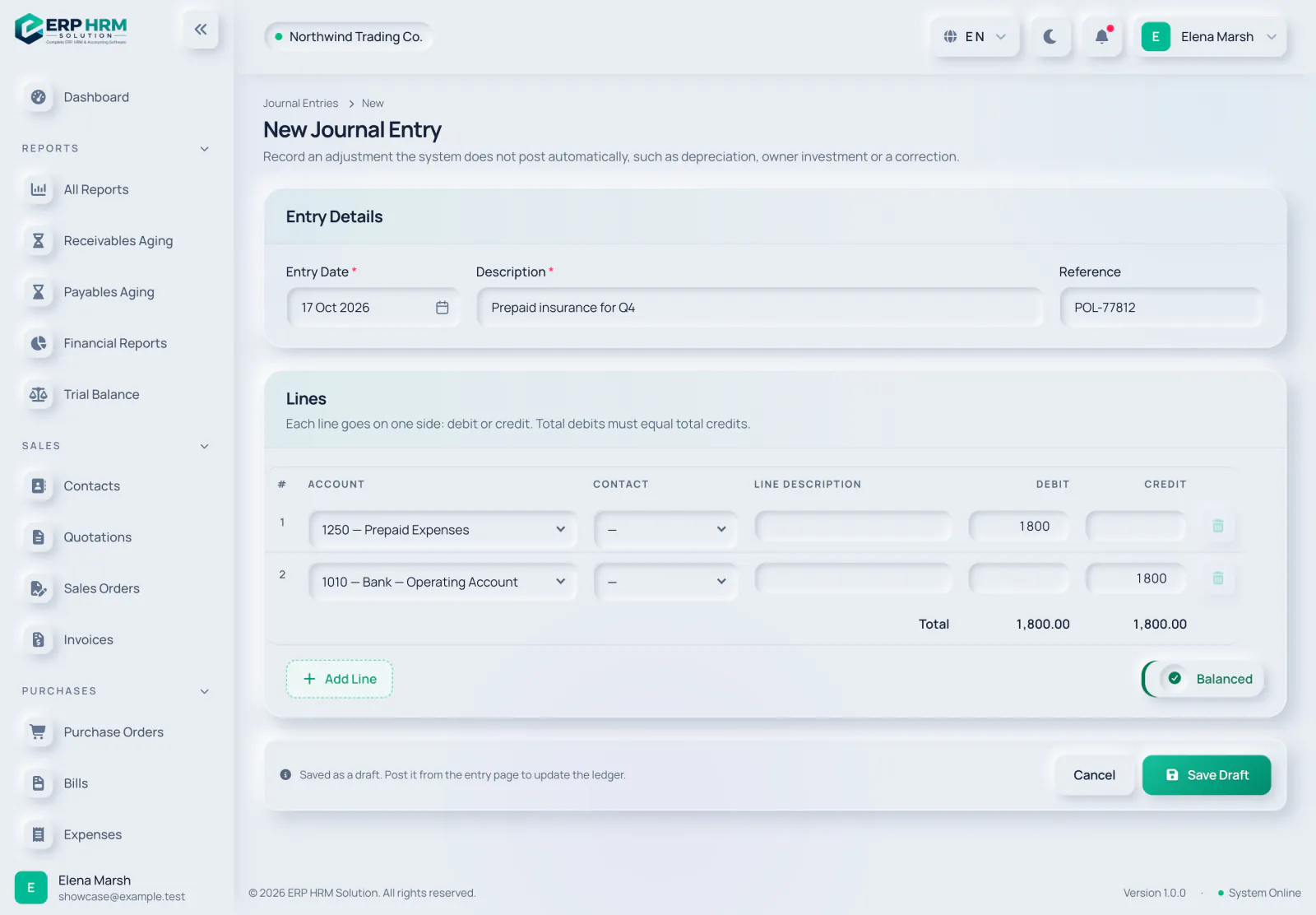
Manual journal entries
For adjustments the system does not post automatically, such as depreciation or owner investment.

Trial balance
Opening balances, movements and closing balances for every account, per fiscal period.

Financial statements
Profit and loss and financial position for any date range, from posted entries.
Import statements
Bring in your bank statement in the format your bank provides.
- CSV with a saved mappingMap the columns once; the mapping is remembered.
- Standard bank formatsOFX/QFX, SWIFT MT940 and ISO 20022 CAMT.053.
- Bank and cash accountsEvery bank and cash account in one place.

Match and reconcile
Work through each line until the difference is zero.
- Auto-matchLines are matched to entries already in your books.
- Book or ignoreAccept a match, book a new entry or payment, or ignore the line.
- Bank rulesRecurring lines such as bank charges are booked automatically.
- Zero differenceA reconciliation completes only at a zero difference, with a report.
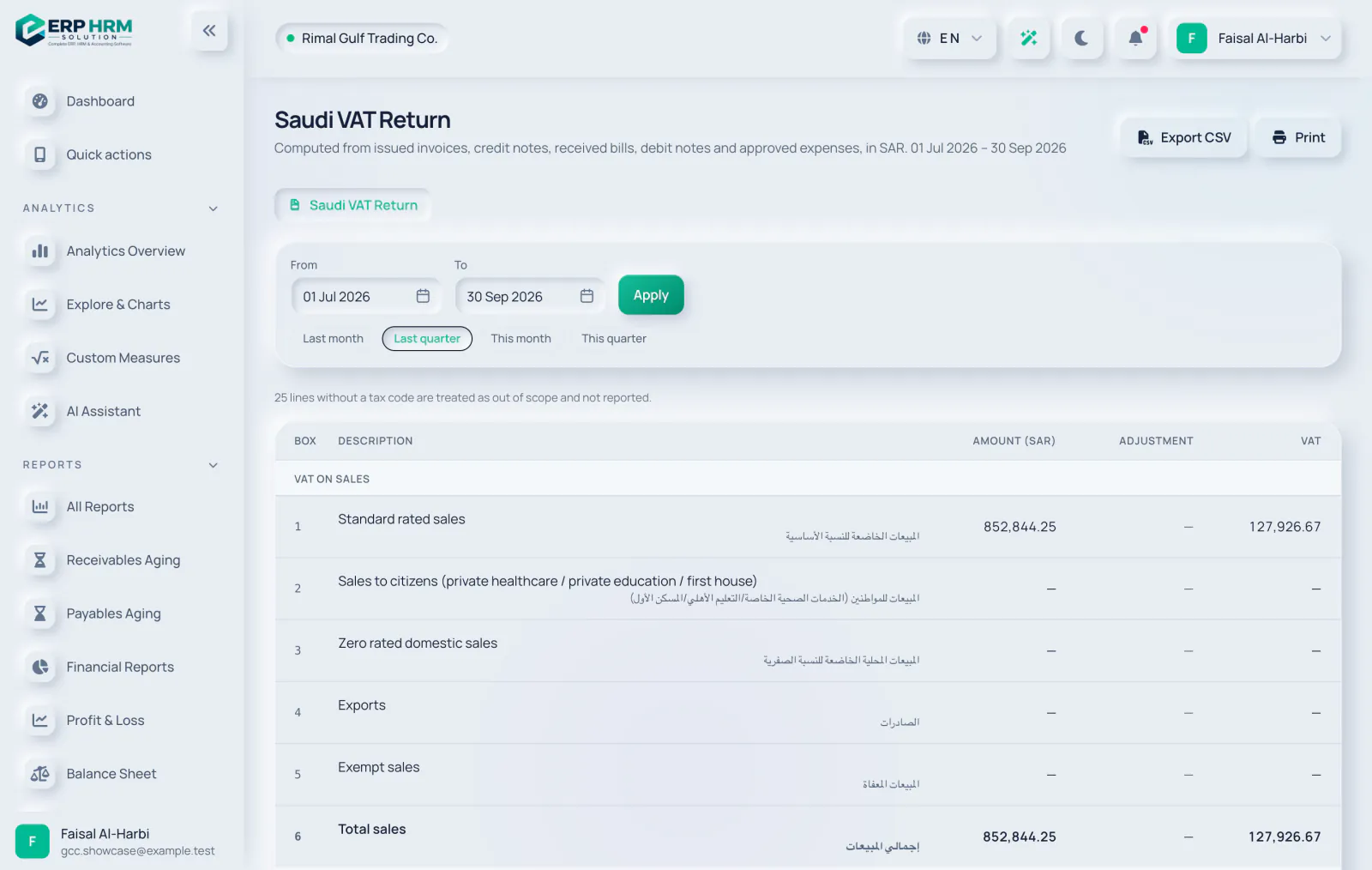
VAT returns
The return is built from your posted documents, box by box.
- Saudi VAT return and UAE VAT 201From posted sales, purchases, expenses and credit and debit notes.
- Drill-downOpen the documents behind each box.
- File and lockFiling takes a snapshot and locks the period.
- VAT Audit FileExport the FAF when you need it.
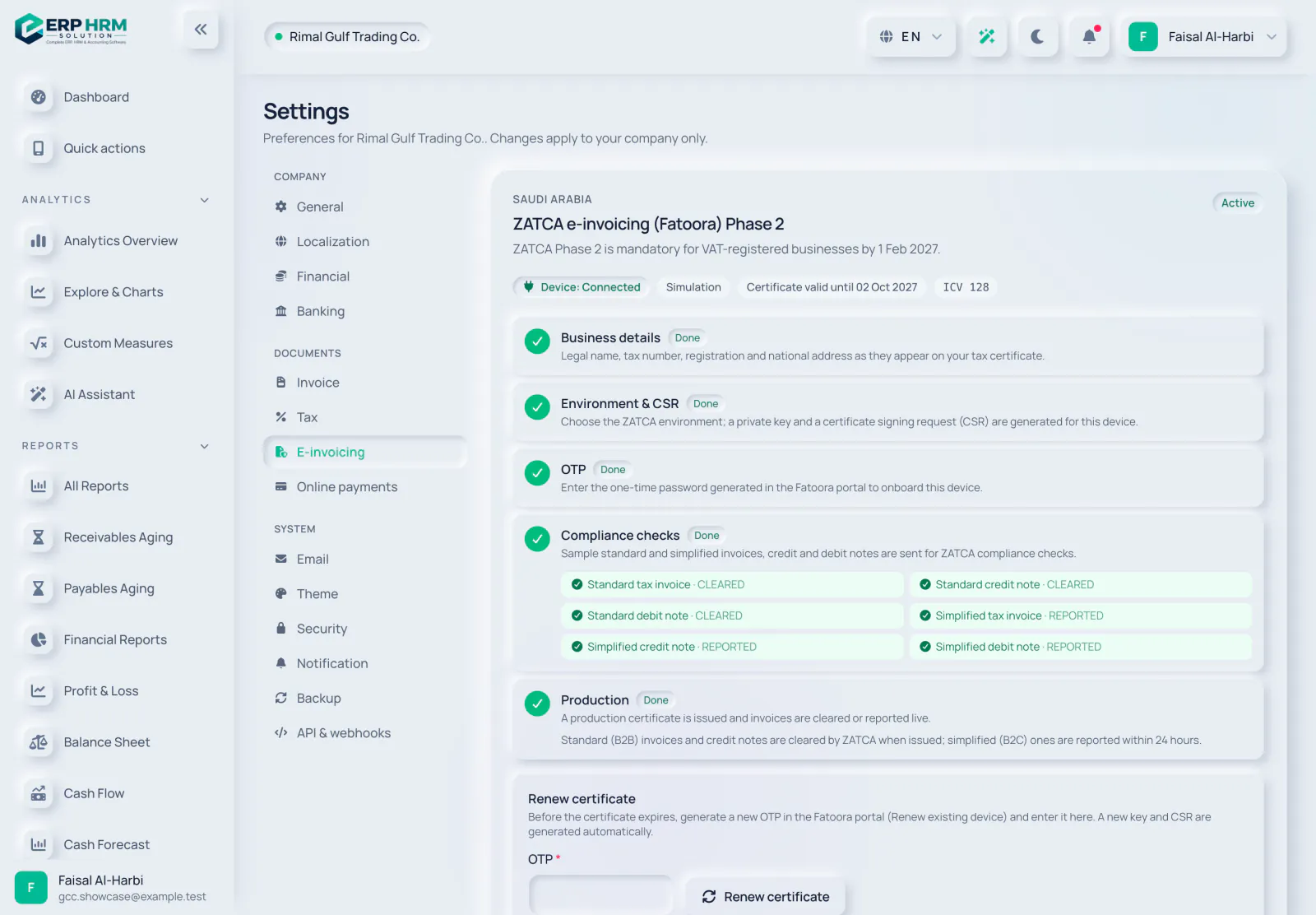
E-invoicing
Invoices are cleared or reported for you, depending on the country.
- ZATCA Phase 2Onboarding, clearance of standard invoices and reporting of simplified invoices.
- Certificate renewalA warning 30 days before the production certificate expires.
- UAE PINT-AEThrough your accredited service provider, with an inbox for supplier e-invoices.
Tax worksheets
Worksheets that prepare your returns. Filing stays with you.
- UAE Corporate Tax0% up to AED 375,000 and 9% above, with Small Business Relief.
- KSA ZakatThe Zakat base prefilled from the ledger, with every line editable.
- KSA withholding taxWithholding tax on payments to non-resident vendors, with a monthly report.
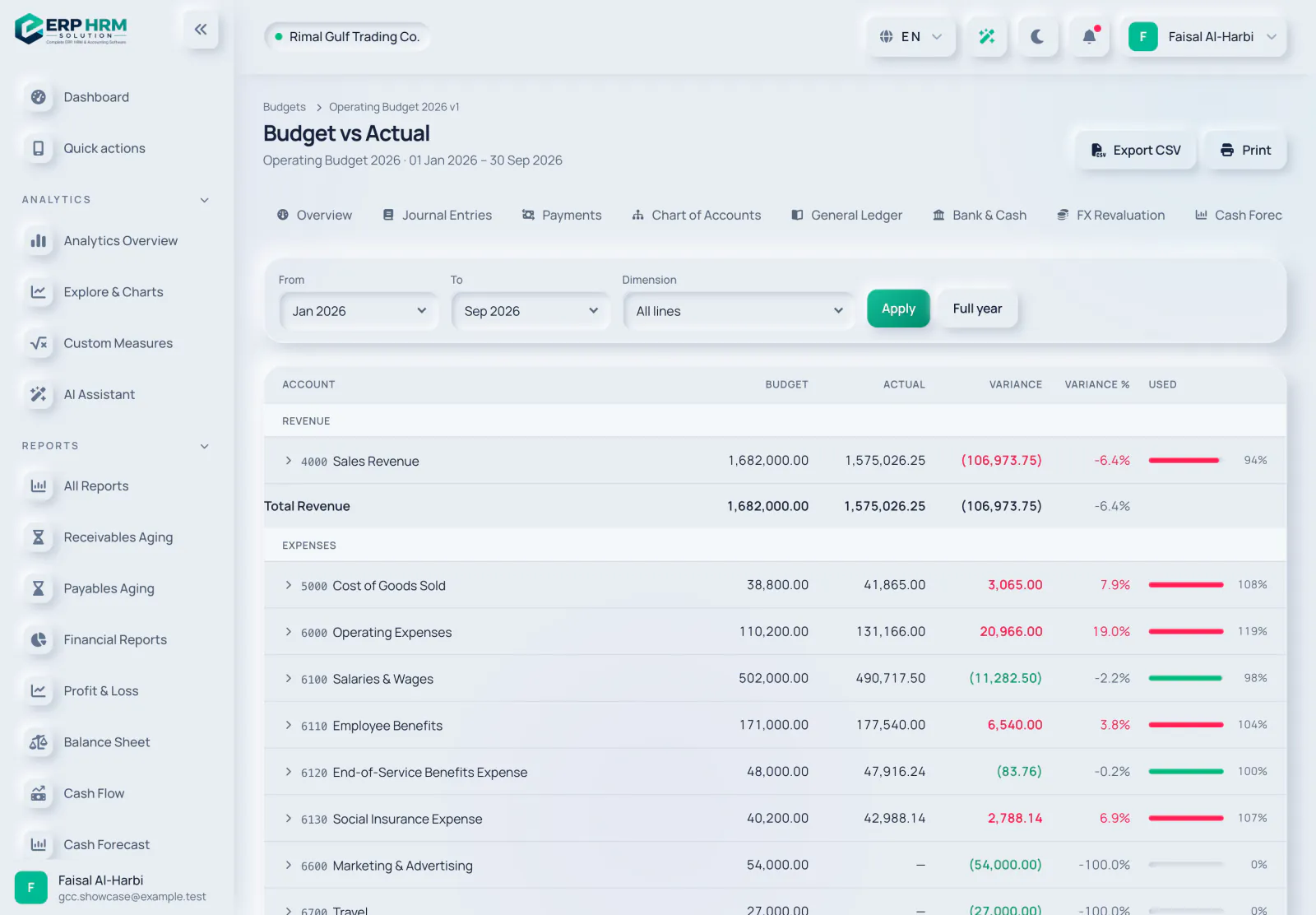
Budgets
Plan by account and dimension, and control spending against it.
- Budgets and versionsPer account and dimension, with versions and a monthly spread.
- Budget versus actualSee where you stand against the plan.
- Warn or stopOverspending is posted with a warning, or blocked.
- Audited overridesAuthorised users can post past a stop, and it is recorded.
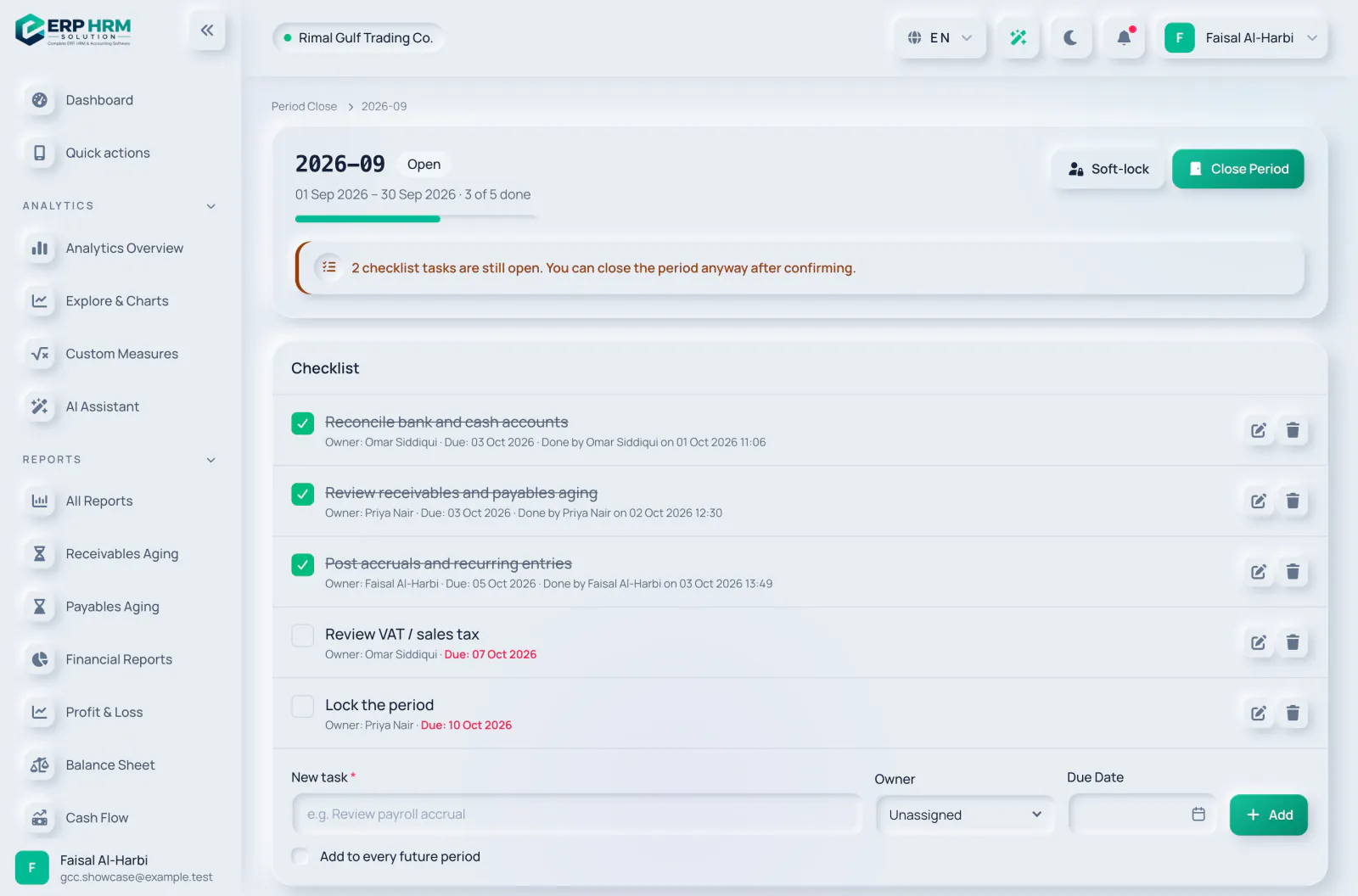
Close the period
Close each month with a checklist and keep finished periods finished.
- Close checklistMonth-end, step by step.
- Soft-lock, close and lockClosed periods reopen only with a reason; locked periods are final.
- Year-end closeA closing journal into retained earnings.
- FX revaluationRevalue open foreign-currency balances and post the unrealised gain or loss.
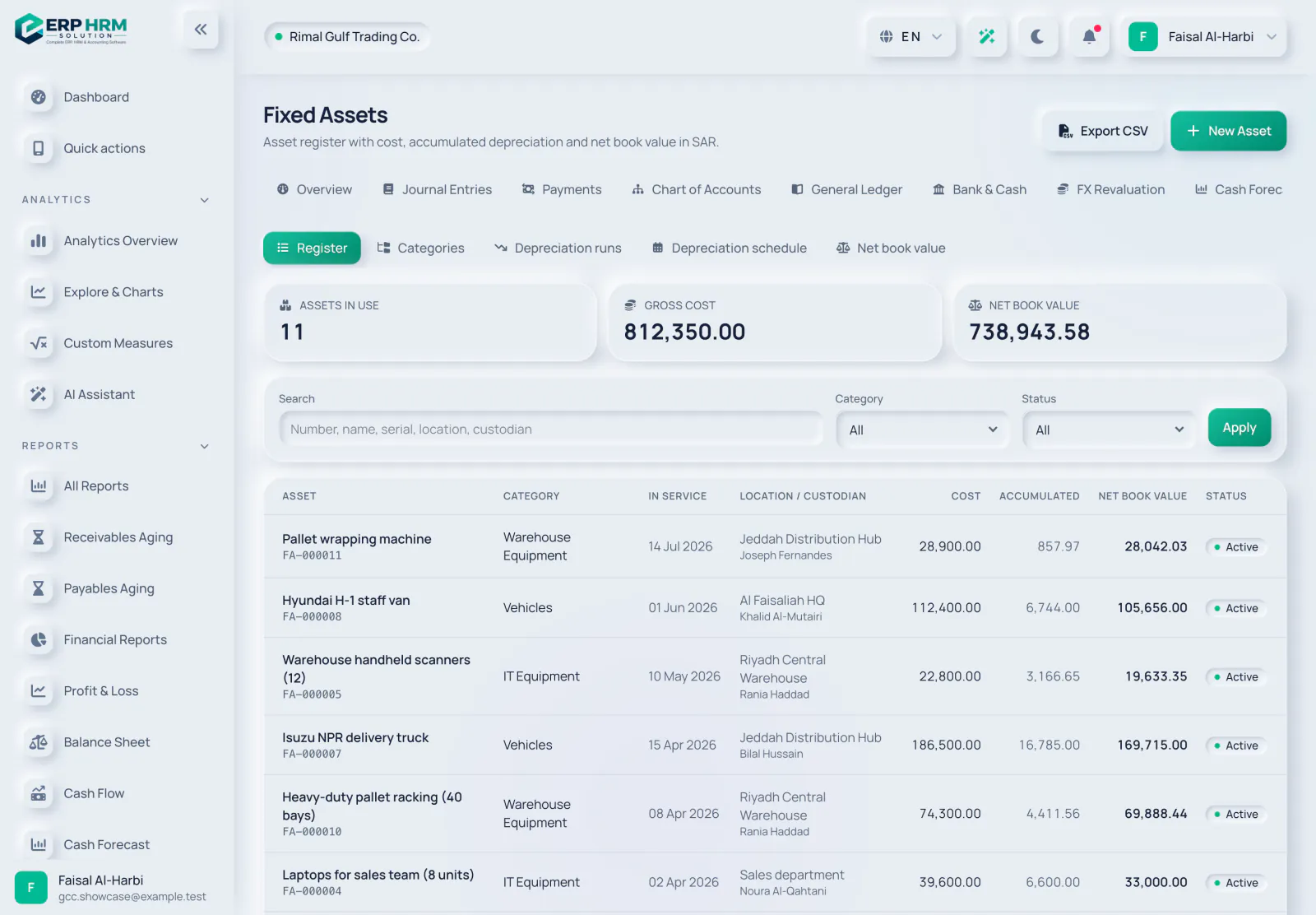
Fixed assets
Register assets and let depreciation post itself.
- Asset registerAssets by category.
- DepreciationStraight-line or declining balance, posted to the ledger.
- Adjustments and disposalsAdjust or dispose of an asset when things change.
- ReportsNet book value and the depreciation schedule, both exportable.
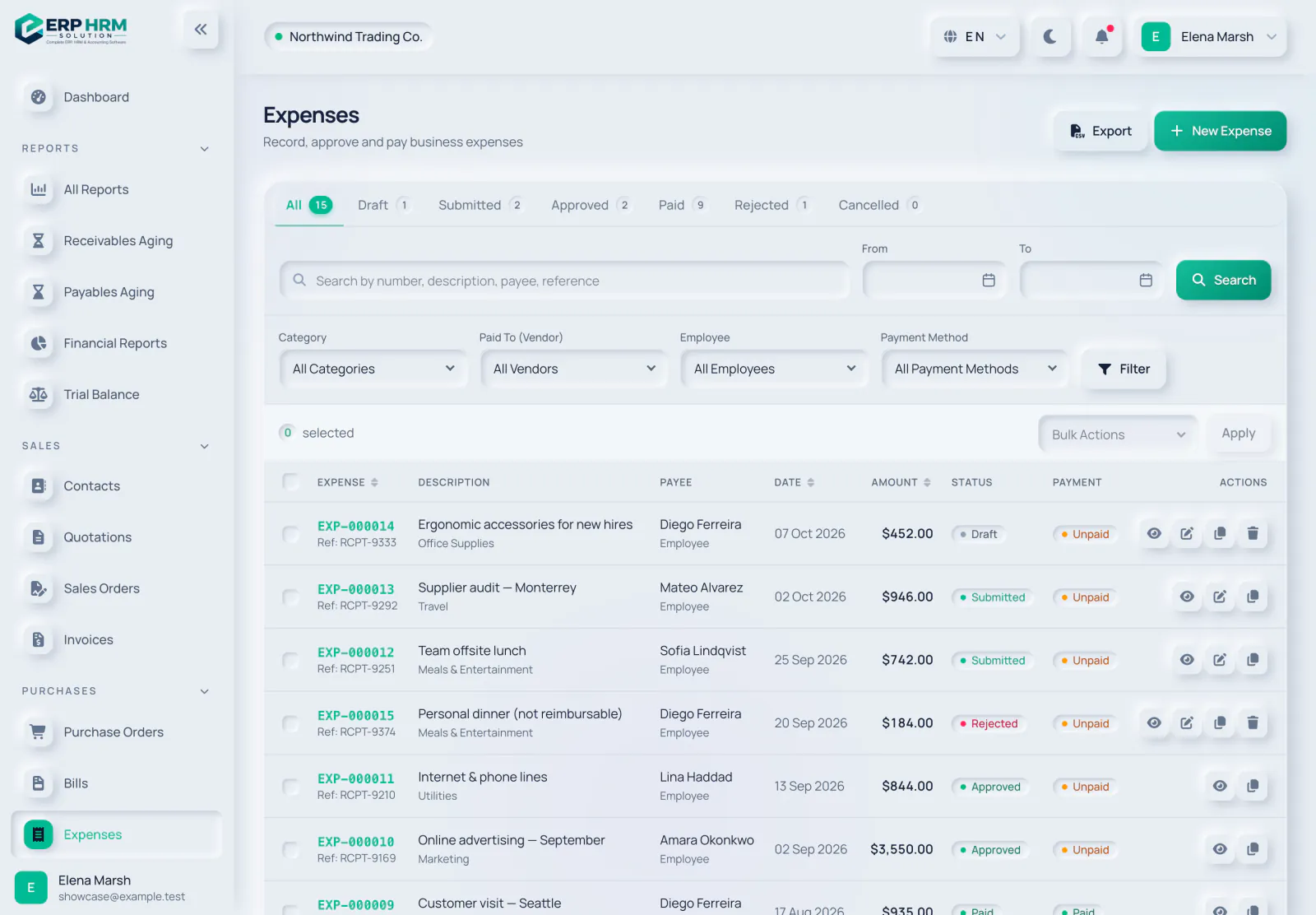
All expenses
Every expense with its approval and payment status, filterable by category, employee and more.
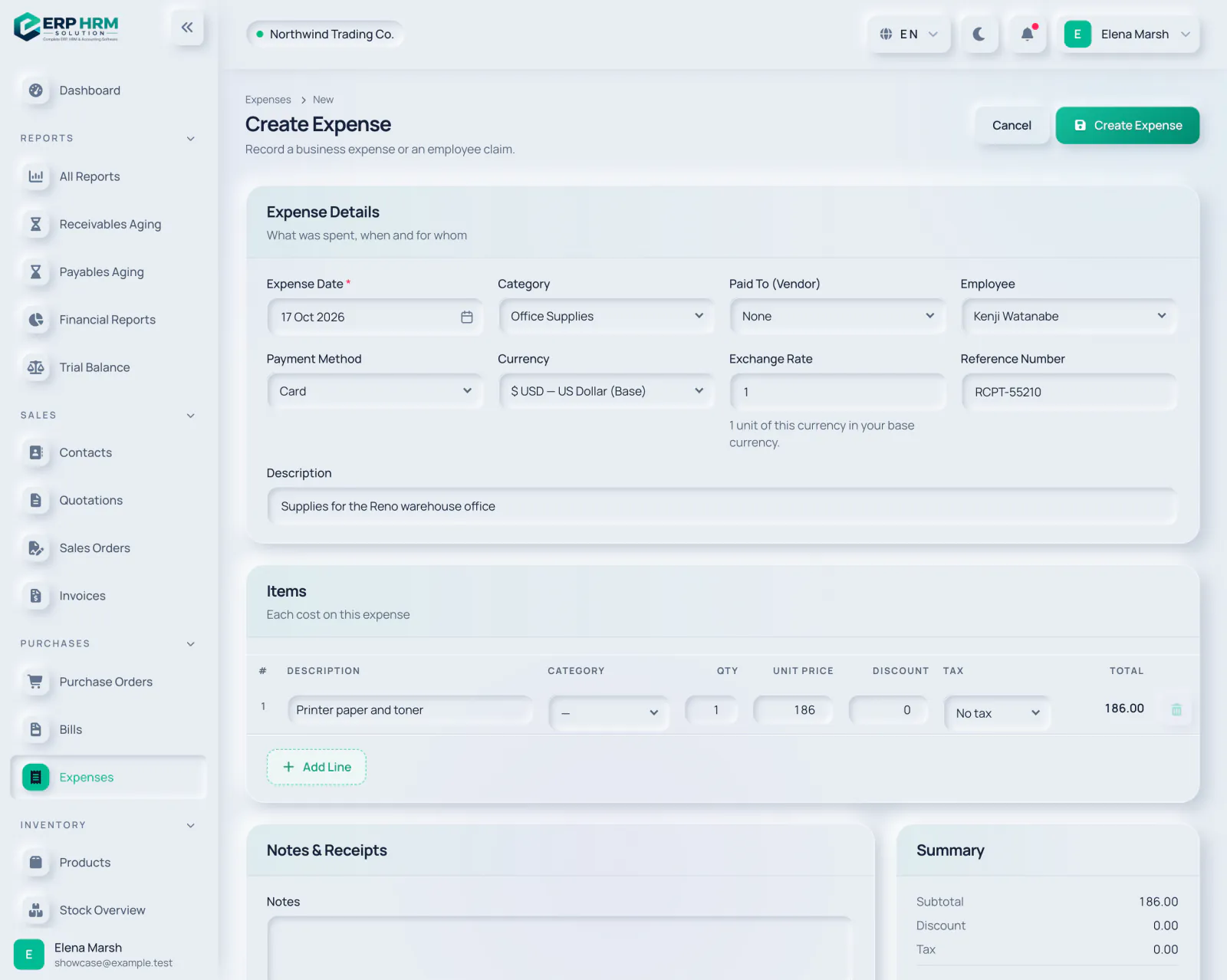
Record an expense
Capture a business cost or an employee claim with its category, payment method and cost lines.
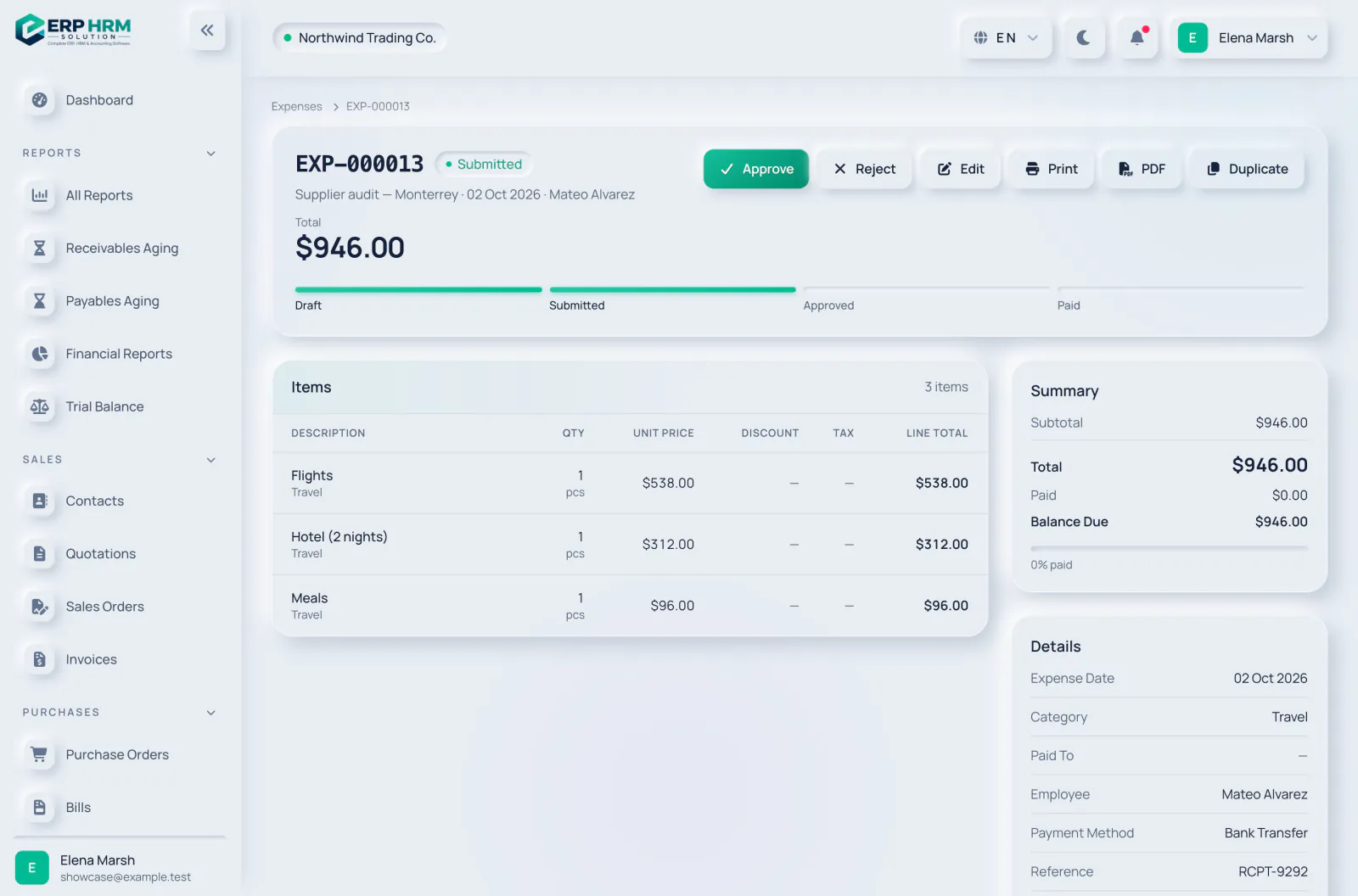
Approve or reject
Submitted expenses wait for approval — and nobody approves their own.
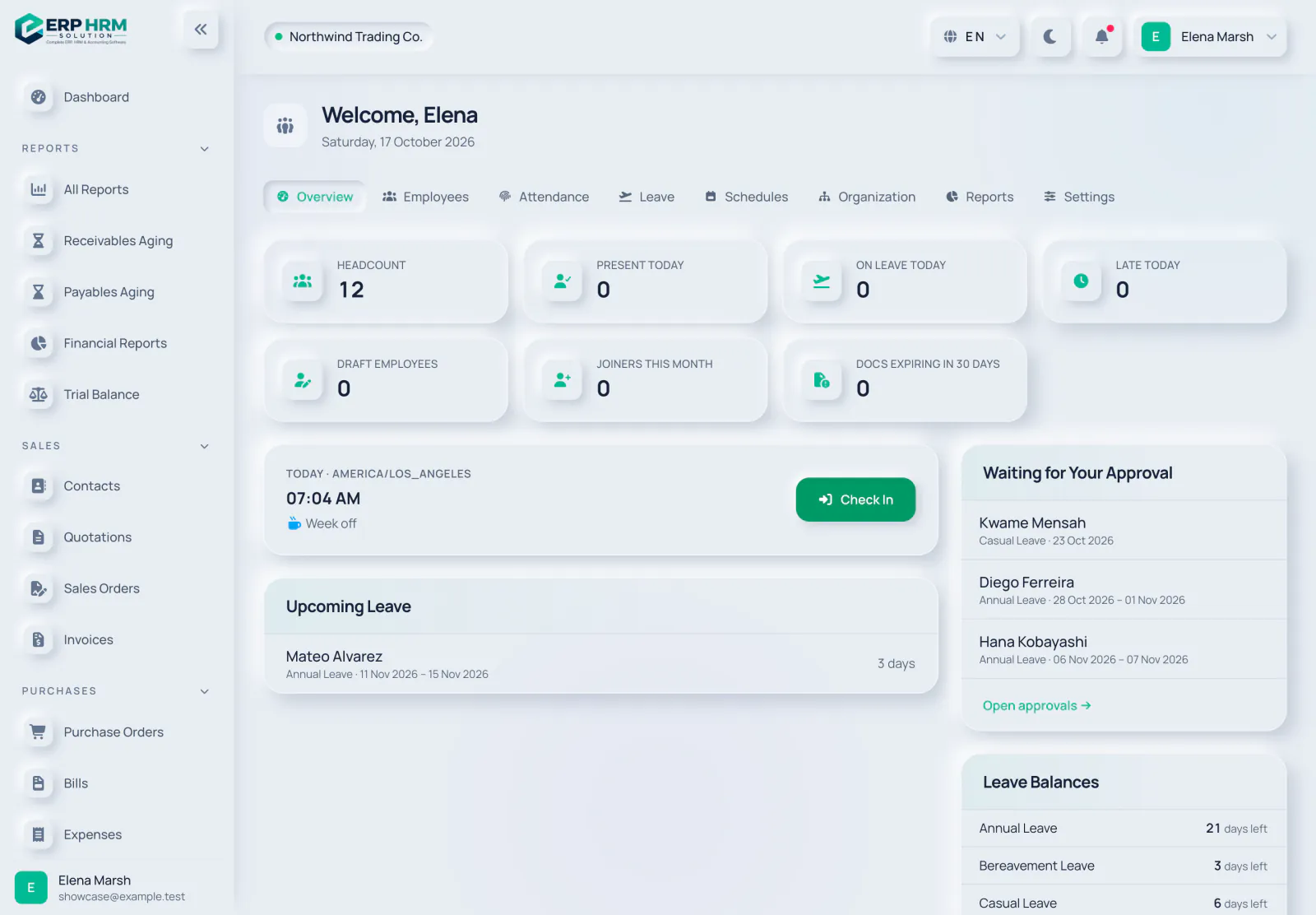

HR overview
Headcount, attendance and leave for today, with the approvals waiting for you.
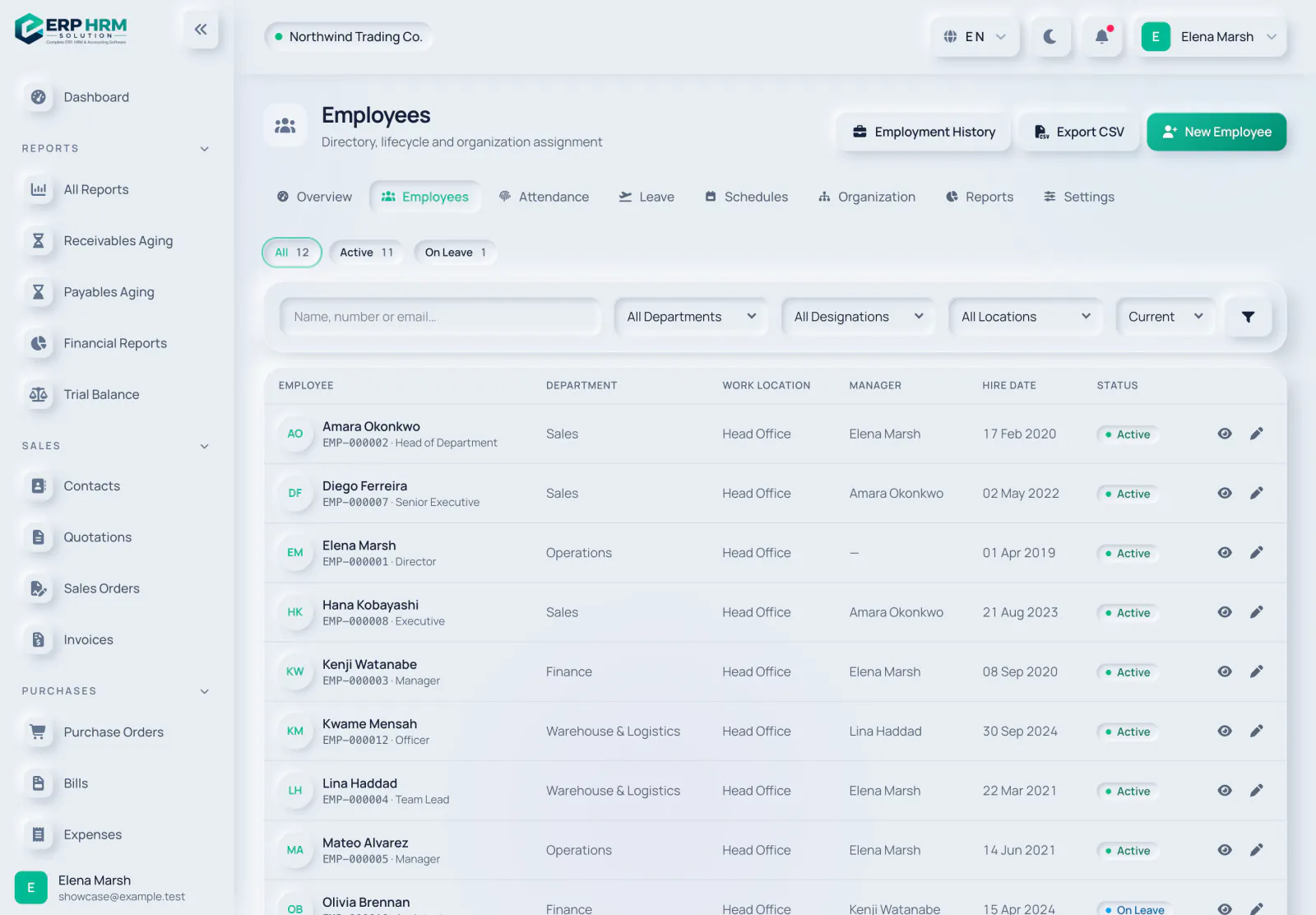
Employee directory
Every employee with department, manager, hire date and status.
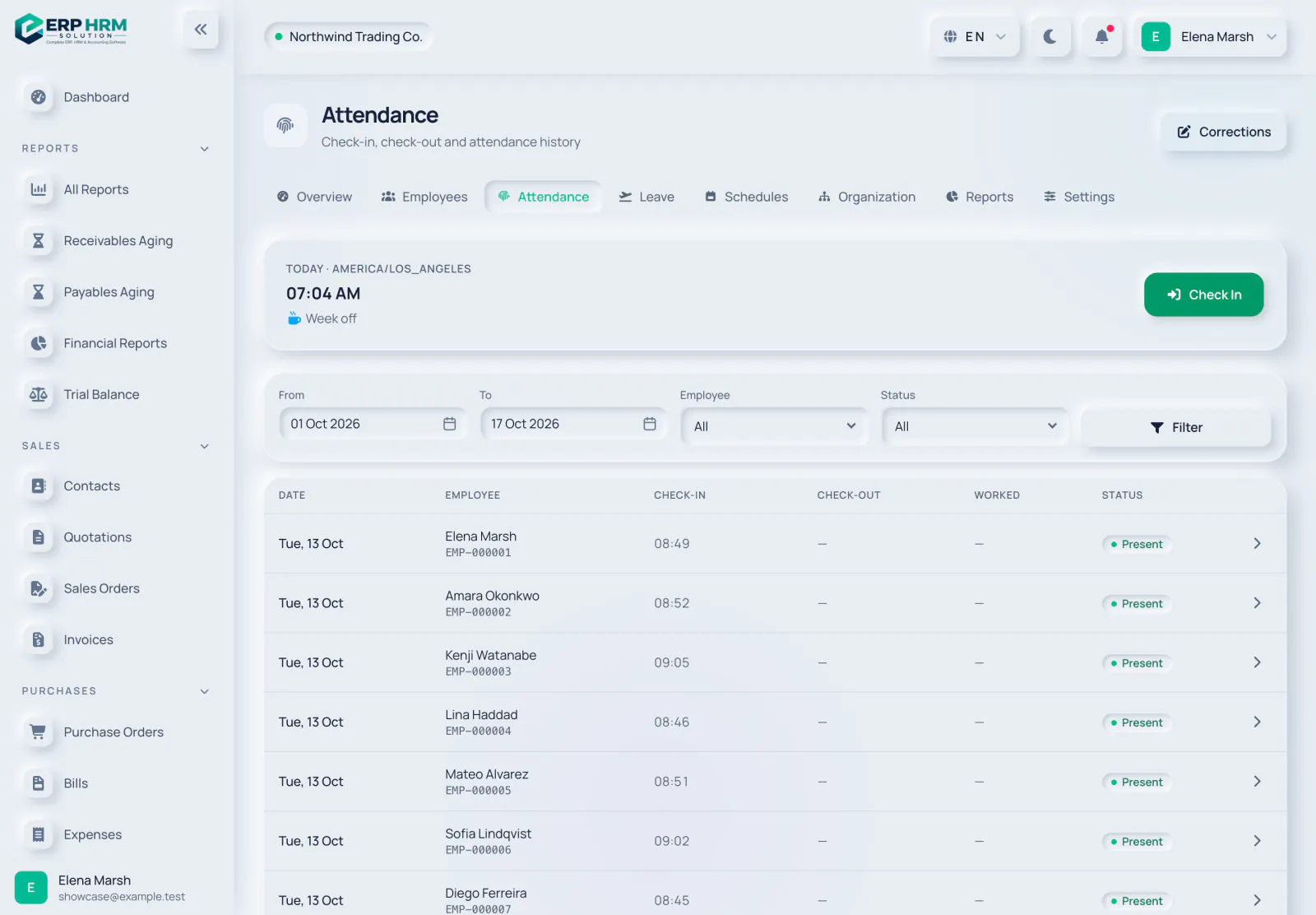
Attendance
Check-in and check-out times, hours worked and late arrivals.
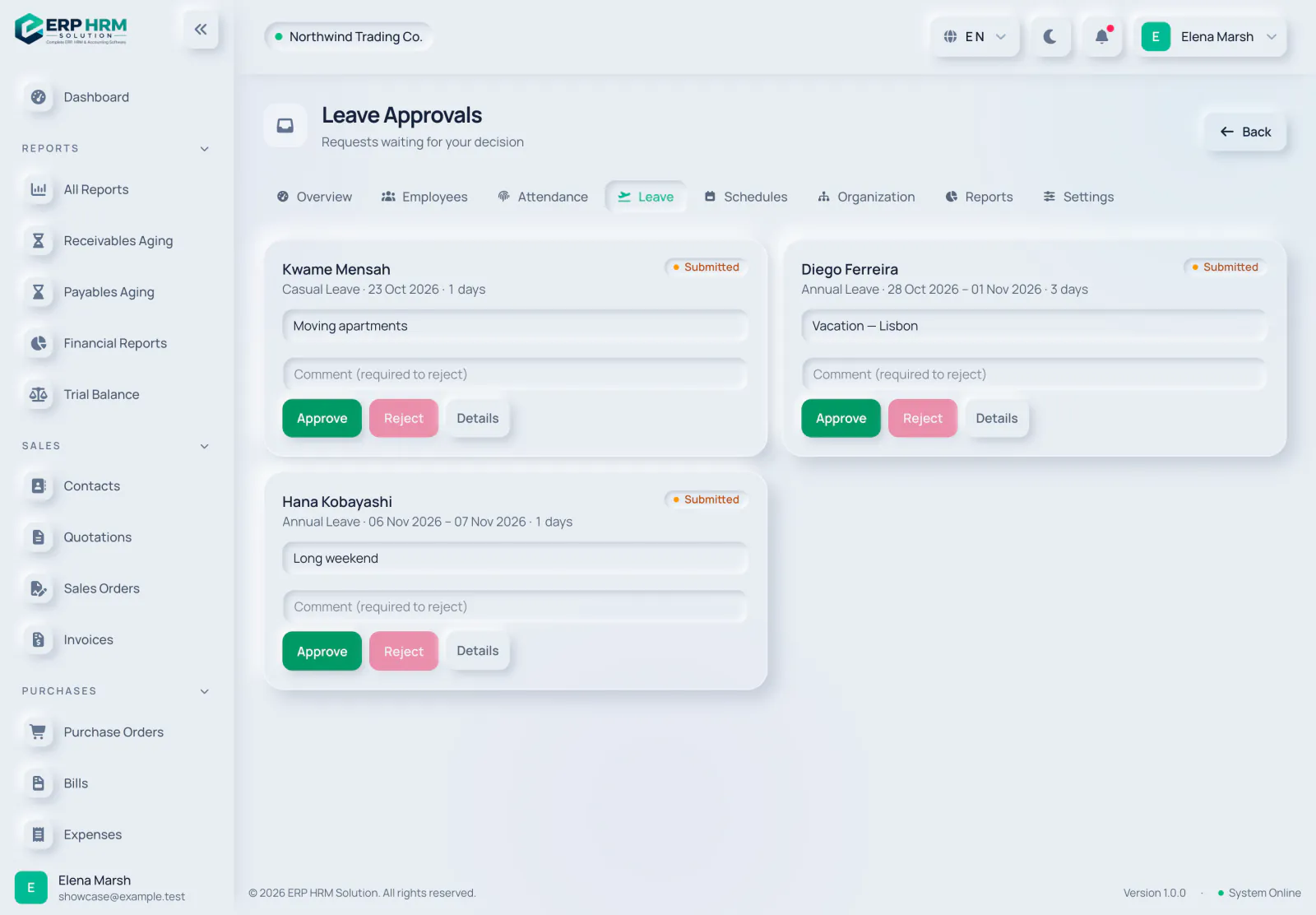
Leave approvals
Managers decide on leave requests in one inbox.

Run payroll
From salary profiles to an approved monthly run.
- Salary profilesThe pay set-up for each employee.
- Monthly runsDraft, approved and paid, or cancelled.
- PayslipsA payslip for every employee, also in the mobile app.
- Additions and deductionsSuch as an advance recovery, entered on the run.

Pay and report
Salary files and social insurance for each GCC country.
- UAE WPS SIFWith EDR and SCR records, once the run is approved.
- Saudi Mudad or bank fileUsing the establishment number from Payroll Settings.
- Bank-transfer fileFor Oman, Qatar, Kuwait and Bahrain.
- Social insuranceGOSI, GPSSA, SPF, SIO, PIFSS and GRSIA, with rates your company can edit.
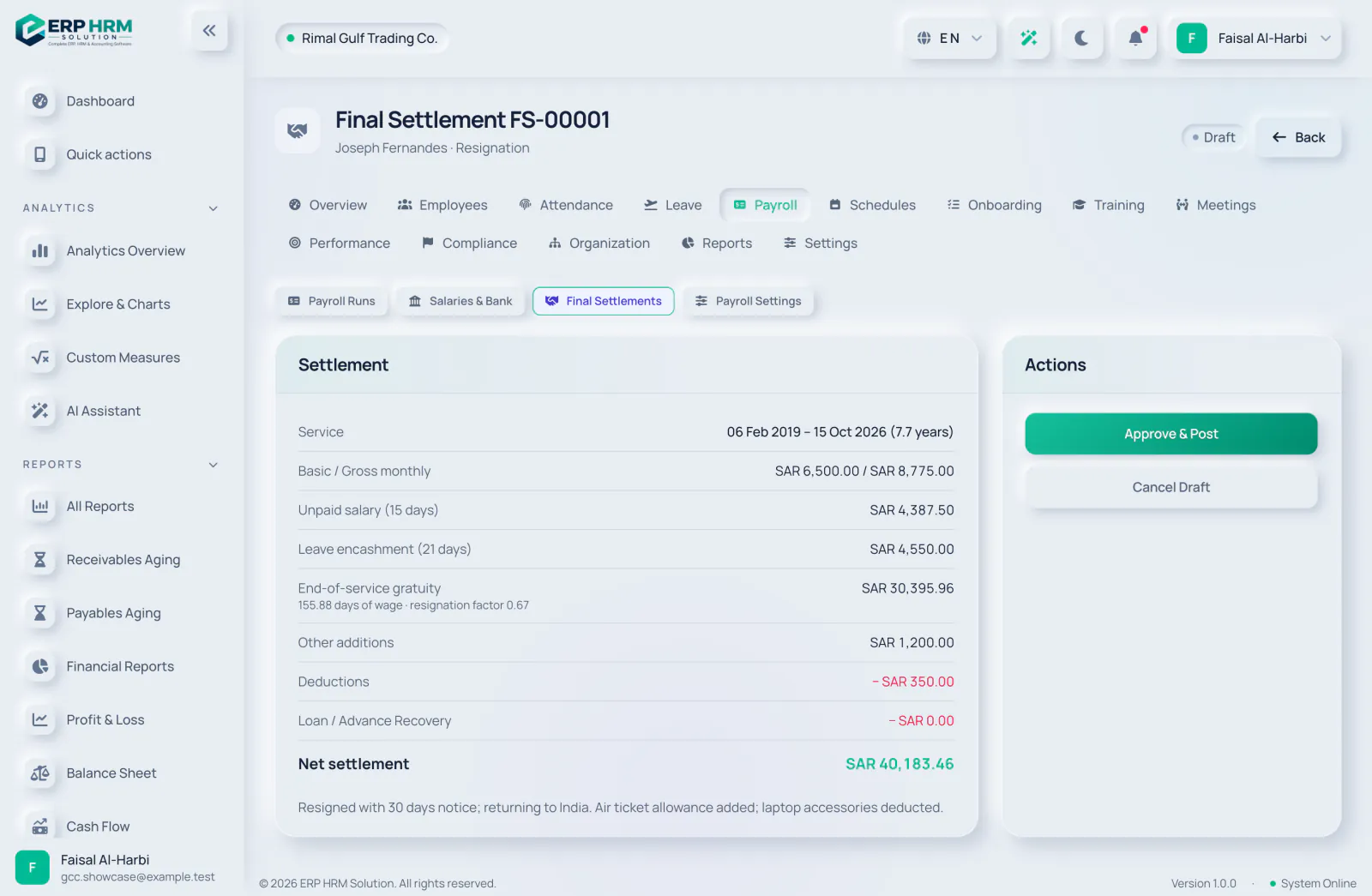
End of service
Gratuity and final settlement under each country’s rules.
- Country rulesSaudi Arabia, the UAE (mainland, DIFC and ADGM), Qatar, Kuwait, Oman and Bahrain.
- Final settlementUnpaid salary, leave encashment, gratuity, and additions and deductions.
- Manual reviewWhere the law is unresolved, the settlement is flagged for HR to review, never guessed.
- Company optionsSome aspects, such as the treatment of nationals, can be set in Payroll Settings.
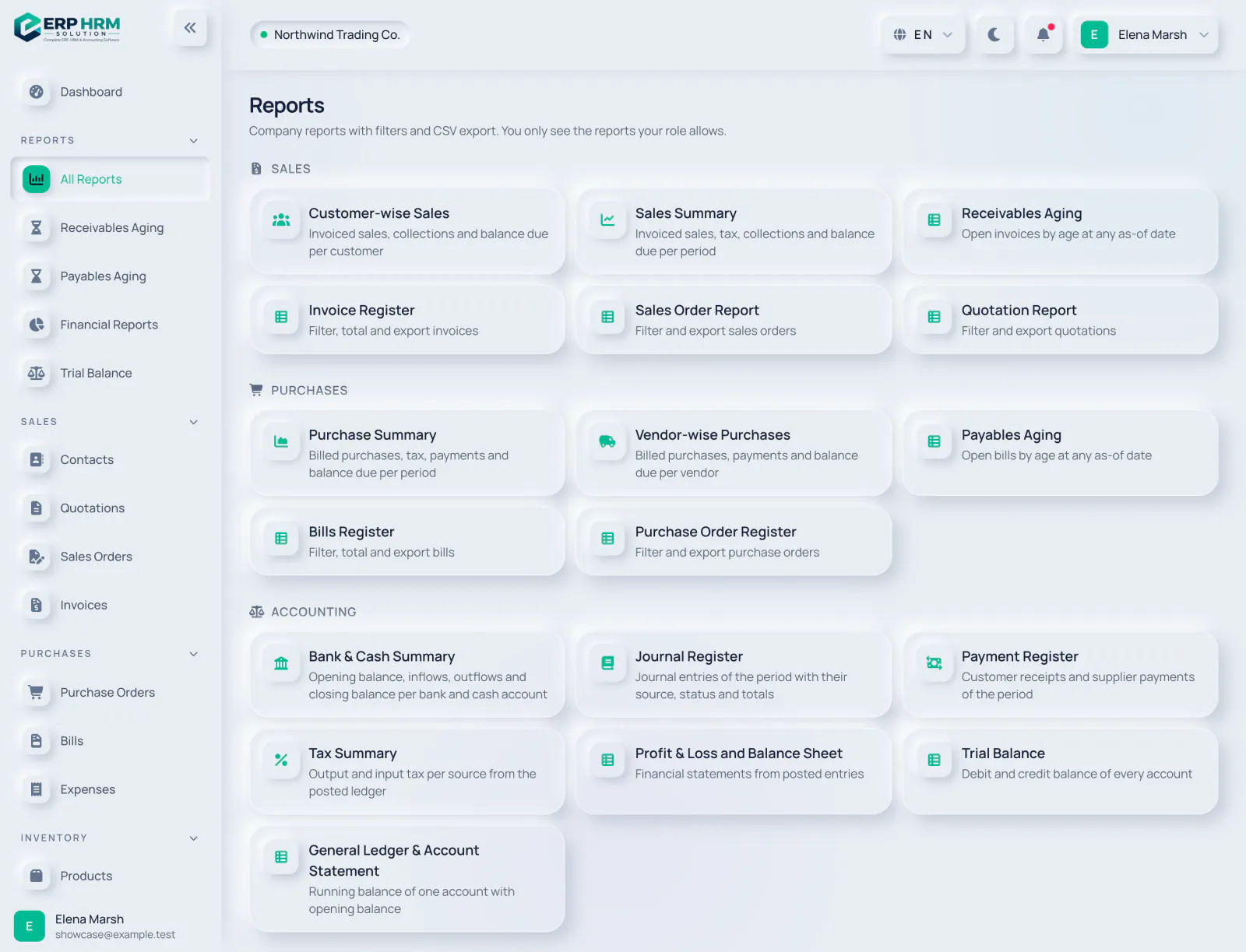
Report library
Sales, purchasing, accounting and inventory reports in one place.
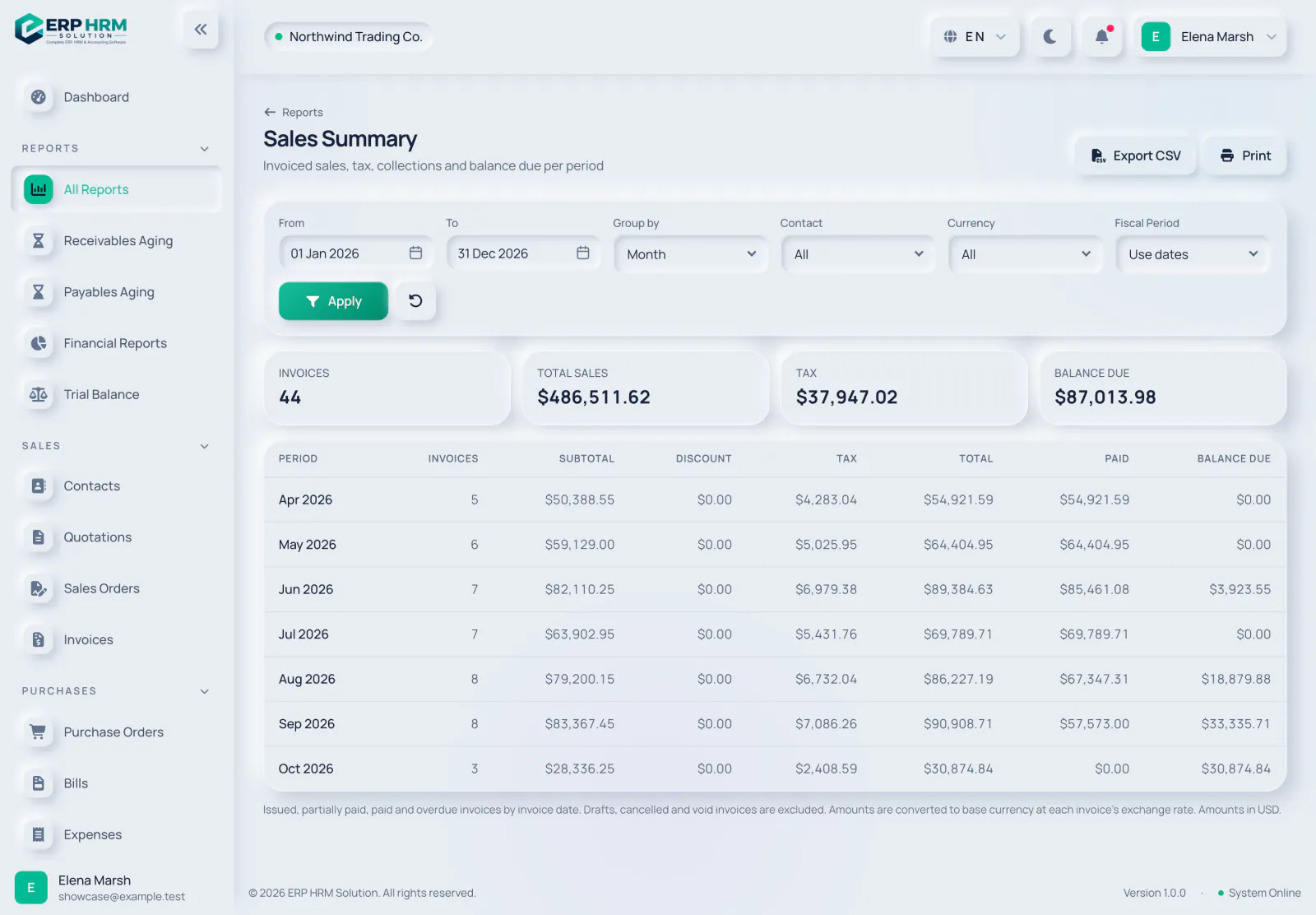
Sales summary
Filter, group and export — the CSV follows the same filters as the screen.
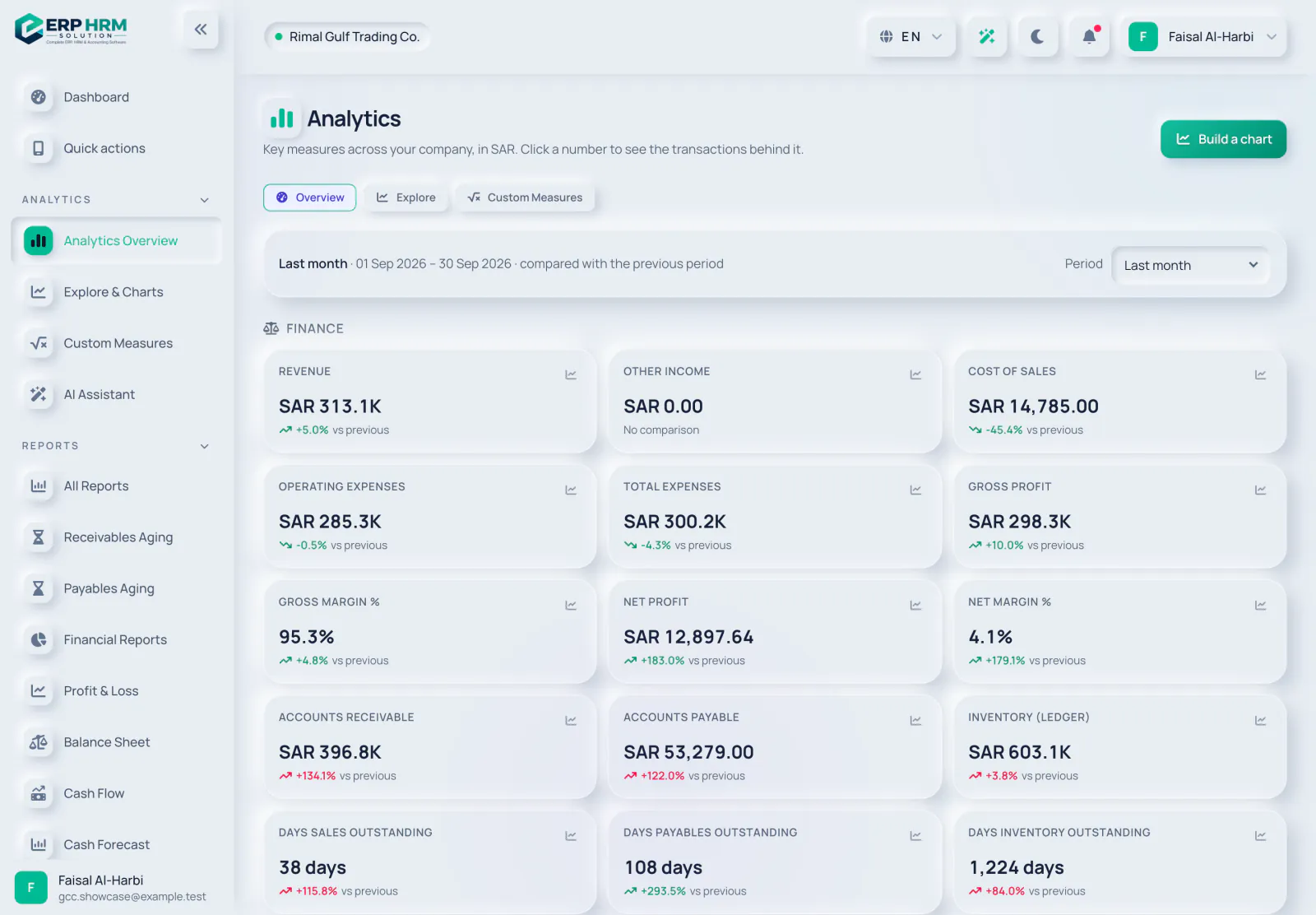
Analytics
Go beyond fixed reports: slice the numbers and drill down.
- OverviewThe key analytics at a glance.
- Explore & ChartsSlice your data with charts and drill down to the documents.
- Custom measuresDefine your own measures.
- Saved and pinned viewsKeep the views you use most within reach.
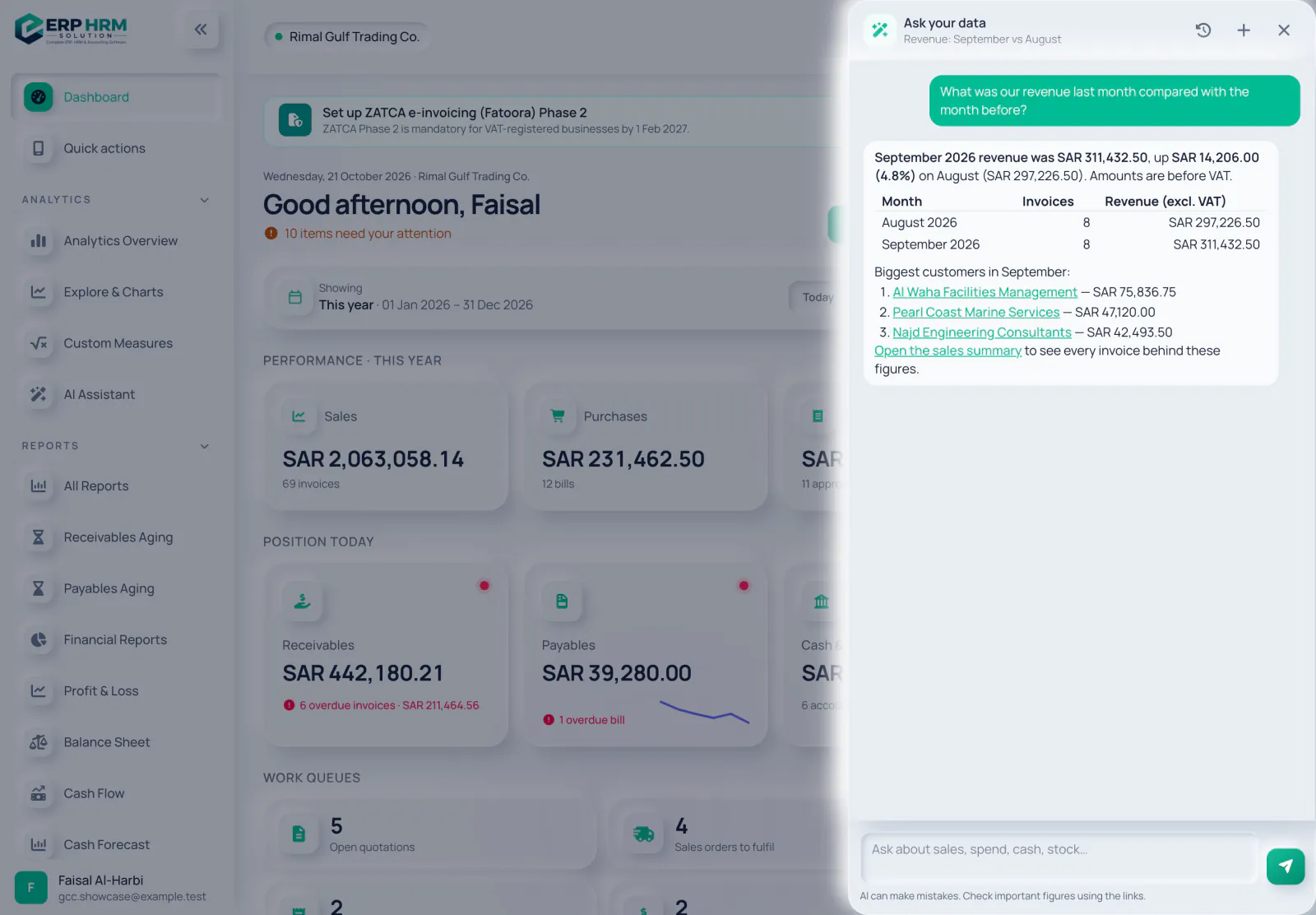
Ask your data
Ask in plain language and get answers from your own records.
- Plain-language questionsAbout sales, receivables, spending and more.
- Within your permissionsIt only reads what your role is allowed to see.
- Help on every pageThe help button explains the page you are on and links to the guides.
- InsightsNotes on collections and anomalies.
Capture and categorise
Less typing for bills, receipts and bank lines.
- Bill and receipt captureJPG, PNG, GIF, WEBP or PDF up to 10 MB, turned into a draft to check.
- CategoriseSuggestions for bank lines and expenses.
- Personal details maskedEmails, phones, IBANs and ID numbers in the records the assistant reads are masked before they go to the AI provider. Chat text and uploaded receipts are sent as entered.
- Monthly allowanceEach company has a monthly AI allowance, and an admin can switch AI off.
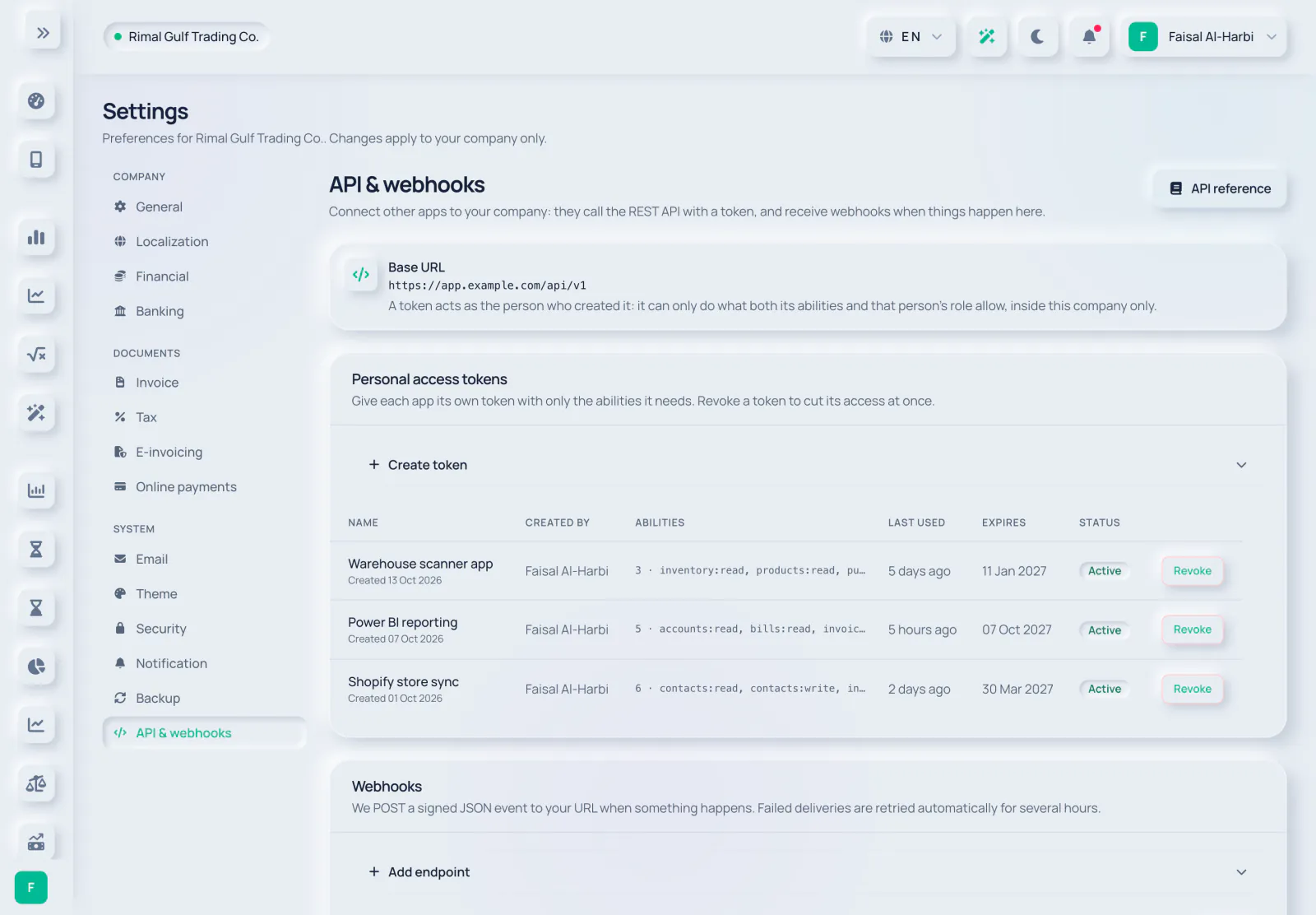
REST API and webhooks
Connect your other systems with documented, rate-limited endpoints.
- Scoped tokensAPI tokens with only the abilities you give them.
- OpenAPI documentationDocs and an OpenAPI file at /docs/api.
- Limits and idempotency120 requests a minute per token, and an Idempotency-Key header.
- Webhooks12 events, retried up to 6 times when a delivery fails.
Payments and mobile
Let customers pay online and give your team the essentials on their phones.
- Online paymentsConnect your own Tap, Moyasar, Telr, HyperPay or Stripe account and send pay-now links.
- Confirmed by the gatewayThe receipt posts only after the gateway confirms the payment.
- Installable web appAdd Quick actions to the home screen from the browser, with no app store needed.
- For employeesCheck in and out, request leave, view payslips, submit expenses and approve.
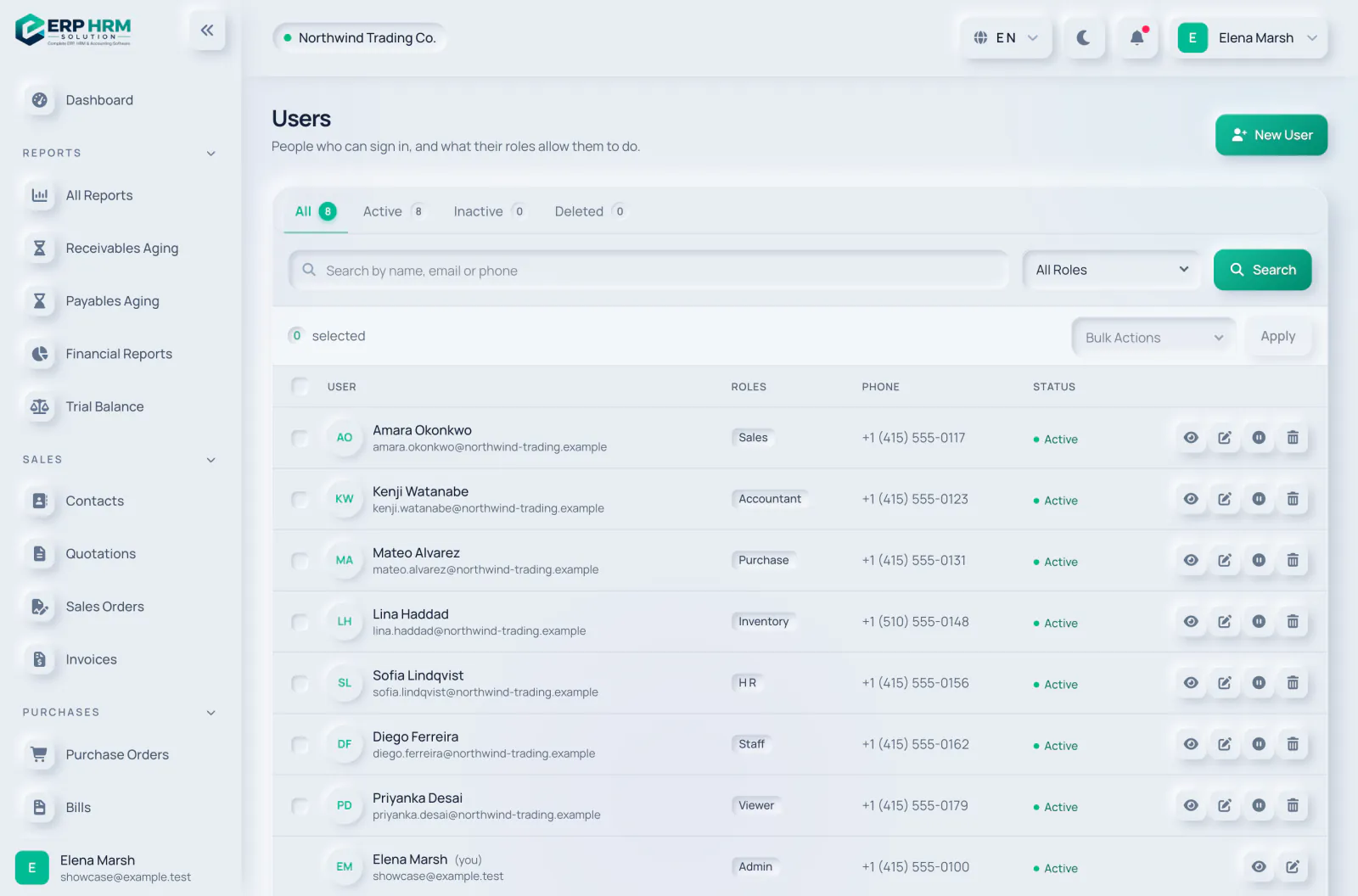
Users and roles
Everyone who can sign in, and what their roles allow them to do.

Invite with the right access
Give each person one or more roles — never more than you have yourself.

Your profile and security
Each person manages their own details, language and password.
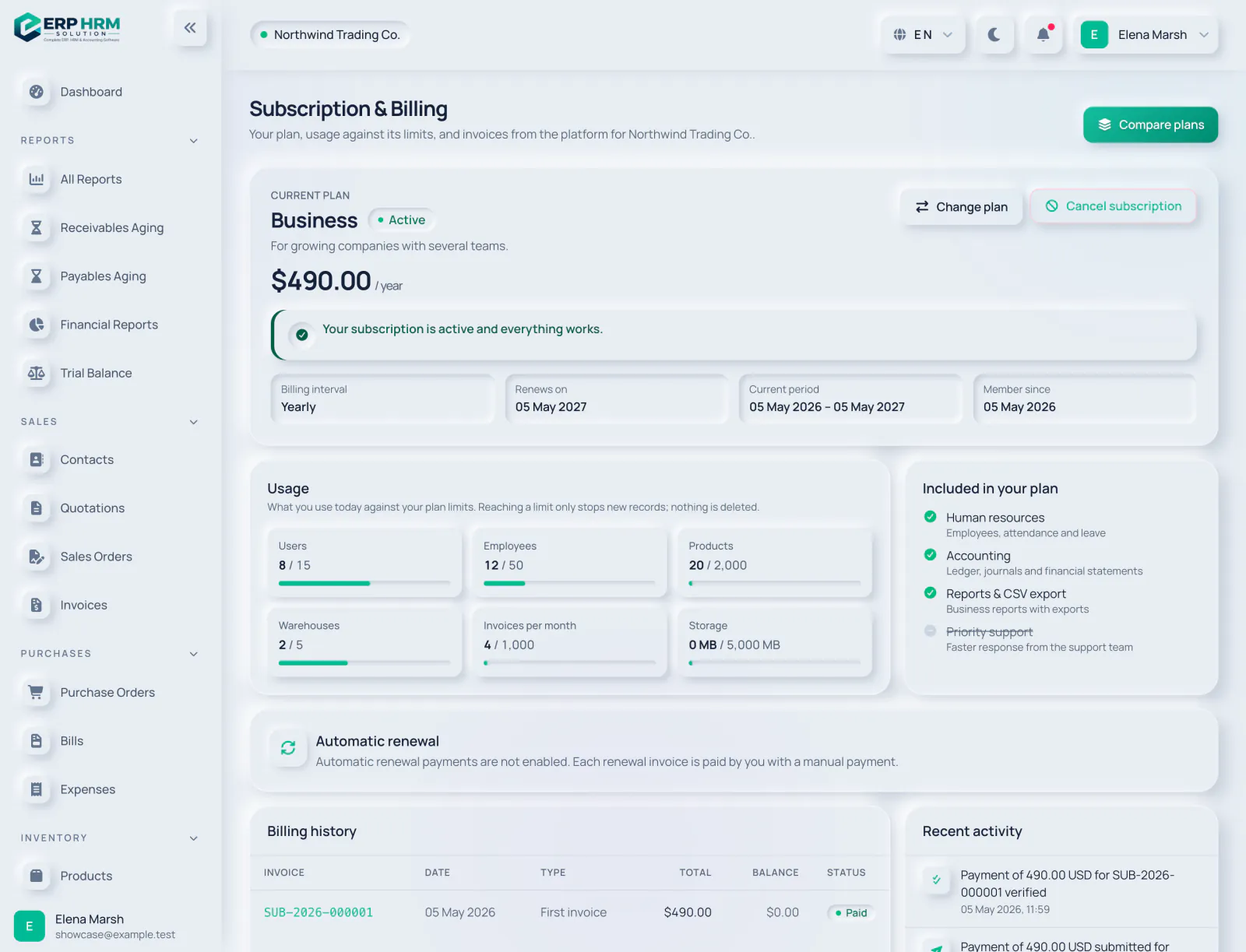
Your plan and usage
See your plan, its renewal date and how much of each limit you use.
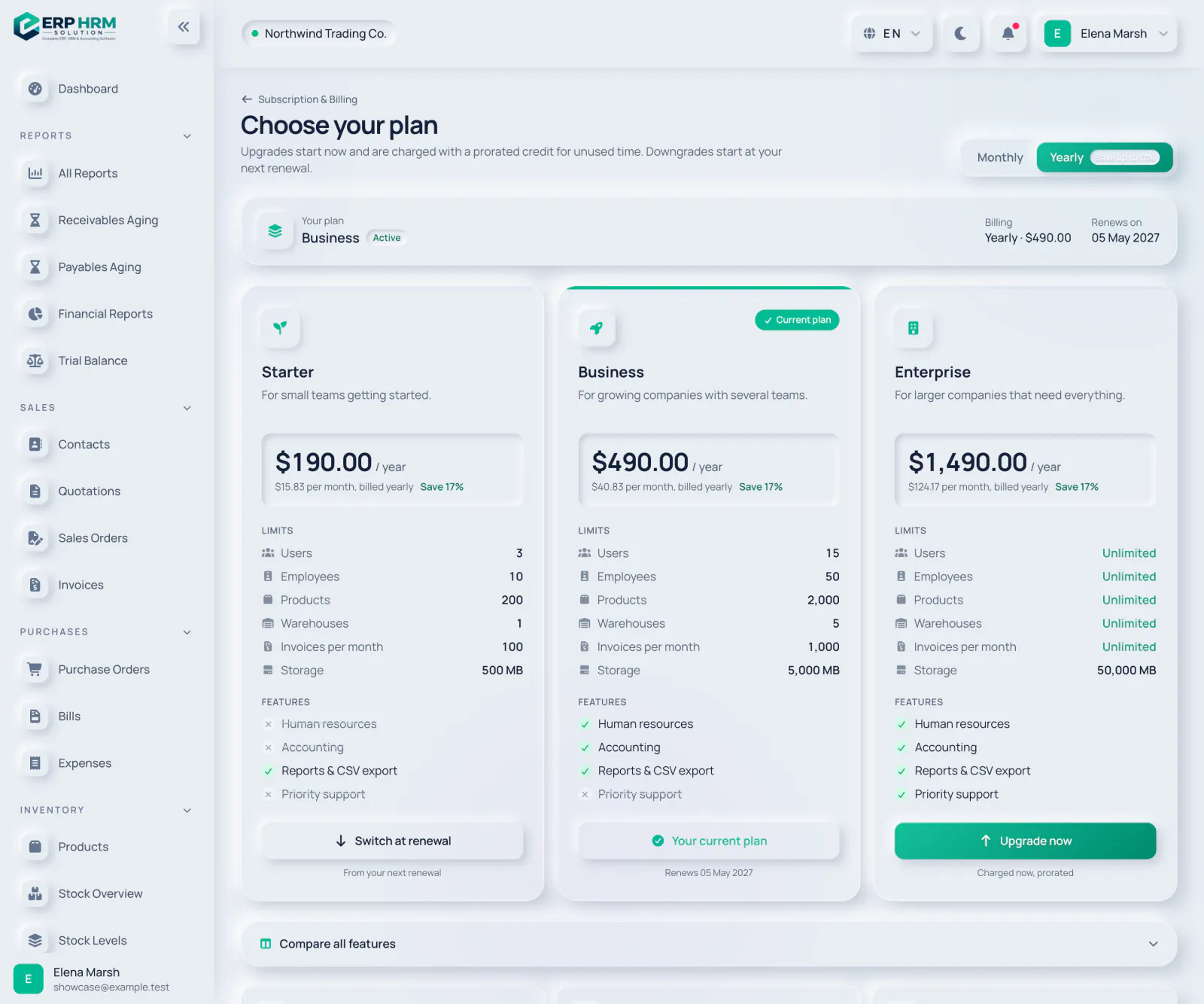
Change plan
Monthly or yearly billing; upgrade straight away or switch at your next renewal.
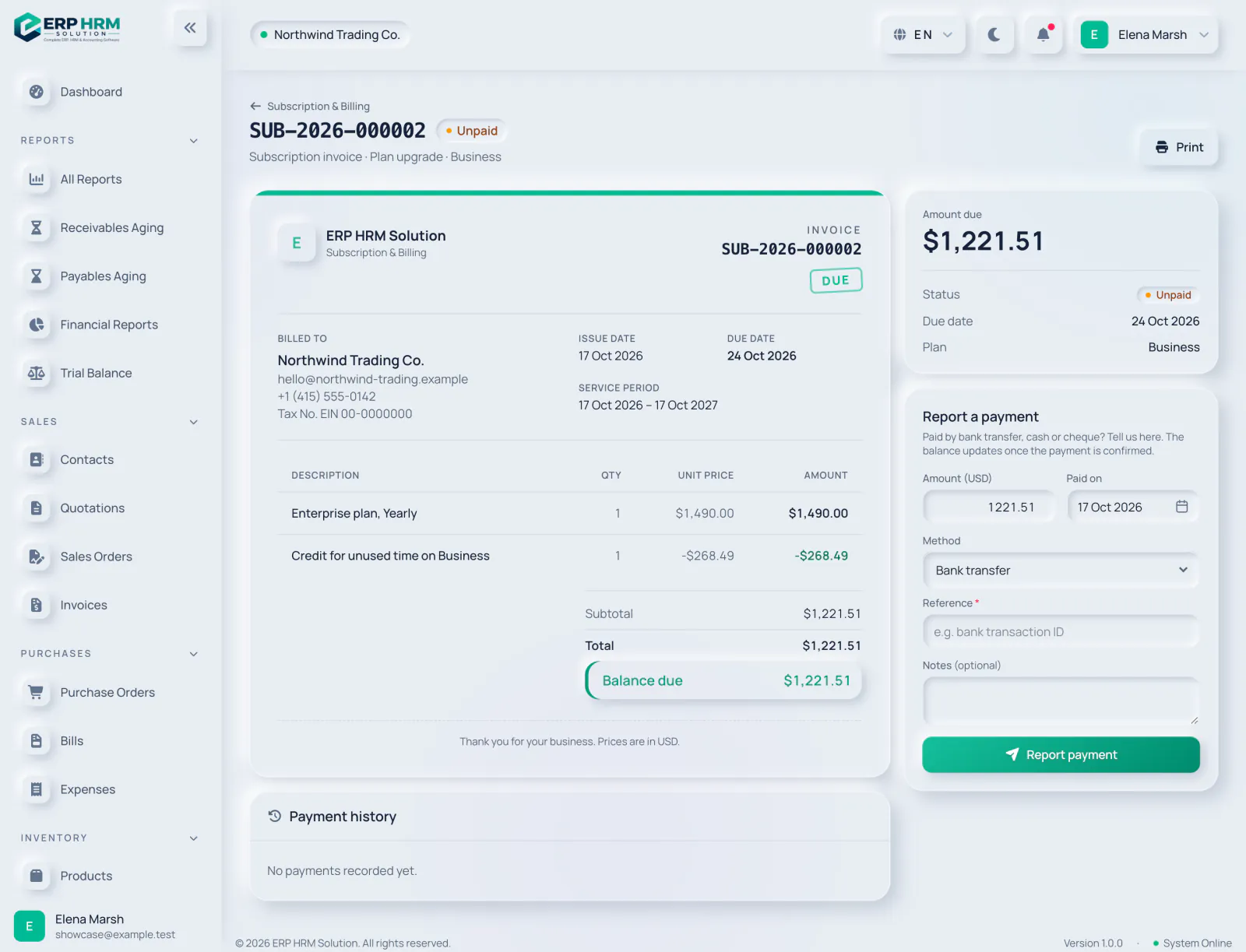
Subscription invoices
Every invoice from the platform, with a simple way to report a manual payment.
Ready to see it with your own data?
Start a workspace and follow the guided checklist, or talk to us about your business first.
Bring your whole business into one place
Start your free 14-day trial today. Your workspace is ready in minutes.