Work queues count documents that are waiting for the next step. Select a queue to open the matching list.
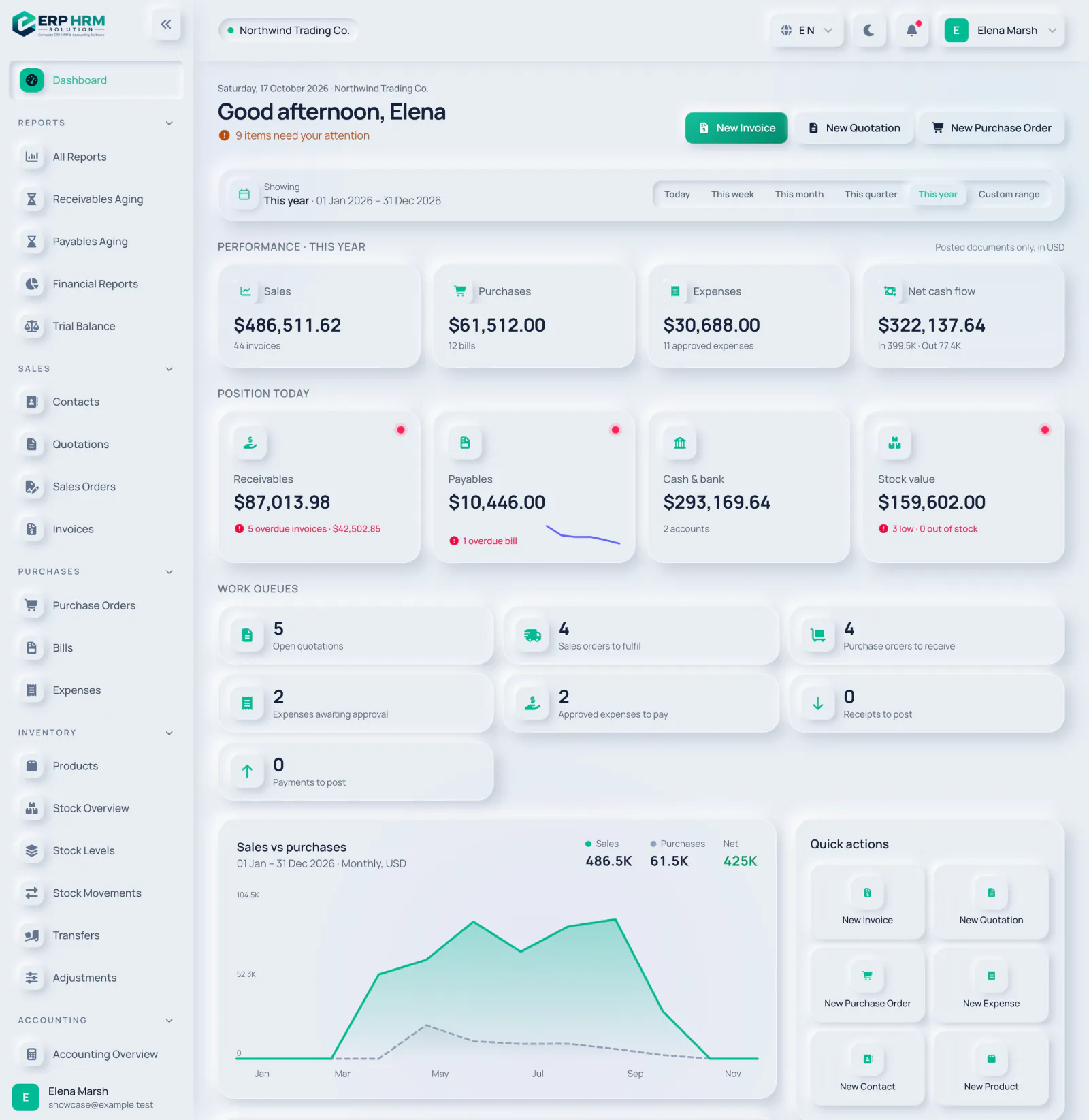
- 1. Open quotations
- 2. Sales orders to fulfil
- 3. Purchase orders to receive
- 4. Expenses awaiting approval
- Open quotations — quotations still in draft, sent or viewed: not yet accepted, declined or converted.
- Sales orders to fulfil — confirmed orders still to deliver.
- Purchase orders to receive — orders still waiting for goods.
- Expenses awaiting approval — submitted expense claims. If your role cannot see all expenses, only your own claims are counted.
- Approved expenses to pay — approved claims not yet paid.
- Receipts to post and Payments to post — payments saved as drafts that still need posting to the books.
Related guides
Ask about the product
Ask what the software can do, how a task works, or which countries and languages it supports. Answers come from these guides.
Thinking…
The AI assistant is not available right now. Search the guides or talk to our team. Contact support
AI can make mistakes. Check the linked guides.
Still need help?
Our support team reads every message and answers in plain language.
Contact support