Banking & reconciliation
Import your bank statements, match them to what is already in your books and reconcile to a zero difference.

Banking & reconciliation, in detail
Statement import as CSV, OFX/QFX, MT940 or CAMT.053, bank rules and reconciliation to a zero difference.
Statement import
CSV with a saved column mapping, OFX/QFX, SWIFT MT940 or ISO 20022 CAMT.053.
Line matching
Auto-match lines, accept them, book new entries or payments, or ignore them.
Bank rules
Book recurring lines such as bank charges automatically.
Reconciliation
A reconciliation completes only when the difference is zero, with a reconciliation report.
More of Banking & reconciliation
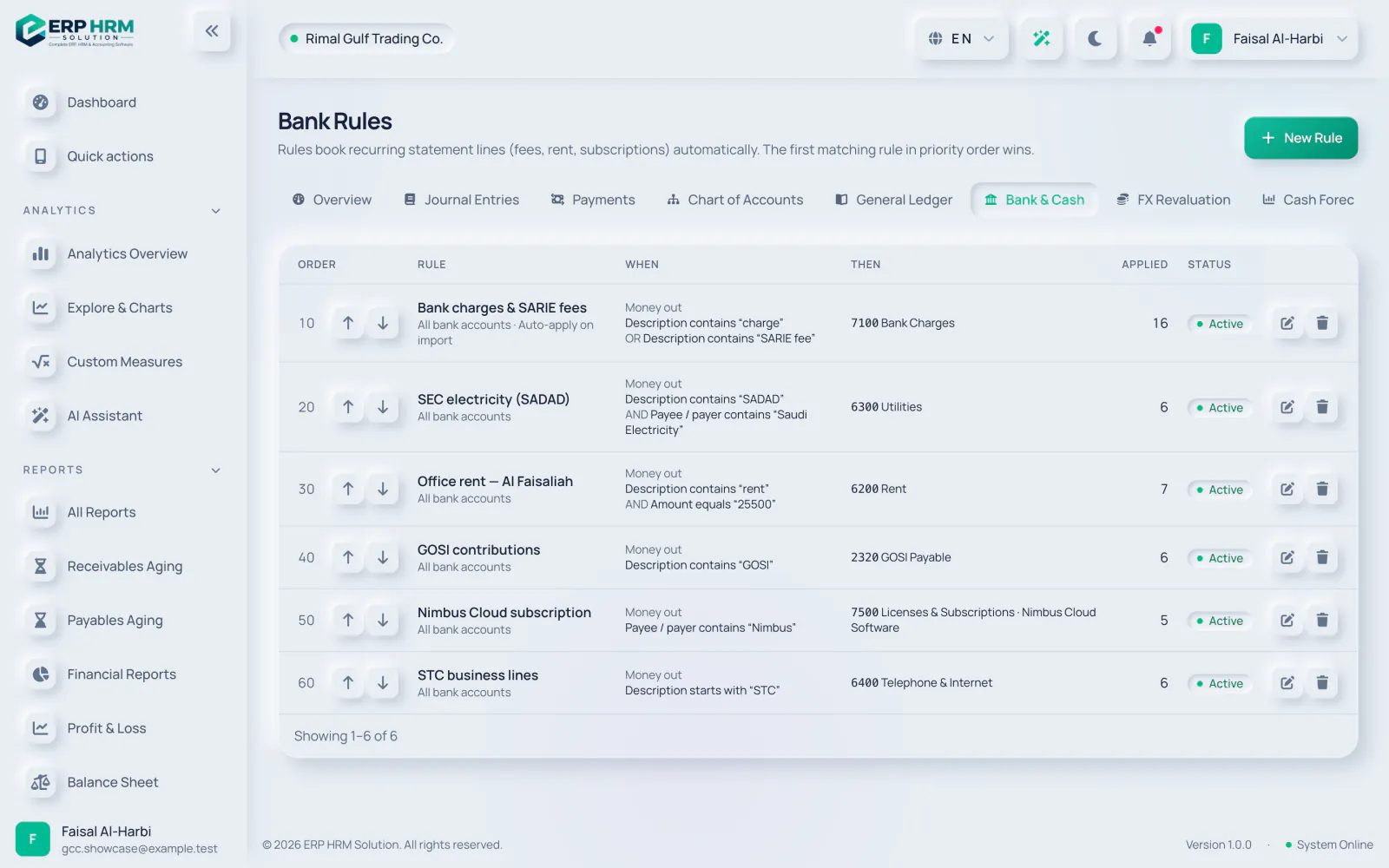
Bank rules
Works hand in hand with
Every module shares the same customers, products, accounts and permissions.
Accounting
Double-entry ledger, journals, trial balance, profit & loss, balance sheet and cash flow.
Learn morePlanning & close
Budgets with spending control, period and year-end close, FX revaluation and fixed assets with straight-line or declining-balance depreciation.
Learn moreAI assistant
Ask questions about your data, get how-to help on every page and capture bills and receipts.
Learn moreQuestions about Banking & reconciliation
See Banking & reconciliation working with your own data
Start your free 14-day trial today. Your workspace is ready in minutes.